WMA-5 Operation Manual V. 1.01 20 support@ppsystems.com
Measure Screen
The Measure screen is displayed after the Splash screen and when the WMA-5 is powered up. For the
first 10-15 minutes, the WMA-5 goes into a warm-up period until it achieves its stable temperature of
55°C and an Auto-Zero is performed. During this time, messages are displayed in the Status Box area
that indicates that the instrument is in the warm-up stage. At the completion of the warm-up period, the
proper CO
2
value is displayed and the Status Box is blank.
The Main and right arrow buttons are operational during and after the warm-up period.
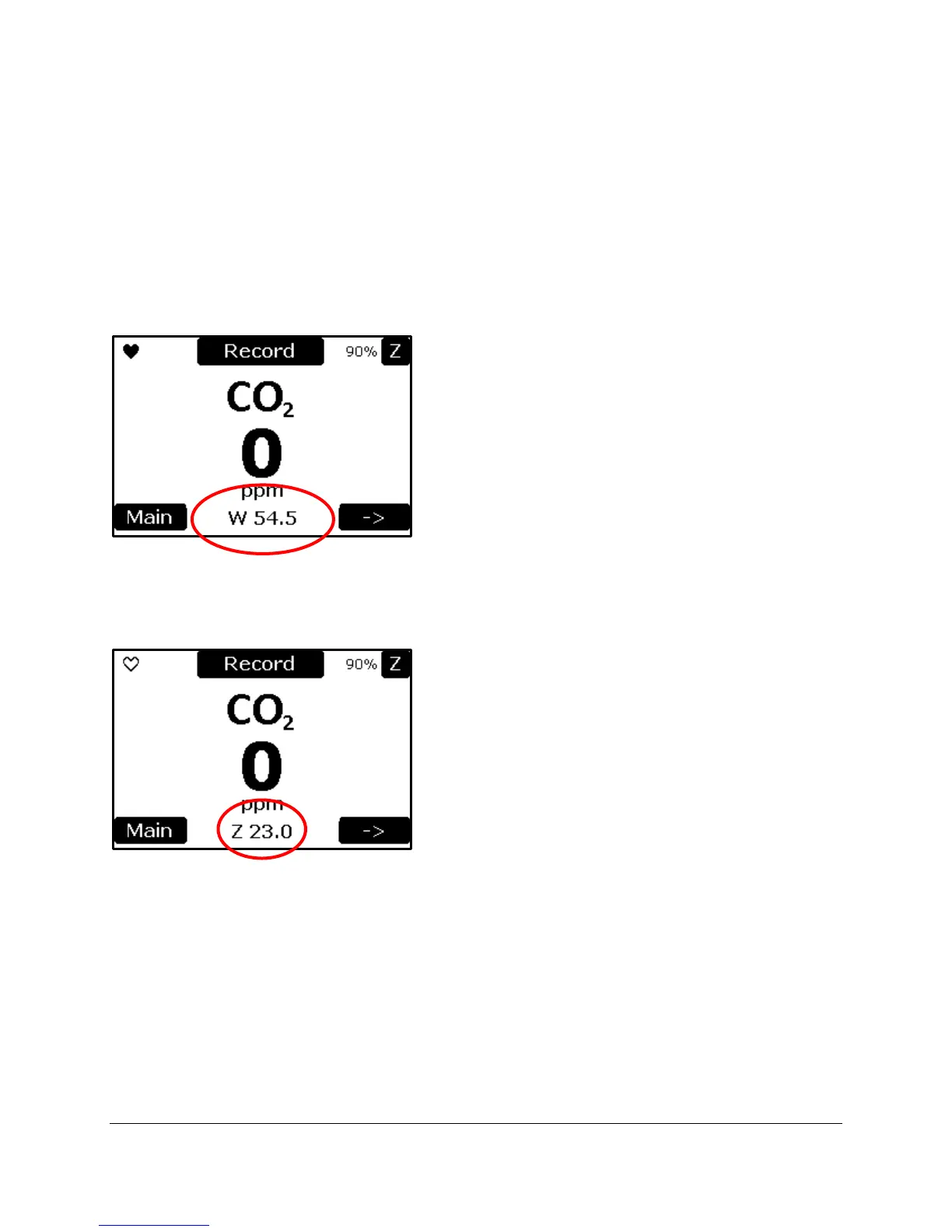
Warming Up
The status of ‘W 54.1’ means the WMA-5 is warming and the CO
2
IRGA temperature is 54.1°C. During
warm-up, the CO
2
value is displayed as 0.
Performing a Zero
The status of ‘Z 23’ means the WMA-5 is performing a zero. The number is how many seconds it will take
to complete the sequence. A normal zero starts at 25 seconds. During a Zero, the CO
2
value is displayed
as 0 as the readings are not valid during the Zero sequence.
At the completion of the warm-up and the first Zero, valid readings are displayed.



 To Next Page