WMA-5 Operation Manual V. 1.01 26 support@ppsystems.com
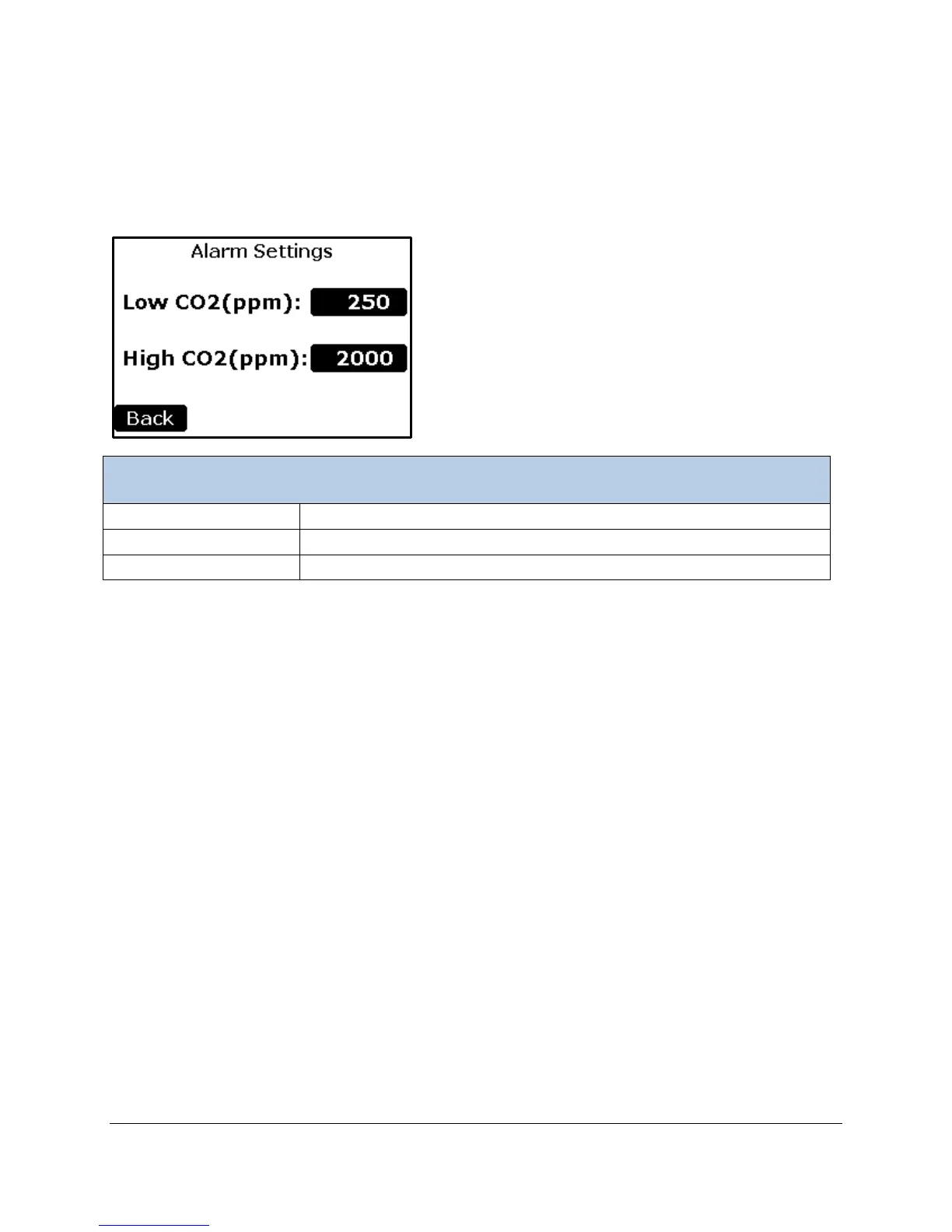
Alarm Settings
This function allows the user to change/view the low (ALARM1) and high (ALARM2) alarm facilities that
are built into the WMA-5. An alarm consists of an audio beep (if enabled in the Alarm Sound Setting
screen), an information message in the Status Box in the Measurement Mode screens and a relay switch
closure. There is a relay switch for each alarm: low (ALARM1) and high (ALARM2).
To set the low CO
2
limit value at which an error is generated.
To set the high CO
2
limit value at which an error is generated.
Returns to the Settings 1 Menu.
Low CO
2
Alarm Setpoint
To change the Low CO
2
Setpoint, select the button to the right of the “Low CO
2
Setpoint (ppm):” text. The
numerical keypad will appear allowing a new number to be inputted. See numerical keypad description
under Zero Time section for details.
The WMA-5 is supplied with a factory default low alarm setting of 250 ppm. The reason for this is that a
typical low CO
2
value is the result of one of the following scenarios:
• Low or no air flow.
• Absorber column exhausted (soda lime).
• Zero valve failure.
The low alarm (ALARM1) terminal relay switch handles the output when CO
2
is below the low settings.
High CO
2
Alarm Setpoint
To change the High CO
2
Setpoint, select the button to the right of the “High CO
2
Setpoint (ppm):” text.
The numerical keypad will appear allowing a new number to be inputted. See numerical keypad
description under Zero Time section for details.
The default WMA-5 high alarm setpoint setting is 2000 ppm.
The high alarm (ALARM2) terminal relay switch handles the output when CO
2
exceeds the high settings.
Once the desired values are displayed, the Back button is selected to return to the Settings Menu.



 To Next Page