WMA-5 Operation Manual V. 1.01 40 support@ppsystems.com
2
2
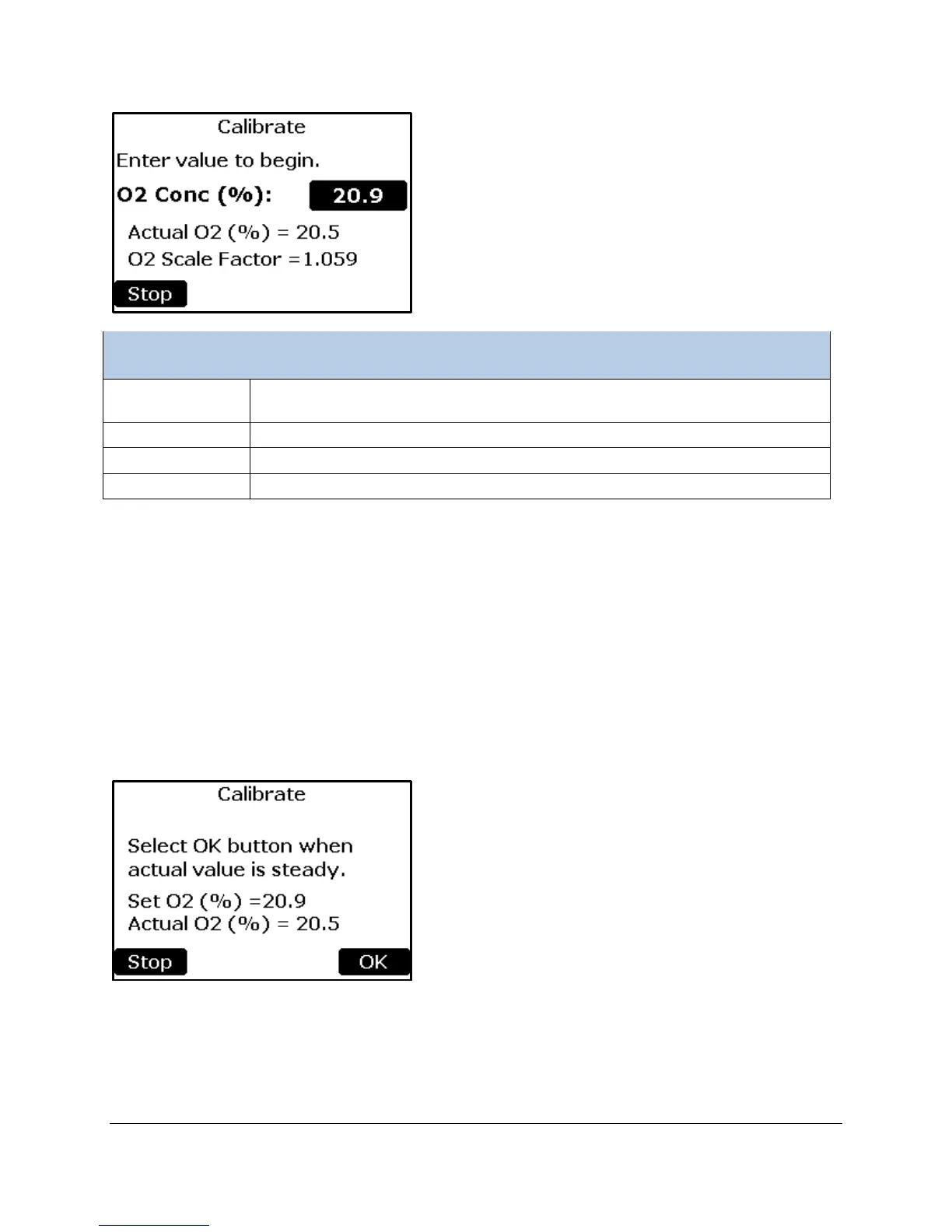
concentration (%) of the calibration reference gas.
Entering a value will begin the Calibration Process
The current O
2
reading based on the Scale Factor
The current Scale Factor being used
Returns to the Calibration Menu.
Connecting Reference Gas the WMA-5
During calibration, the O
2
Sensor readings are referenced against air of known O
2
concentration.
Follow these instructions to calibrate the WMA-5 O
2
Sensor:
1. Connect the reference (sample) gas to the GAS IN port on the WMA-5
2. Select the button to the right of the “O
2
Conc (%):” text.
3. Enter the O
2
concentration of the reference gas.
Note, the Actual value may not be the value you entered in step 4 above. When the Actual O
2
value
has stabilized, press the OK button. To cancel without performing a Calibration, press Stop.



 To Next Page