WMA-5 Operation Manual V. 1.01 21 support@ppsystems.com
or
2
2
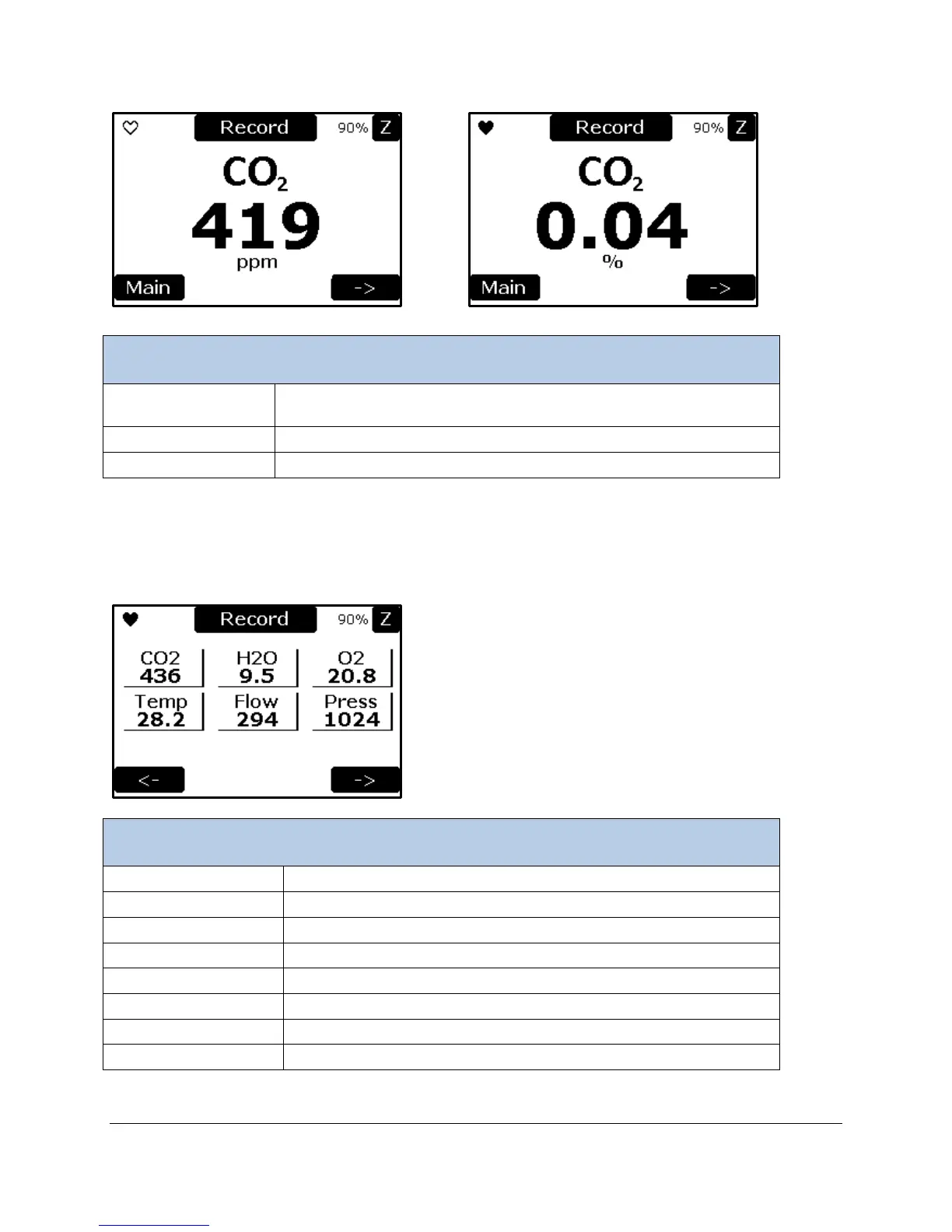
Concentration (ppm or %). You can display CO
2
in ppm or as a
percentage. See CO
2
Units Settings on page 28.
The Main Menu screen is displayed when this button is selected.
Selects the next measurement screen (Variables 1 Screen).
Variables 1 Screen
The Variable 1 screen displays the values of six variables in real time; CO
2
, H
2
O, O
2
, Temperature, Flow
Rate, and Pressure.
CO
2
concentration reading (ppm).
H
2
O reading (mb), only if optional humidity sensor is installed.
O
2
reading (%), only if optional O
2
sensor is installed.
Inlet air temperature (C), only if optional humidity sensor is installed.
Flow rate reading (cc/min).
Absolute pressure in sample cell (mb).
Displays the previous measurement screen, the Measure Screen.
Displays the next measurement screen, the Variables 2 Screen.



 To Next Page