93
Encoder Operation Error
The PF400 robot is equipped with absolute encoders that keep track of the robot position even when AC
power to the robot is disconnected. There is a battery in the base of the robot that provides standby
power to the encoders. In standby mode, there is a limit on how quickly the motor can turn and still have
the standby counter operate properly. The limits are 6,000 rpm and 4000 rad/s
2
. Even at 100% speeds
the robot joints normally do not move faster than about 2,000 rpm and 1300 rad/s
2
. However if the robot is
shocked during shipping, it is possible the standby operation acceleration error limit may be exceeded.
This can generate an encoder operation error that will prevent the robot from homing after power up.
This error will be displayed in the Operator Window of the Web Interface as “Encoder Operation Error”
Robot 1: <axis number>.
Assuming the robot has not been damaged by the shipping process, this error can be reset by the
following procedure:
1. Access the Web Operator Interface to the robot with either “Maintenance” or “Administrator”
privileges.
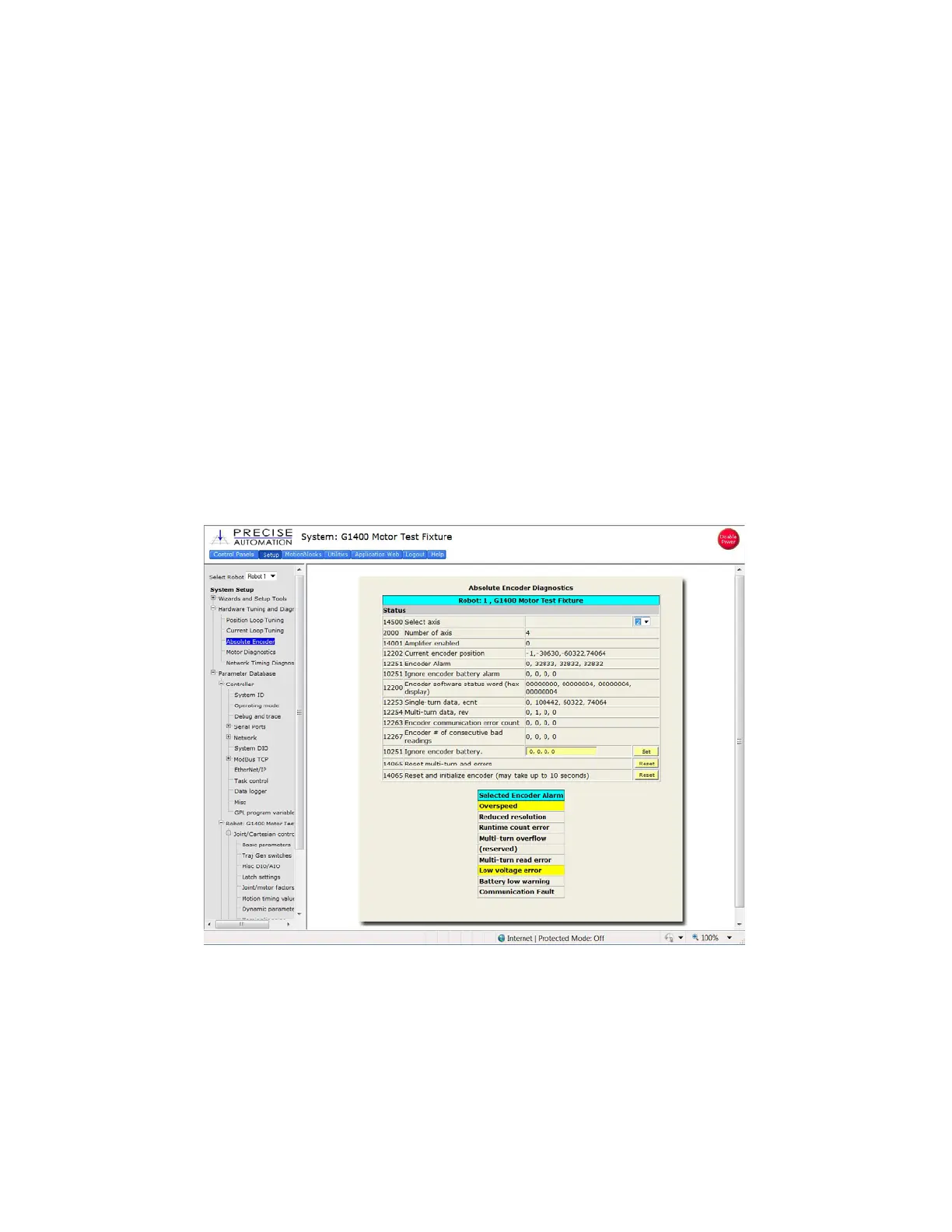
2. In the “Setup” menu, select “Hardware Tuning and Diagnostics”, then select “Absolute Encoder”.
You should see a screen similar to that shown below.
3. In the pull down menu at the top right of the screen, select the robot axis that was associated
with the error and check to see if the Overspeed panel is yellow. This indicates an overspeed
error during encoder standby mode due to shock or vibration. This error can be reset by
selecting the reset button next to “Reset and initialize encoder”. This button resets error flags, but
does not reset the encoder counters. The robot can then be homed normally.
4. For cases where the encoder operation error was triggered by shipping vibration, IN MOST
CASES the encoder will not have lost any position data. However after homing the robot it is a
good idea to move the robot to the calibration position (using the calibration pins if desired-see



 To Next Page