85
Controller Software Extensions
This section discusses extensions to the standard Guidance Controller software that are specific to the
PreciseFlex 400 Robot. Precise offers a Command Server software package that allows a PC to send
high level commands to the PF400 robot. This package is available upon request.
Adding or Removing the Optional Linear Axis
The optional Linear Axis may be added to existing PF400 robots by simply placing the robot on the Linear
Axis and plugging in the connectors from the Linear Axis stage. However the GPL version must be
3.2.H4 or later and the PAC files must be changed to support the robot with Linear Axis. If a robot is
installed on, or removed from, a linear axis new PAC files must be obtained from Precise and installed in
the robot controller and the robot must be re-calibrated, using CALPP_Rev21 or later.
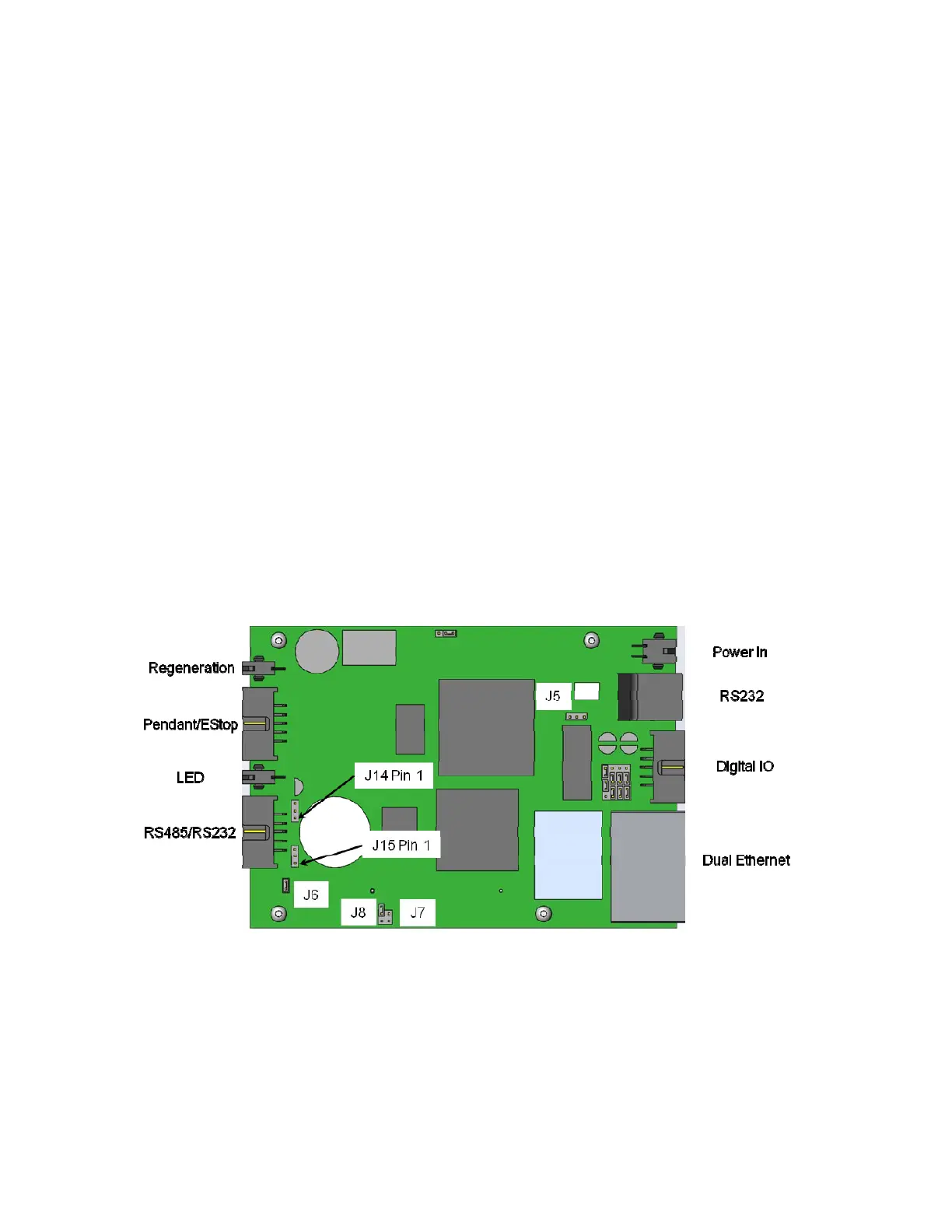
In addition, when adding a linear axis to a robot with a servo gripper for the first time, the J6 RS485
termination jumper on the robot controller in the inner link of the robot must be removed, as the RS485
bus is now extended to the end of the linear rail, where an RS485 jumper is installed. Failing to remove
this jumper can result in RS485 communication errors as there will be too many loads on the RS485 bus.
Note however that for robots with a pneumatic gripper, this jumper should not be removed as the
controller will form one end of the RS485 chain and the GSB controller in the linear rail or the GIO IO
board in the end of the linear rail should provide the second termination. If the GIO is installed, J6 should
be installed on the GIO and J6 should be removed from the GSB on the linear rail carriage. (See
sections on replacing the Linear Axis Controller and Installing the Optional GIO Board for pictures.)
There is a configuration parameter in the PAC files which determines whether the Linear Axis is
configured to add to the robot’s Y Cartesian Axis or X Cartesian Axis. The 5th element of the "Kinematic
dimension constants" (16050) will specify the orientation of the rail. A value of 0 has the rail moving along
+Y. To have the rail move along +X, the 5th parameter must be set to -90 (degrees).
The Linear Axis Option is configured so that the zero position is in the middle of the range of travel. The
software is configured so that the Linear Axis position is added to either the Y axis or X axis Cartesian



 To Next Page