Mod ual el PD6000 Analog Input Process Meter Instruction Man
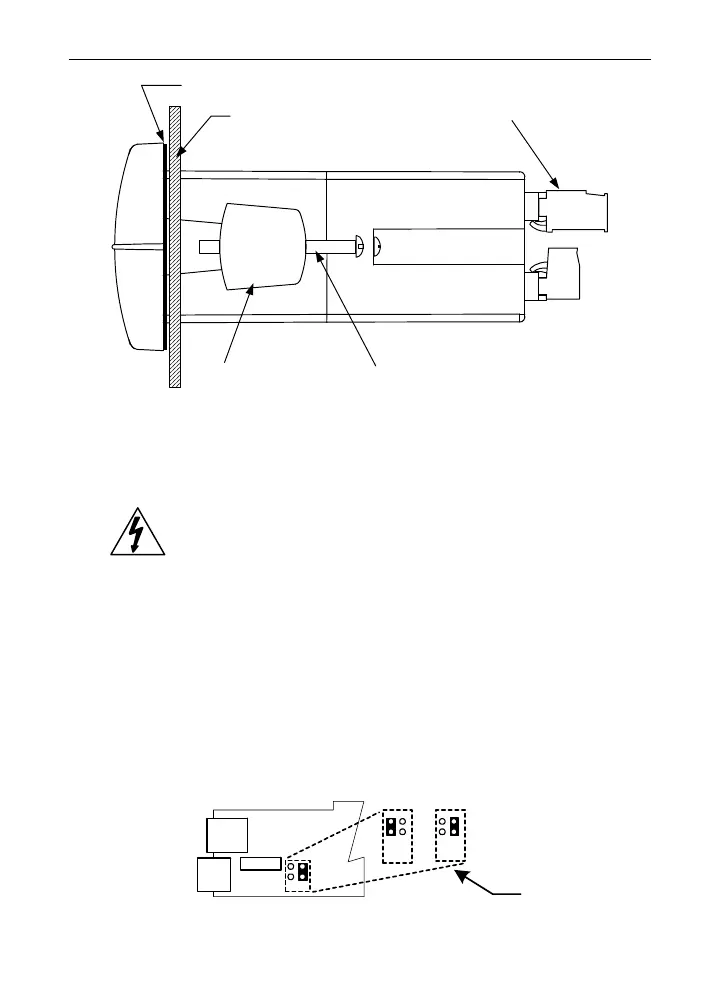
Panel
Gasket
Mounting
Bracket
Mounting
Screw
Removable
Connectors
Figure 2. Panel Mounting Details
Configuration for 12 or 24 VDC Power Option
Do not exceed voltage rating of the selected configuration.
Meters equipped with the 12/24 VDC power option are shipped
from the factory ready to operate from 24 VDC.
To configure the meter for 12 VDC power:
1. Remove all the connectors.
2. Unscrew the back cover.
3. Slide the back cover about 1 inch.
4. Configure the J9 jumper, located behind the power con-
nector, for 12 V as shown below.
MAIN BOARD
24 VDC
12 VDC
POWER
J9
12 V
24 V
J9 CONFIGURATION
Factory
Default
M-LINK
+
_
Figure 3. Jumper Configuration for 12/24 VDC Power
16



 To Next Page