Model PD6000 Analog Input Process Meter Instruction Manual
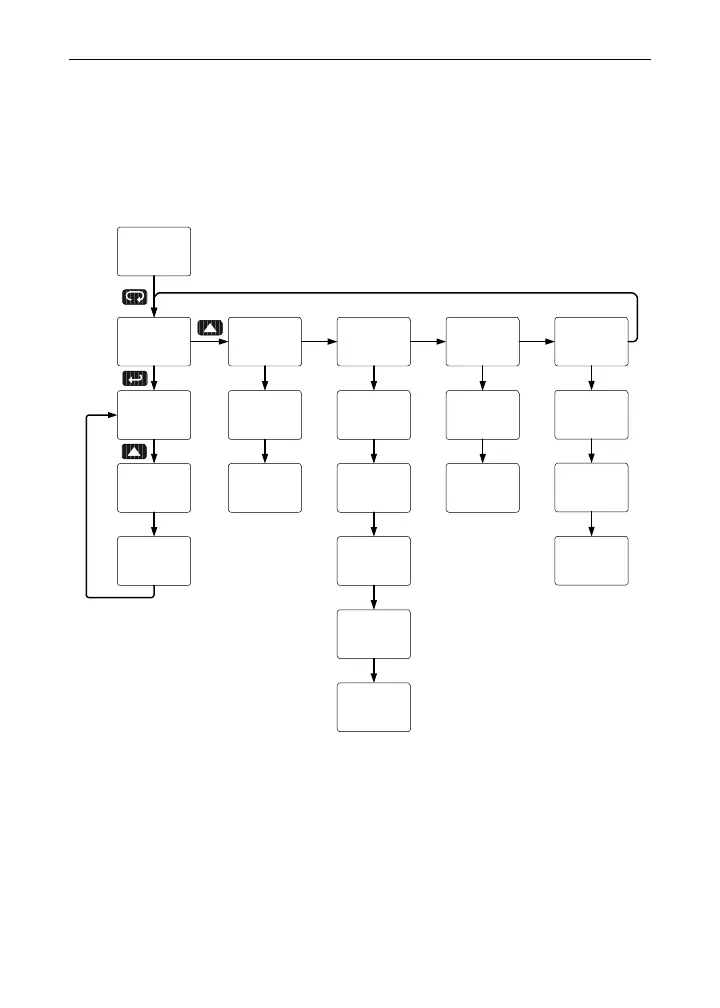
Main Menu
The main menu consists of the most commonly used functions: Reset,
Control, Setup
, Program, and Password.
• Press Menu button to enter Programming Mode then press the Up
arrow button to scroll main menu.
20.000
mA
Run Mode
reset setup Contrl Pass prog
rst Hi
reset
rst HL
reset
rst Lo
reset
auto
contrl
man
contrl
input
setup
dsplay
setup
dec pt
setup
aout
setup
relay
setup
sCale
Prog
Cal
Prog
Pass 1
Pass
Pass 3
Pass
Pass 2
Pass
• Press Menu, at any time, to exit and return to Run Mode. Changes
made to settings prior to pressing Enter are not saved.
• Changes to the settings are saved to memory only after pressing
Enter.
• The display moves to the next menu every time a setting is ac-
cepted by pressing Enter.
29



 To Next Page