Model PD6000 Analog Input Process Meter Instruction Manual
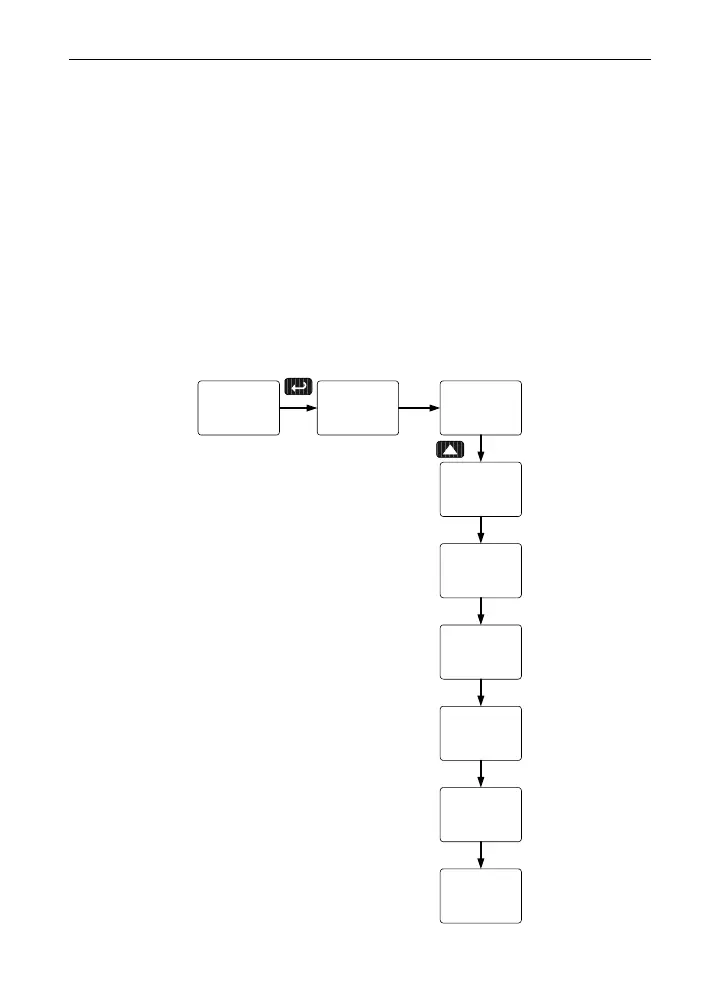
Setting the Relay Action
Operation of the relays is programmed in the Action menu. The relays
may be set up for any of the following modes of operation:
1. Automatic reset (non-latching)
2. Automatic + manual reset at any time (non-latching)
3. Latching (manual reset only, at any time)
4. Latching with Clear (manual reset only after alarm condition
has cleared)
5. Pump alternation control (automatic reset only)
6. Sampling (the relay is activated for a user-specified time)
7. Off (relay and status LED disabled)
The following graphic shows relay 1 action setup; relay 2-8 are set up in
a similar fashion.
From
Relay 1
Menu
Latch
Act 1
Sampl
Act 1
Act 1
rly 1
A-mAn
Act 1
Auto
Act 1
Lt-Clr
Act 1
Altern
Act 1
OFF
Act 1
40



 To Next Page