Model PD6000 Analog Input Process Meter Instruction Manual
20
-+
+
Voltage
Signal
mA+P-
21354
P+ V+
COM
INPUT SIGNAL
mA+P-
2134
P+ V+
COM
INPUT SIGNAL
3-Wire Voltage
Transducer
5
Signal
-
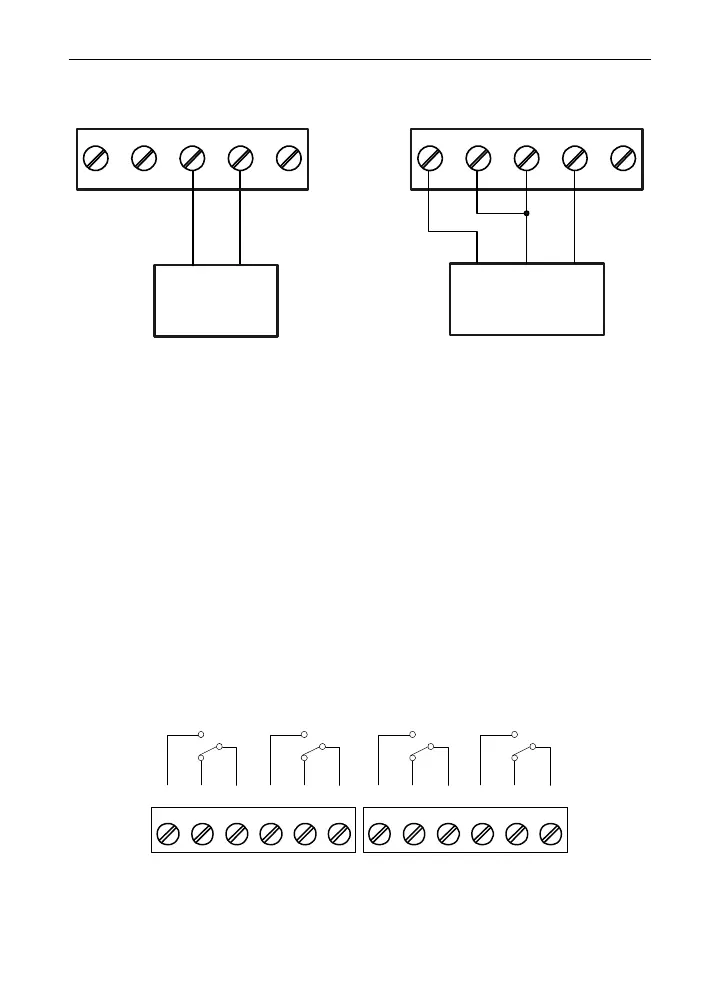
Figure 9. Voltage Input Connections
The meter is capable of accepting any voltage from -10 VDC to +10 VDC.
Serial Communications
Serial communications connection is made to an RJ45 connector la-
beled M-LINK on Figure 5. Use PDA1232 for RS-232 interfacing or the
PDA1485 for RS-422/485 interfacing. The same port is used for inter-
facing with all expansion modules (e.g. external relays, digital I/O).
Use the PDA1200 meter copy cable for meter-to-meter interfacing for
cloning purposes (i.e. copying settings from one meter to other meters).
Relay Connections
Relay connections are made to two six-terminal connectors labeled
RELAY1 – RELAY4 on Figure 5. Each relay’s C terminal is common
only to the normally open (NO) and normally closed (NC) contacts of the
corresponding relay. The relays’ C terminals should not be confused
with the COM (common) terminal of the INPUT SIGNAL connector.
CNONO NC NC C
RELAY4 RELAY3
4365 21
CNONO NC NC C
RELAY2 RELAY1
4365 21
Figure 10. Relay Connections



 To Next Page