Model PD6000 Analog Input Process Meter Instruction Manual
Maximum/Minimum Readings
The max & min readings (peak & valley) reached by the process can be
displayed either continuously or momentary:
1. Display briefly by assigning to the F1-F3 function keys or to the
digital inputs in the
User menu.
2. Display continuously by assigning either display to max/min
through the
Display menu.
Any of the F1-F3 function keys (buttons) and the digital inputs can be
programmed to reset the max & min readings. The meters are set at the
factory to display the max reading by pressing the Up arrow/F2 button
and to use the Right arrow/F1 button to access the
Reset menu.
To display max reading using function key with factory defaults:
1. Press Up arrow/F2 button to display maximum reading since the
last reset/power-up.
2. To reset max/min press Right arrow/F1 button to access the Reset
menu. The max & min displays are reset to actual values.
3. Press Menu to exit max/min display reading.
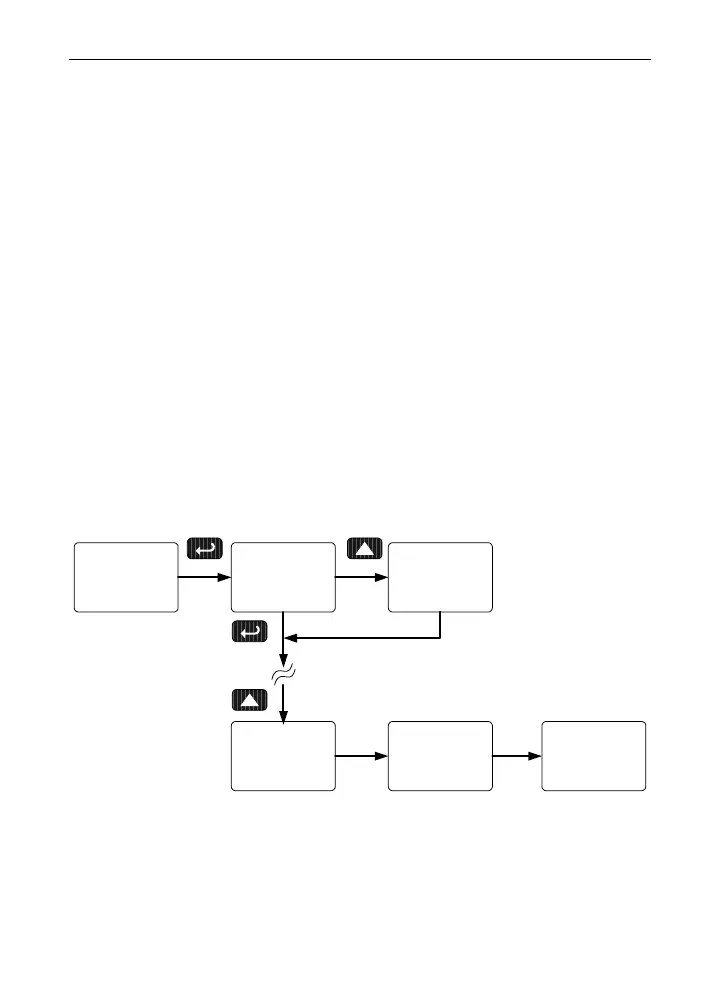
To display max/min readings continuously:
Assign either display to Max (d Hi), Min (d Lo), or toggle between Max
and Min (
d HL) every 10 seconds.
Dsplay
setup
big
dsplay
Little
dsplay
d Hi
big
d Lo
big
d HL
big
75



 To Next Page