Model PD6000 Analog Input Process Meter Instruction Manual
Setting Up the Meter (setup)
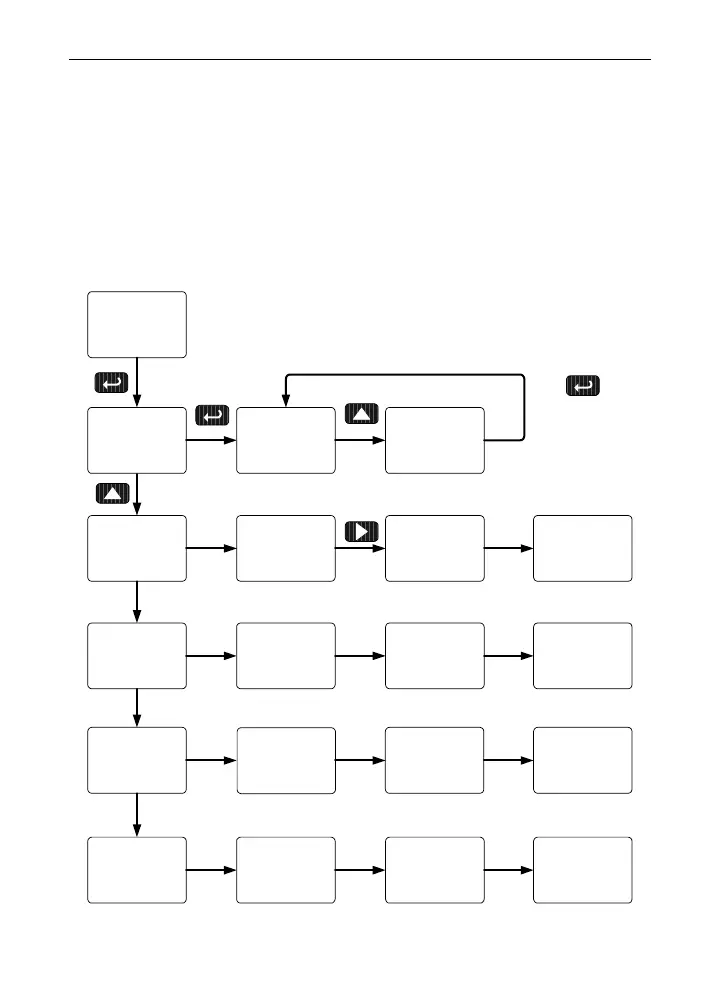
The Setup menu is used to select:
1. Input signal the meter will accept
2. Decimal point position
3. Display parameter and intensity
4. Relay operation
5. 4-20 mA analog output scaling
Press the Enter button to access any menu or press Up arrow button to
scroll through choices. Press the Menu button to exit at any time.
Press Enter
to Accept
setup
dec pt
setup
ddd.ddd
dec pt
dddd.dd
dec pt
input
setup
mA
Input
volt
Input
Dsplay
setup
big
dsplay
Little
dsplay
relay
setup
Aout
setup
dis 1
Aout
004.000
dis 1
d-Inty
dsplay
delay
relay
rly 1-8
relay
Failsf
relay
Out 1
Aout
ddddd.d
dec pt
31



 To Next Page