Model PD6000 Analog Input Process Meter Instruction Manual
Meter Copy or Cloning Instructions
!
Caution!
Do not connect the two meters to
the same signal source while
cloning. Internal calibration may
be affected.
1. Connect two meters using a PDA1200 meter copy cable.
Warning!
Using standard CAT5 or other cable will cause damage to
both meters. Use PDA1200 meter copy cable only.
2. Do not connect the two meters to the same signal source.
3. Power up both meters. Leave Clone meter in Run Mode.
4. Enter the
Advanced Features menu of the Master meter; see
Advanced Features Menu on page 60.
5. Scroll to the
Copy function using the Up arrow button then press
Enter.
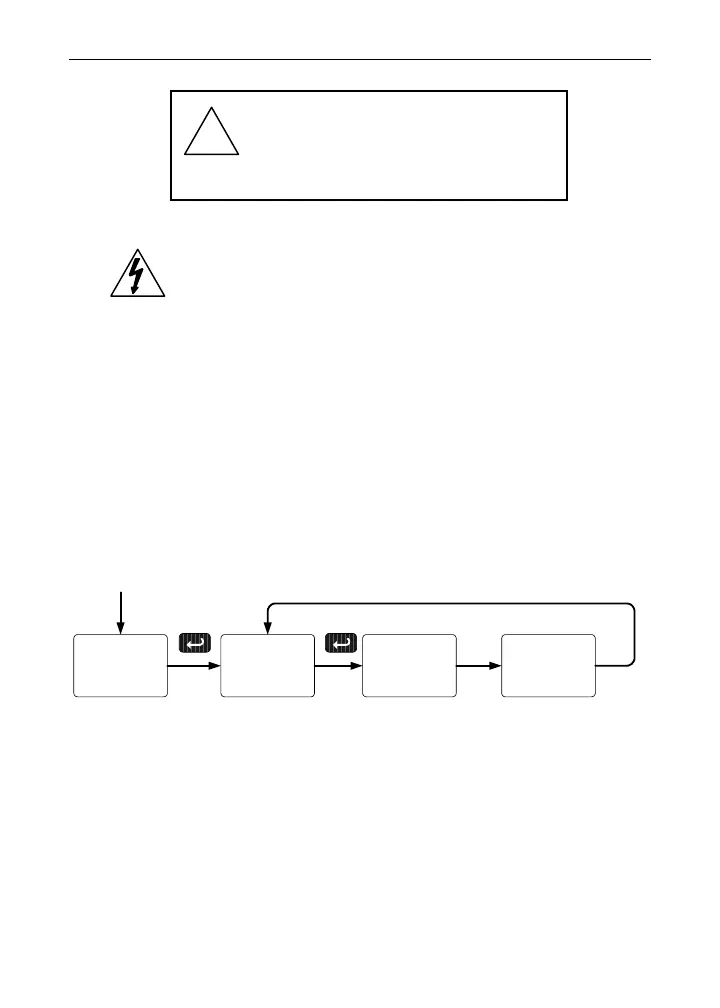
6. The meter displays the message
Send. Press Enter, the display
flashes while sending data. The message
done is displayed when
copying is completed.
Send
Copy
done
Copy
Display flashes
while sending
data
Copy
7. The Clone meter displays the message CPY rC while being pro-
grammed then the message
done when copying is completed. The
meter initializes and returns to Run Mode using the same settings
as the Master.
8. If meter to be cloned does not respond to the data being sent, refer
to
Copy Function Requirements above.
73



 To Next Page