2.Disassembly
Removing the Wireless LAN Module
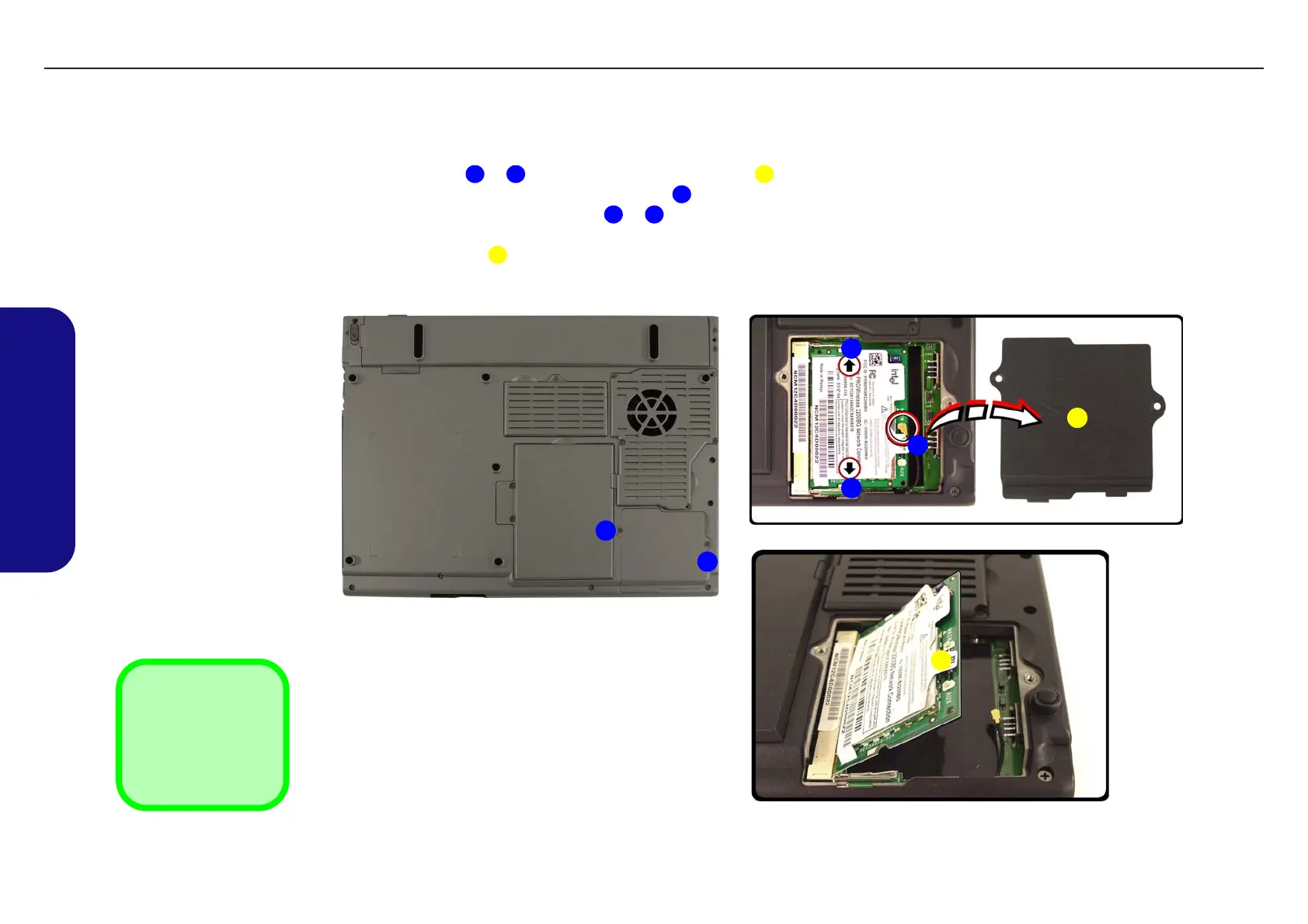
1. Turn off the computer, remove the battery (page 2 - 7).
2. Remove screws & and remove the WLAN cover .
3. Carefully disconnect the WLAN aerial cable .
4. Gently pull the two release latches & on the sides of the WLAN socket in the direction indicated by the
arrows.
5. The WLAN module will pop-up, and you can remove it.
1 2 3
4
5 6
7
Figure 2 - 6
Wireless LAN
Module Removal
a. Remove the screws.
b. Remove the cover and
release the aerial cable.
c. Release the latches to
allow the module to pop-
up.
a.
1
2
b.
c.
3
7
4
5
6
3. WLAN Socket
Cover
7. WLAN Module
•2 Screws
TECHNICAL SERVICE MANUAL Prestigio Visconte 125W
12


 To Next Page