2.Disassembly
Removing the Battery
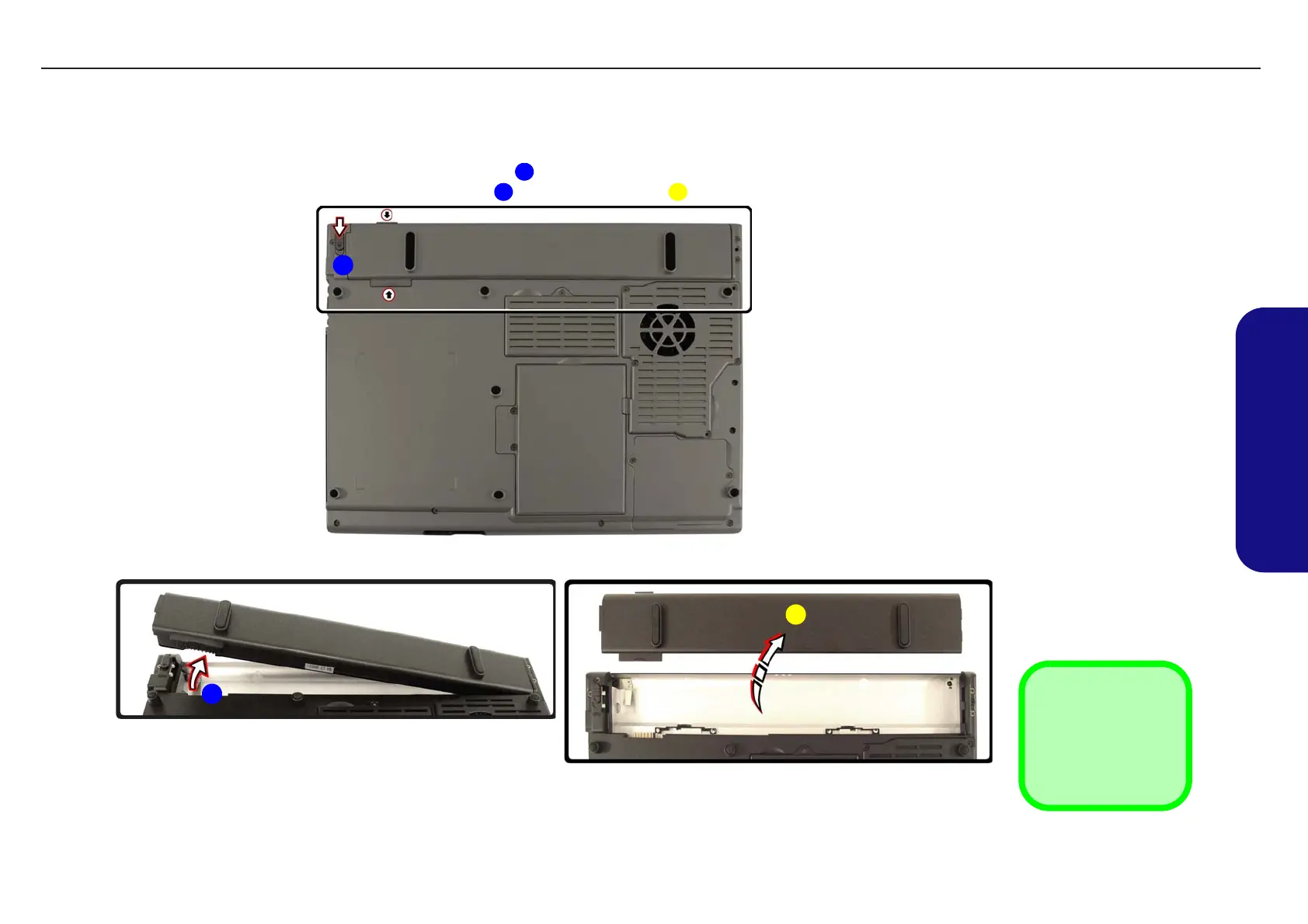
1. Turn the computer off, and turn it over and locate the battery bay.
2. Slide the battery lock in the direction of the arrow , and hold it in place.
3. Pull the battery up in the direction of the arrow , then lift the battery out of the computer’s battery bay.
3. Battery
Figure 2 - 1
Battery Removal
a. Slide the battery lock and
hold it in place.
b. Slide the battery in the di-
rection of the arrow.
c. Remove the battery.
1
2 3
1
2
3
a.
b. c.
TECHNICAL SERVICE MANUALPrestigio Visconte 125W
7


 To Next Page