Chapter 6: DADman Software
28
Monitoring Section
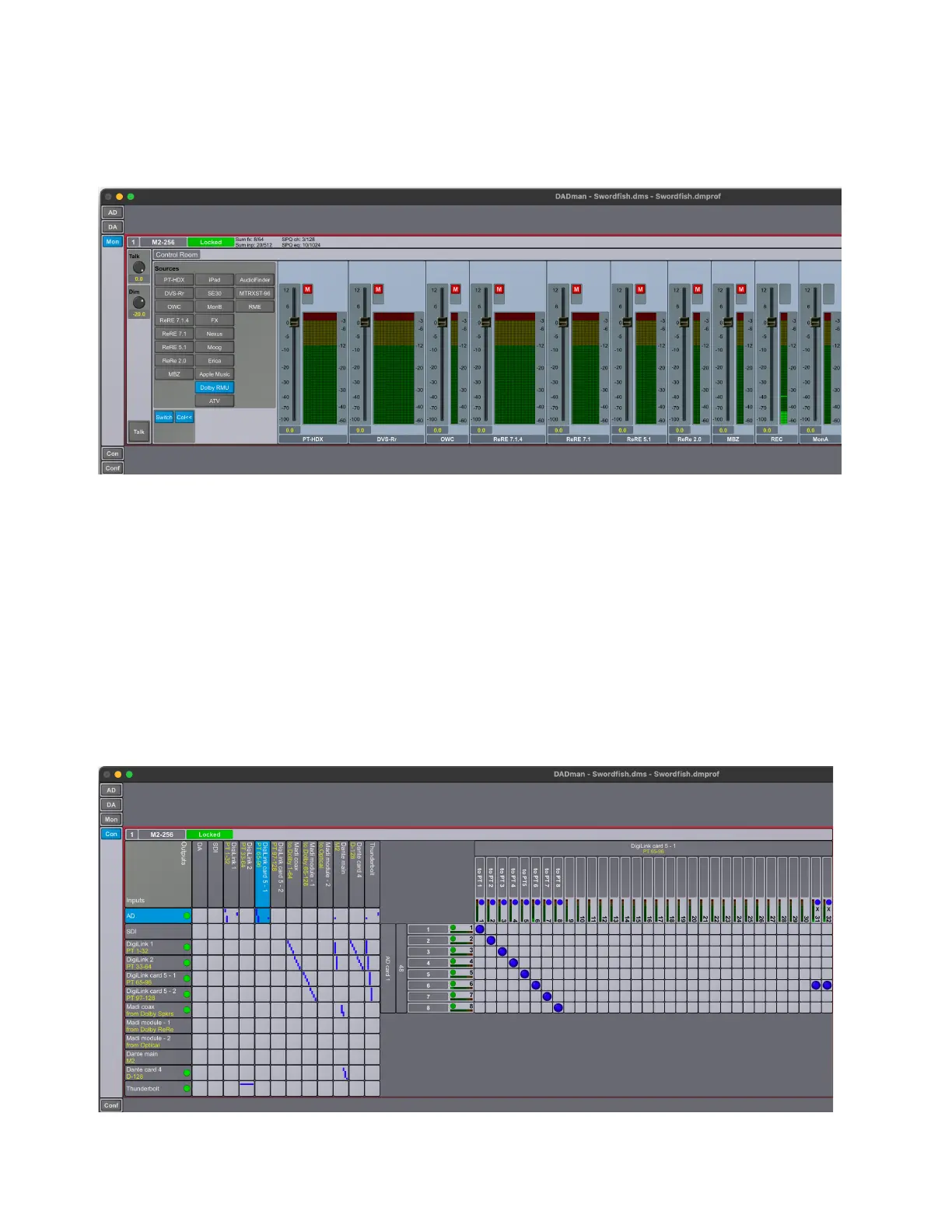
The Monitor (Mon) section is available when the Enable monitor option is selected in the Monitor Profile Configuration Settings win-
dow (
Settings > Monitor Profile). This lets you monitor defined sources and route them to defined outputs, which is configured in the
Monitor Profile Configuration Settings window (for more information, see Monitor Profiles). The Mon section also provides controls
for Talkback parameters, EQ Filter options, and signal delay amounts (for more information, see SPQ Processing).
Connections Section
The Connections section provides a cross-point matrix for configuring the routing of all available analog and digital inputs and outputs
for each unit in on the network. In addition to the built-in digital I/O and DigiLink connections to and from Pro Tools, all I/O expansion
cards installed in the unit are also shown here. You can route any input channel (mono) to one or more output channels within the same
unit. All routing configurations are internal to each individual unit, so you cannot route the inputs from one MTRX II unit to the outputs
of a second MTRX II unit on the network. To accomplish this, route an output from one MTRX II to the inputs of another MTRX II.
The Connections section includes of an Overview matrix on the left and a Detailed matrix to the right, which appears when you select
a cross point between an Input Source and an Output Destination in the Overview matrix.
The left side of the Overview matrix shows all available inputs (sources) for the unit. Available outputs are displayed vertically across
the top of the Overview matrix. For example, the picture below shows the cross-point matrix for an installed 8-channel analog to digital
expansion card (AD on the left) where each input channel is routed to Pro Tools input channels 1–8 (DigiLink main – 1 on top).
Mon section
Connections section: DADman Matrix



 To Next Page