Chapter 7: Monitor Profiles
41
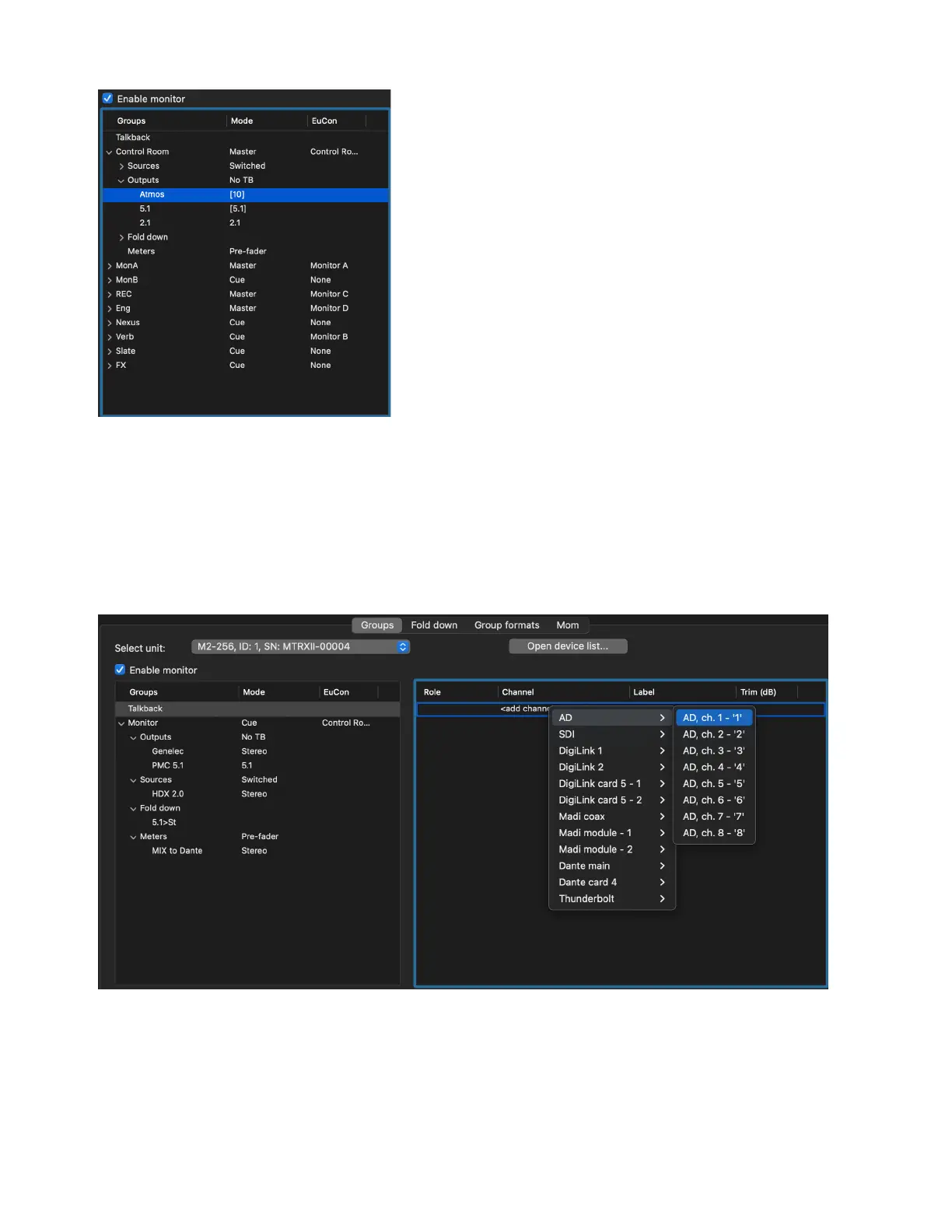
Talkback
Talkback is the first item in the Groups column and is always present. The source for Talkback can be any available mono input.
To assign an input for Talkback:
1 Click to highlight Talkback at the top of the Groups page of the Monitor Profile Configuration window.
2 In the Channel column in the right pane, right-click <add channel> and select the input source for the Talkback mic.
3 If desired, click to edit the Label and Trim for the Talkback input.
To add Thunderbolt inputs (if the Thunderbolt 3 card is installed):
1 Click on Talkback at the top of Settings > Monitor Profile window.
2 Right-click on <add channel> to select one or more (summed) sources for the Talkback input.
Monitor group with assignments: stereo output, stereo source, stereo to mono fold down, and stereo meters
Assigning Talkback input



 To Next Page