Proel MS 32 Owner's Manual
25
PATCH MODE
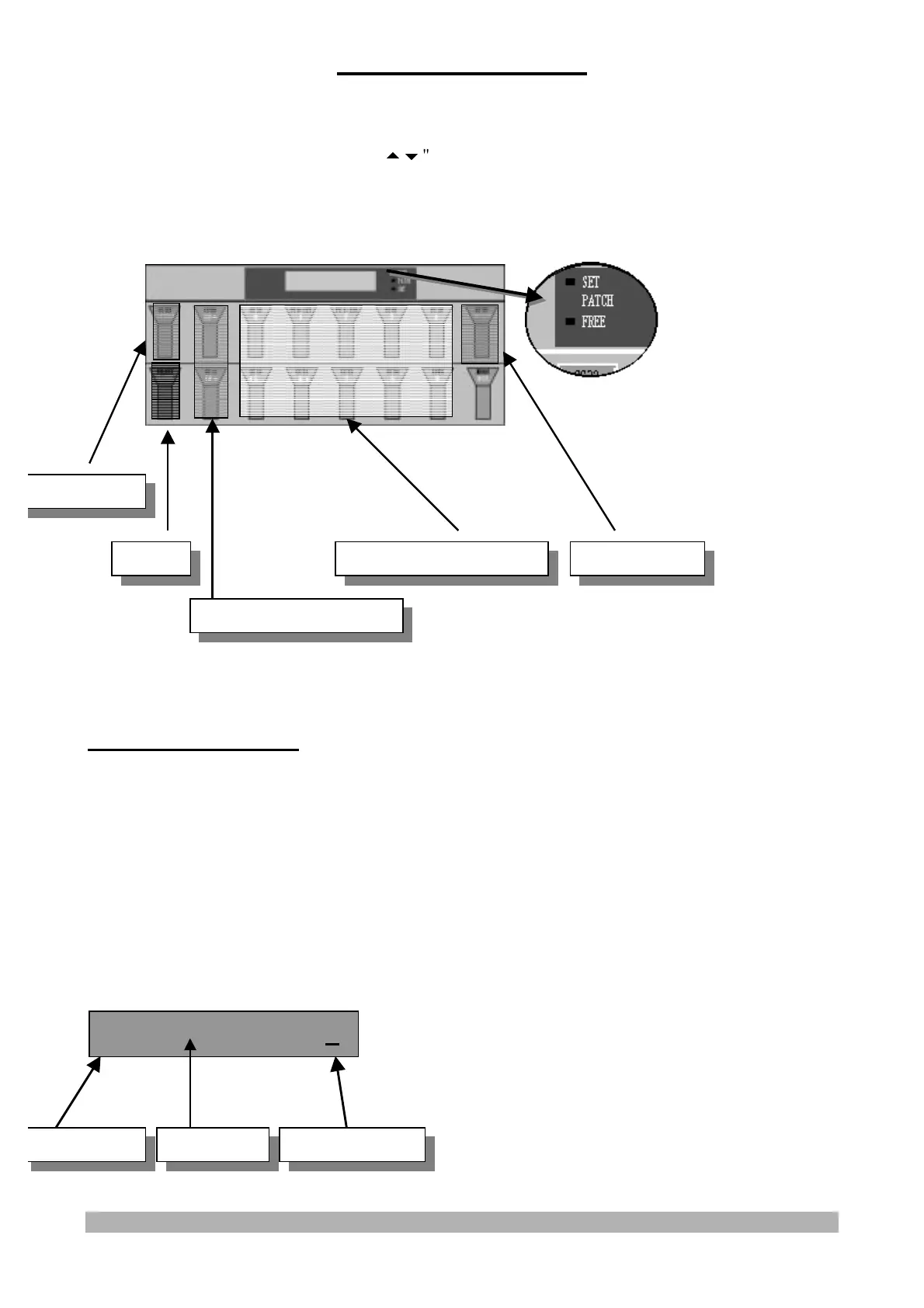
In the PATCH mode it is possible to:
- recall the 10 PATCHES of the current SET stored using the switches from 0 to 9
- recall the 10 SETS stored using the "
" switches
- activate the START/STOP and the CONTINUE functions
- edit the PATCH parameters using the "SELECT/CHANNEL" switch
0~9 PATCH SELECTION:
When the PATCH LED is on, the cursor is under the PATCH number and an arrow points the
PATCH number, the MS32 is in its PATCH selection mode.
Pressing one of the switches from 0 to 9 the display will show, on the right side of the screen, the
PATCH number of the current SET.
All the patch parameters are recalled and transmitted via Midi:
Example:
when the switch no. 3 is pressed, the display will show:
0 *FACTORY0* >3
SET Number SET Name PATCH Number
EDIT 0~9 PATCH SELECTION START/STOP
0~9 SET SELECTION
START/STOP


 To Next Page