52
Proel MS 32 Owner's Manual
MIDI MESSAGE TRANSMISSION:
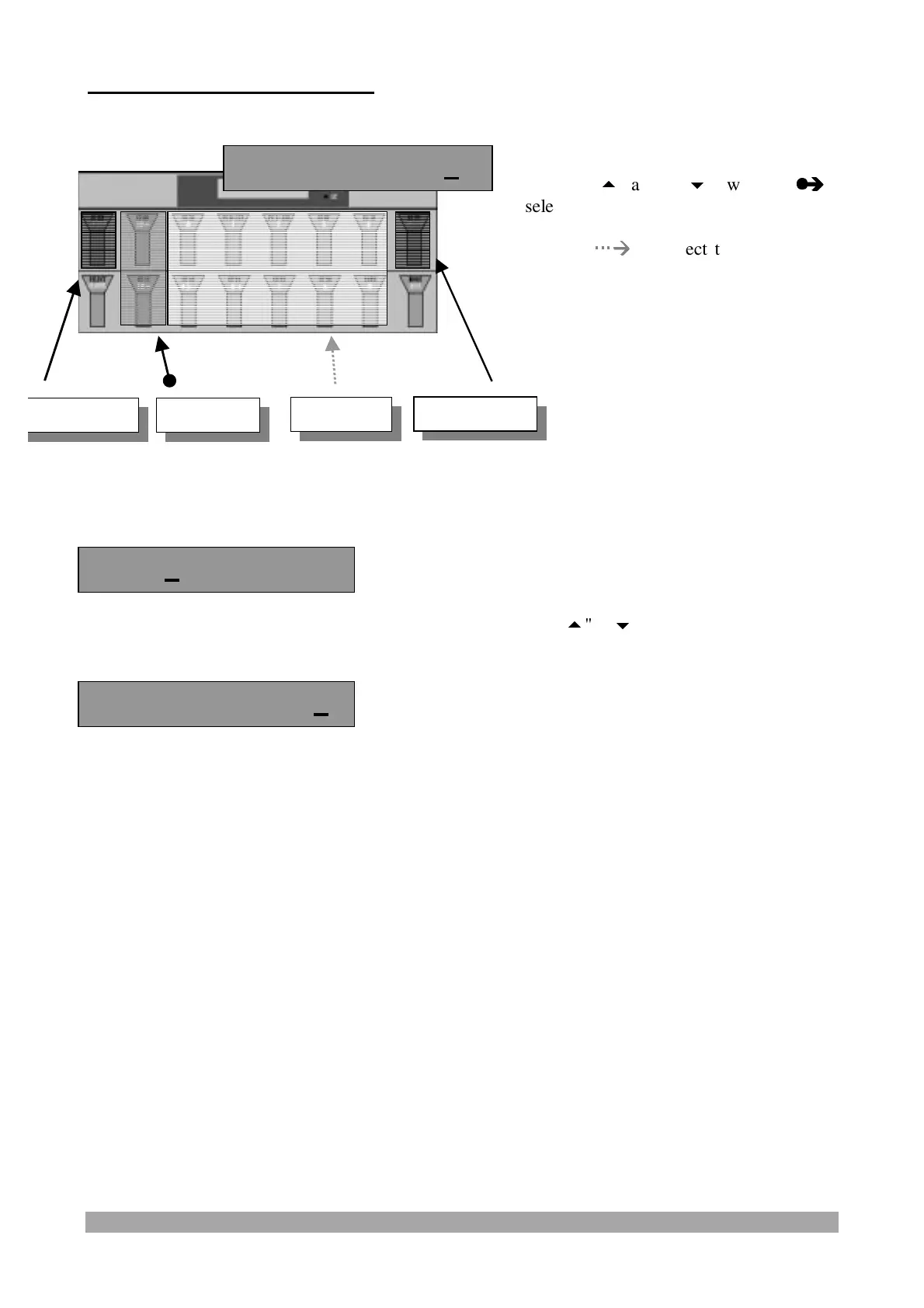
When CC XXX and CC YYY are selected the display shows:
After selecting the type of Control Change to be sent using the "
", "
" and "0~9" switches,
press the Continue switch (in this case "Start
/
stop" and "Continue" do not operate), the display
shows:
It is now possible to select the value to be sent through the above-described procedure.
NOTE : In the FREE mode the Foot Controllers 1 and 2 send the values of the selected midi
messages.
CC 0 Continue?
Ch = 1 CC 0= 0
Ch= 1 CC 07= 0
Press the "10
" and "10
" switches (
z
z
Î
Î
)
to select the first and the second digit o
the value to be sent; use the switches fro
"0" to "9" (
Æ
Æ
) to select the unit of the
three-digit number and confirm the Midi
message transmission.
Press the Start/Stop and Continue switches
to activate the Start(FA), Stop (FC) e
continue (FB) messages. (cfr. page 22)
Value
Value
START/STOP
CONTINUE


 To Next Page