N93-582-01 Issue 1 NH Page 12 of 42 © Protec Fire Detection plc 2015
9.0 Installing the Digilite® DL500
The Digilite® DL500 may be surface or flush mounted on a vertical surface ( no extra bezel is required when
flush mounting ).
The Digilite® DL500 circuit board is fully enclosed within a sealed control PCB housing. The control PCB
housing must never be opened. If the Digilite® DL500 requires repair it must be sent back to the Protec
factory.
The batteries are fully accessible with the control PCB housing removed from the back-box.
The Digilite® DL500 must be located internally in an area that is not subject to dampness, extremes of
temperature or physical abuse. The environmental limits are given in section 12.0
9.1 Unpacking
Carefully open the cardboard carton ( do not use a sharp object ) and remove the packing fitments,
manuals and spares pack.
9.2 Removal of the Door
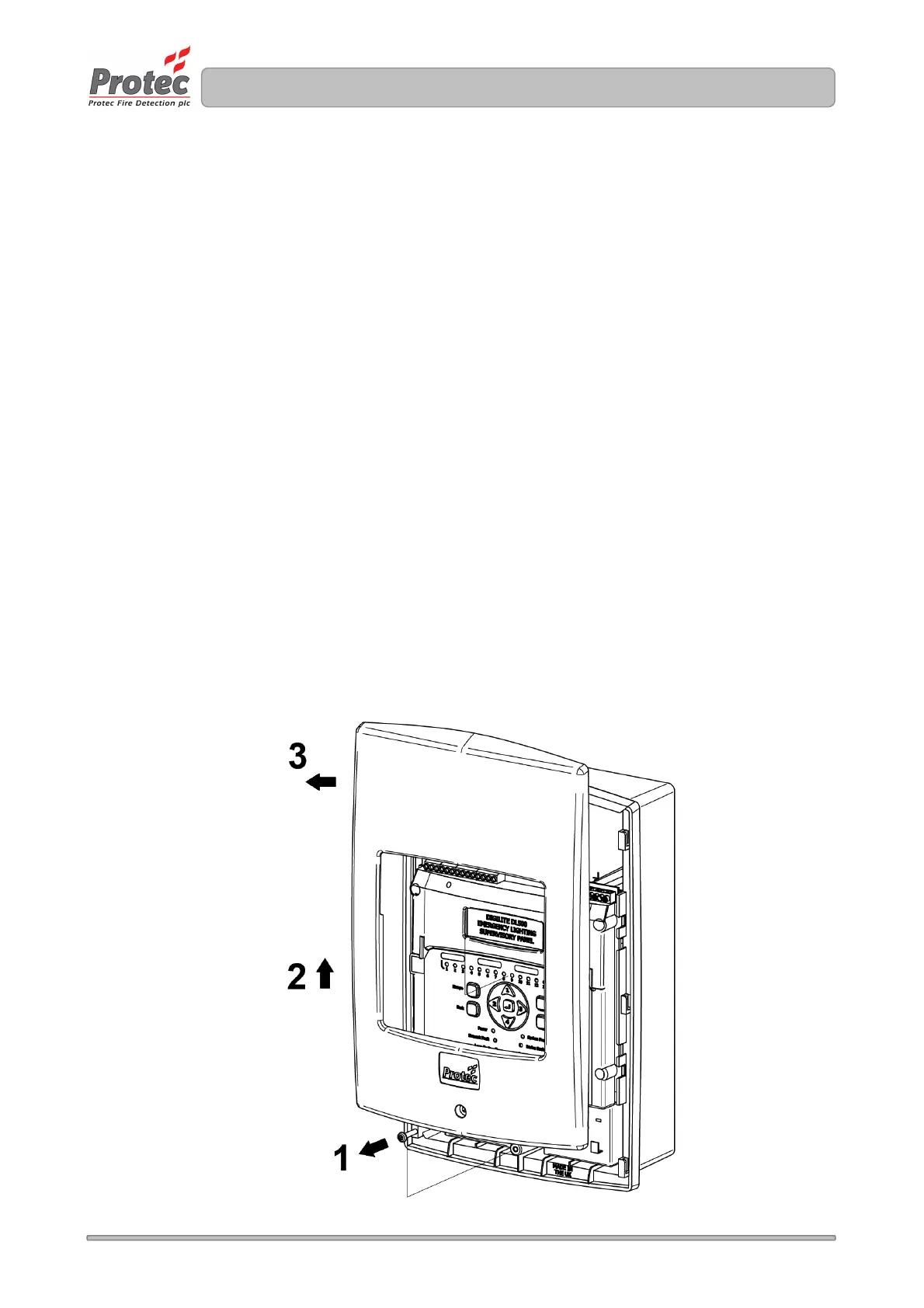
Remove the Digilite® DL500 from the packaging then, using a T15 Torx® type security tool, unscrew
but do not fully withdraw the fixing screw from the bottom of the panel housing front, as shown in
figure 9.0 stage 1.
Slide the door upward from the bottom and pull away as shown in figure 9.0 ( stages 2 and 3 ).
Put all removed parts in a safe, dry place.
Figure 9.0 Removing the Digilite® DL500 door



 To Next Page