N93-582-01 Issue 1 NH Page 16 of 42 © Protec Fire Detection plc 2015
9.7 Refitting the TCP/IP Interface and Data Cable
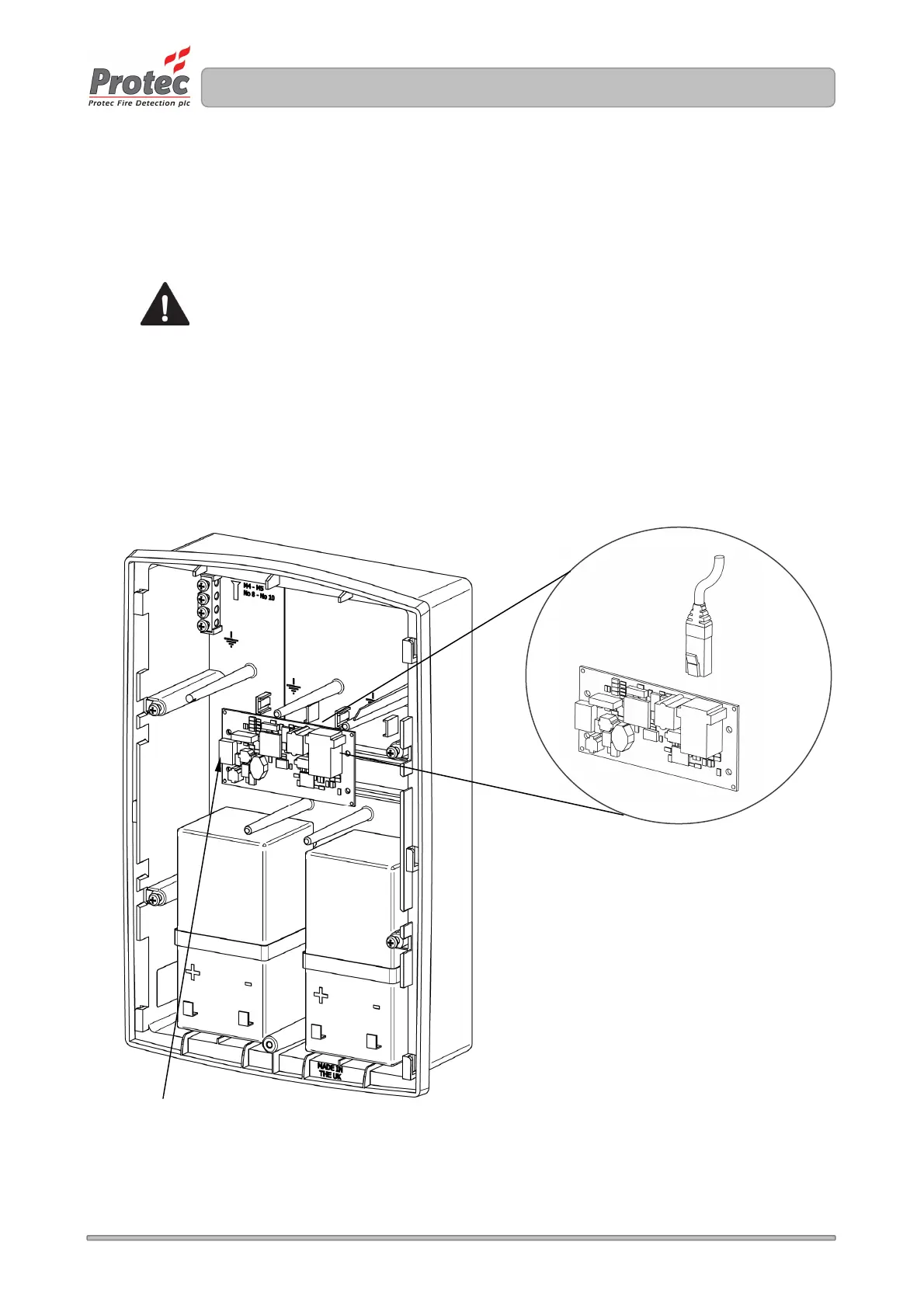
If the installation includes the Digilite® DL500 TCP/IP interface card, this now required refitting into
the rear of the back-box. With reference to Figure 9.4.
Using the four screws removed when the TCP/IP Interface was removed, refit the TCP/IP board to
the mounting rails in the rear of the back-box. Take care not to over-tighten the screws.
Do not touch any components on the PCB
Next, insert the incoming RL45 connection (supplied by the I.T management of the installation) into
the network socket on the TCP/IP Interface.
Finally, reconnect the data cable to the communications socket on the TCP/IP Interface, pushing it
fully home.
Figure 9.4 Installation of the (optional) TCP/IP Interface Card and Cabling
RJ45 Network Connector
Communications
socket



 To Next Page