N93-582-01 Issue 1 NH Page 21 of 42 © Protec Fire Detection plc 2015
9.14 Re-fitting the Door
Before replacing the door, ensure all internal wiring has been fully completed and
will not foul the door when it is refitted. Ensure any bare earth or screen
conductors are fully screened with green / yellow sleeving.
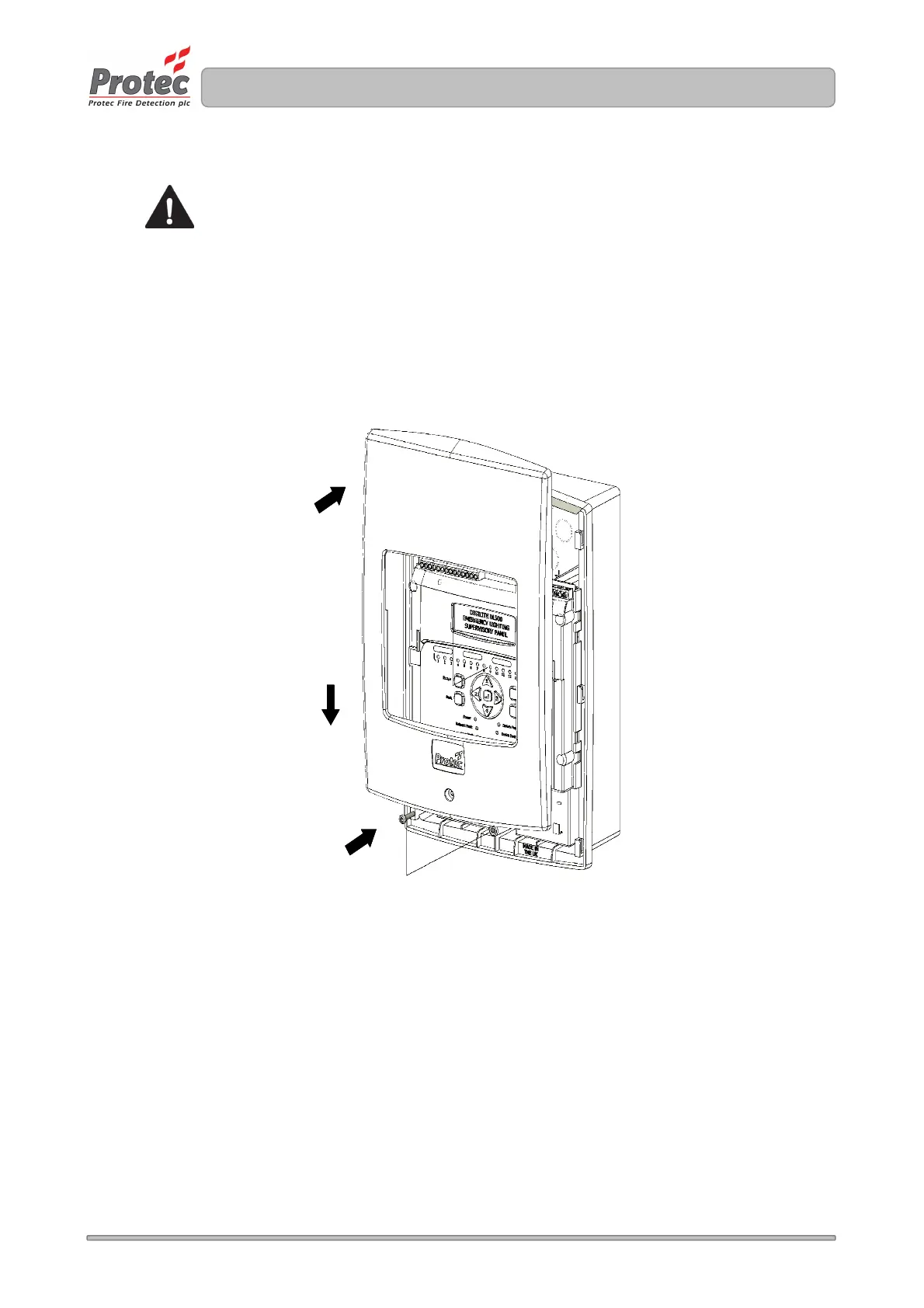
Replace the plastic door by raising the door and placing flush to the back-box of the panel ( figure
9.11 step 1 ).
Slide the door down and ensure it pushes fully home into the back box ( figure 9.11 step 2 ).
Finally screw in the fixing screw, taking care not to over tighten it ( figure 9.11 step 3 )
Figure 9.11 Refitting the Digilite® DL500 door
3
2
1
9.15 Switching the Mains Power On
Switch the fused isolator to the ‘ON’ position. The green ‘Power’ indicator will illuminate and,
assuming all other connections are correct, the Digilite® DL500 should show the 'System Normal'
screen. The Digilite® DL500 is now ready to be programmed and commissioned.



 To Next Page