N93-582-01 Issue 1 NH Page 27 of 42 © Protec Fire Detection plc 2015
10.9 Disabling and Enabling a Test Group
1. Enter the engineer code supplied with the system to access the menus.
2. Scroll to the DISABLEMENT SETUP menu and press the ↵
↵↵
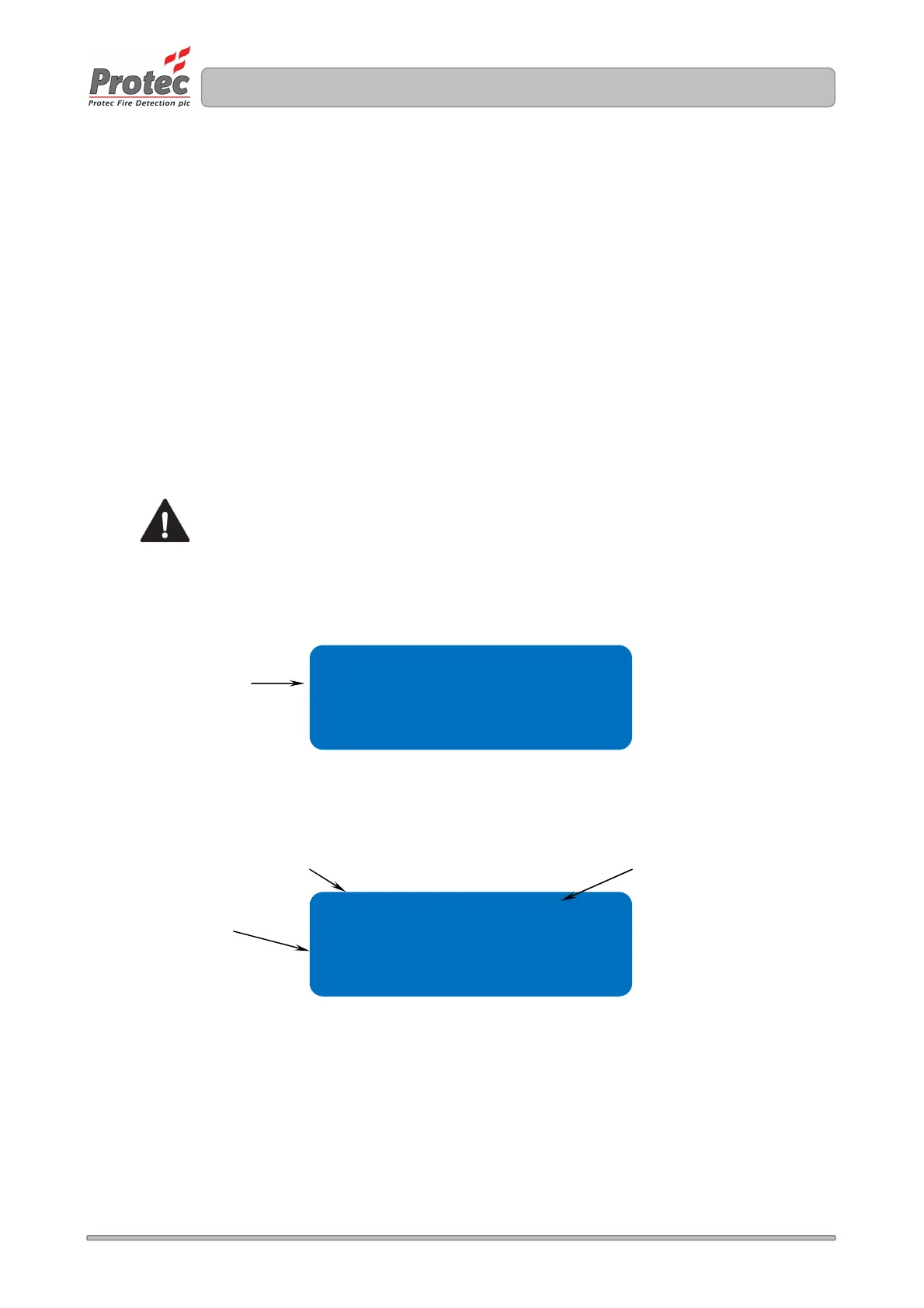
↵ key. The disablement screen is shown
(figure 10.5).
3. Using the ▼ key scroll to the GROUP option and press the ↵
↵↵
↵ key. The group disablement screen is
shown (figure 10.6).
4. Press the▲ or ▼ keys to select the group.
5. Press the◄ or ► keys to toggle between disabling and enabling the group.
The current state is shown as ENABLED or DISABLED in the top right of the screen.
6. Press the Back key to return to the DISABLEMENT OPTIONS menu, or the Escape key to exit the
menus completely
Group disablements take precedence over device disablements. A group disablement will
remove individual device disablements, and replace them with a group disablement.
Figure 10.5 Disablement Options Screen
Figure 10.6 Group Disablement Screen
GROUP TEXT XXXXXXXXXX
GROUP disablement
option
GROUP
DEVICE
BUZZER ENABLED
Indicates if group is
ENABLED or DISABLED
Programmed group text
Test group



 To Next Page