N93-582-01 Issue 1 NH Page 15 of 42 © Protec Fire Detection plc 2015
9.5 Preparing the Mounting Position and Cable Entries
The panel must be mounted on a vertical surface using the dimensions given in Appendix 2, in
conjunction with a spirit level to mark out the fixing locations for the panel. Drill and plug the
mounting holes just marked.
Using a suitable tool carefully remove the rear panel knockouts at the required cable entry positions
and mount the enclosure in position whilst feeding any cables into the enclosure via suitable glands.
The mains cable entry position must be segregated from all other system cabling, a
reserved cable entry 'knock-out' is provided specifically for this purpose.
A four way brass earth block is supplied with the Digilite® DL500. Three locations are provided for
this in the back box. This allows the best location to be selected depending on wiring entry
requirements. Choose the location then clip the earth block into the back box, ensuring it is securely
fitted.
Ensure all dust and debris is removed from the back-box before proceeding.
9.6 Installing the Standby Batteries
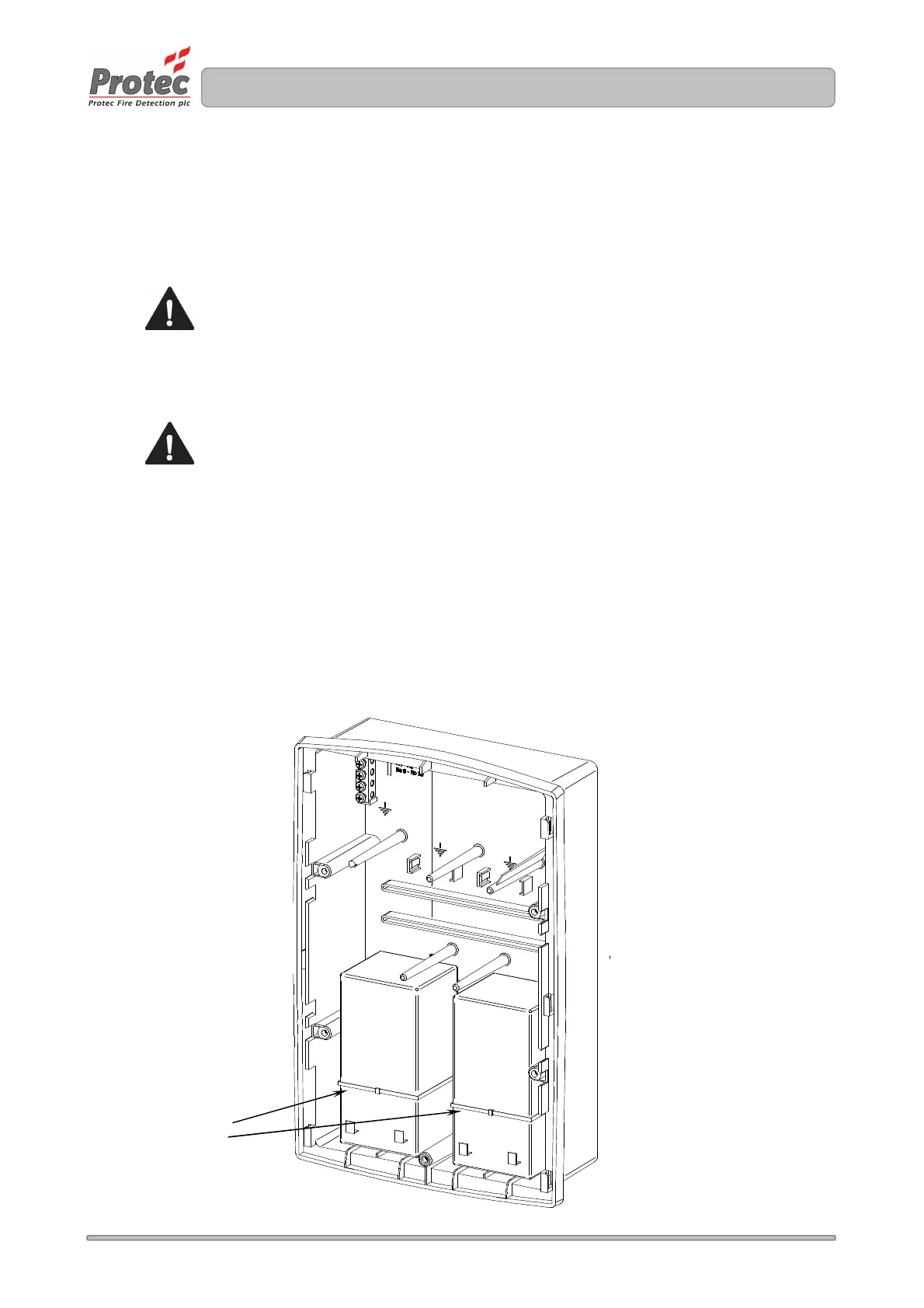
The Digilite® DL500 is designed to house two 12V 3.3Ah Valve Regulated Lead Acid ( VRLA )
batteries. These fit into the back-box and must be secured with the two plastic tie-wraps provided
( as shown in figure 9.3 ).
Only use batteries supplied or recommended by Protec. The internal charger has been specifically
designed to maintain the charge voltage at an optimum level for these batteries over the entire
operating temperature range in order to maximise the life of the batteries.
Figure 9.3 Installation of Digilite® DL500 standby batteries
( shown with the lid, control PCB housing and optional TCP/IP interface removed )
Tie-Wraps must be
used to secure the
batteries



 To Next Page