23.07.2019
Punkt. MP02 Mobile Phone - Instruction manual
The MP02’s operating system
12
Instead of a
touchscreen, the
MP02’s operating
system uses a
text-based interface,
with dedicated keys for
calls and text
messaging. This page
introduces some key
menus and actions
that will be referred to
repeatedly through the
rest of this manual.
The Home screen
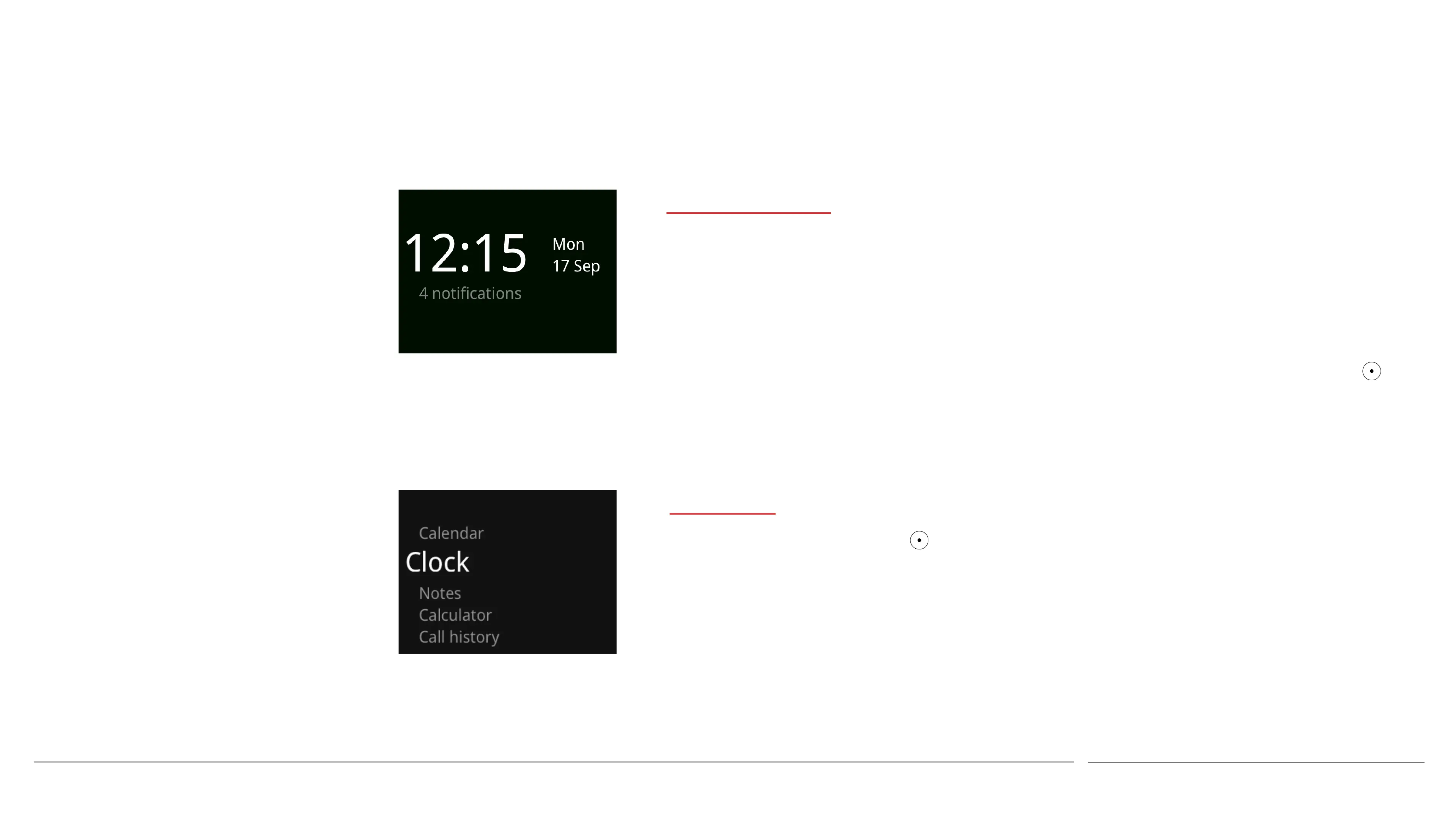
The MP02’s minimalist Home screen always
displays the current time, date and day of the
week. It also gives a very limited amount of
priority information about the phone,
including whether its battery is charging or if
the charge level is below 10%, if the network
signal is weak, and whether there are any
Notifications to read (e.g. an alarm setting, a
missed call, etc.)
The Home screen can be reached from other
areas of the OS by pressing the End key (or by
repeatedly pressing the Back key).
All actions described in this instruction
manual are based on starting from the Home
screen, unless otherwise stated. The MP02’s
secondary features are accessed via the Main
menu, which is opened by pressing the key
while the Home screen is displayed.
Main Menu
This is opened by pressing the key when on
the MP02’s Home screen.
It is used to access some of the MP02’s
features and also to open the Settings menu.



 To Next Page