23.07.2019
Punkt. MP02 Mobile Phone - Instruction manual
Network and SIM information
16
Inserting a SIM card
Warning: Only use the correct type
of SIM card, as described above.
Using another SIM card format may
cause permanent damage to the
phone and/or SIM card.
Warning: When handling a SIM
card, avoid finger-contact with the
metal area.
It is okay to insert/remove the SIM
card while the MP02 is switched on.
Network compatibility
The MP02 is a quad-band phone. It
can operate with 2G, 3G and 4G
(LTE), and is VoLTE-compatible.
SIM information
The MP02 uses a nano-SIM (4FF)
card.
Viewing the SIM’s phone
number
See p 16 for viewing the phone
number linked to the SIM.
SIM PIN
See p 16 for information about
activating the SIM’s PIN passcode
protection.
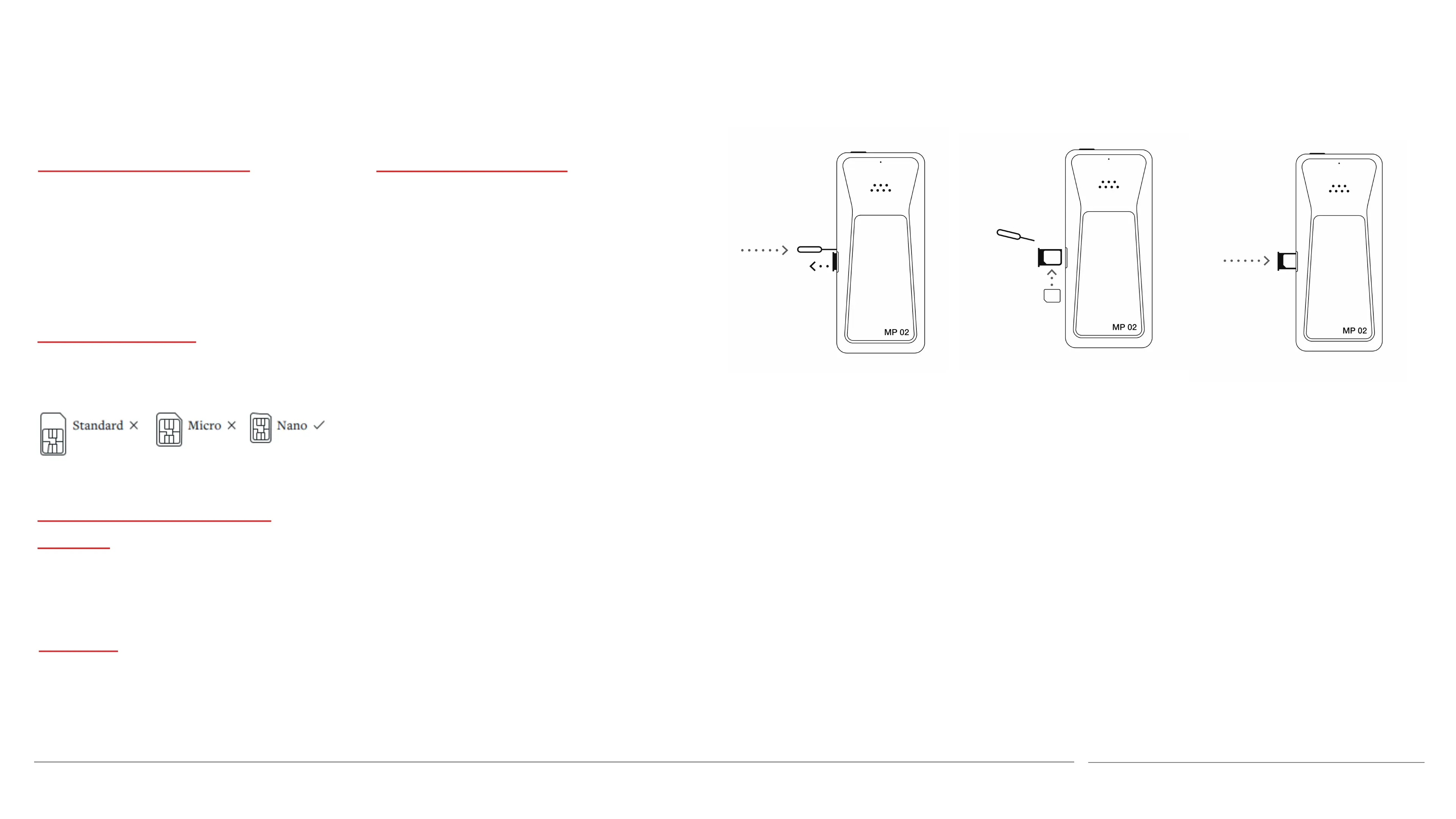
1. Place the MP02 face down on a table,
rotated left or right as preferred. Insert
the SIM tray removal tool (provided)
into the small hole at the side of the
SIM tray and press firmly to cause the
tray to pop out slightly.
2. Pull the SIM tray to remove it from the
phone.
3. Put the SIM card into the tray with its
metal contacts facing down (i.e. in the
same direction as the front of the
phone). The angled corner ensures
correct orientation.
4. Reinsert the SIM tray into the phone
and push until it clicks into place.
5. Keep the SIM tray removal tool in a safe
place, for example in the box that the
MP02 was supplied in.



 To Next Page