GEM5000 Gas Analyzer
Page 16 of 102
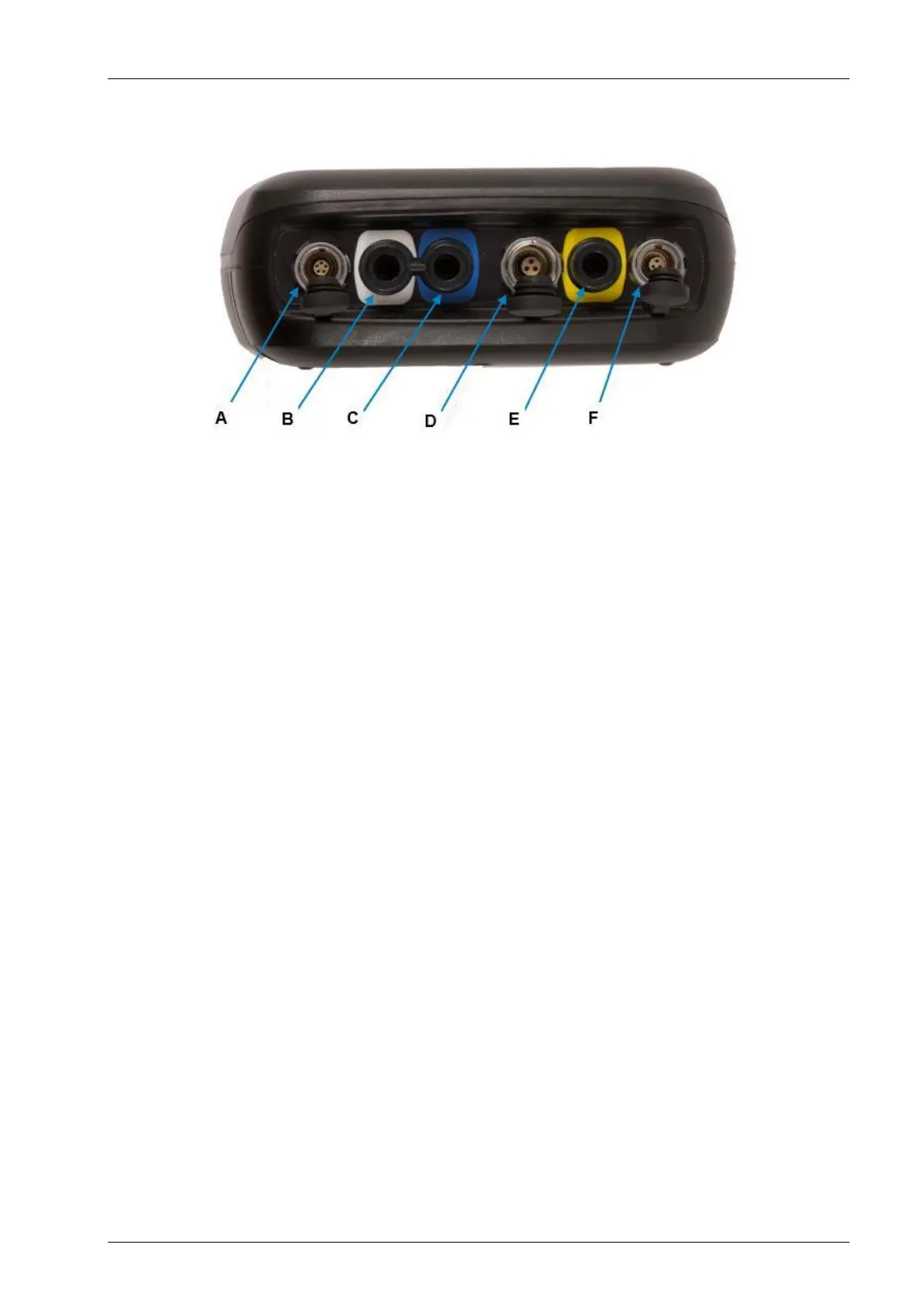
5.3 Instrument connection points
Top view:
Attach the USB cable for PC-to-analyzer
connectivity.
Inlet Port & Static Pressure Port
(White port)
Attach the sample tube to take a gas sample.
Also used to measure the static pressure.
Differential Pressure Port
(Blue port)
Attach the sample tube to measure
differential pressure.
Attach the temperature probe and also used
to attach the mains charger to the analyzer
for charging.
Gas Outlet Port
(Yellow port)
The gas outlet port is the point at which the
sample gas is expelled. Tubing may also be
attached to the port.



 To Next Page