GEM5000 Gas Analyzer
Page 70 of 102
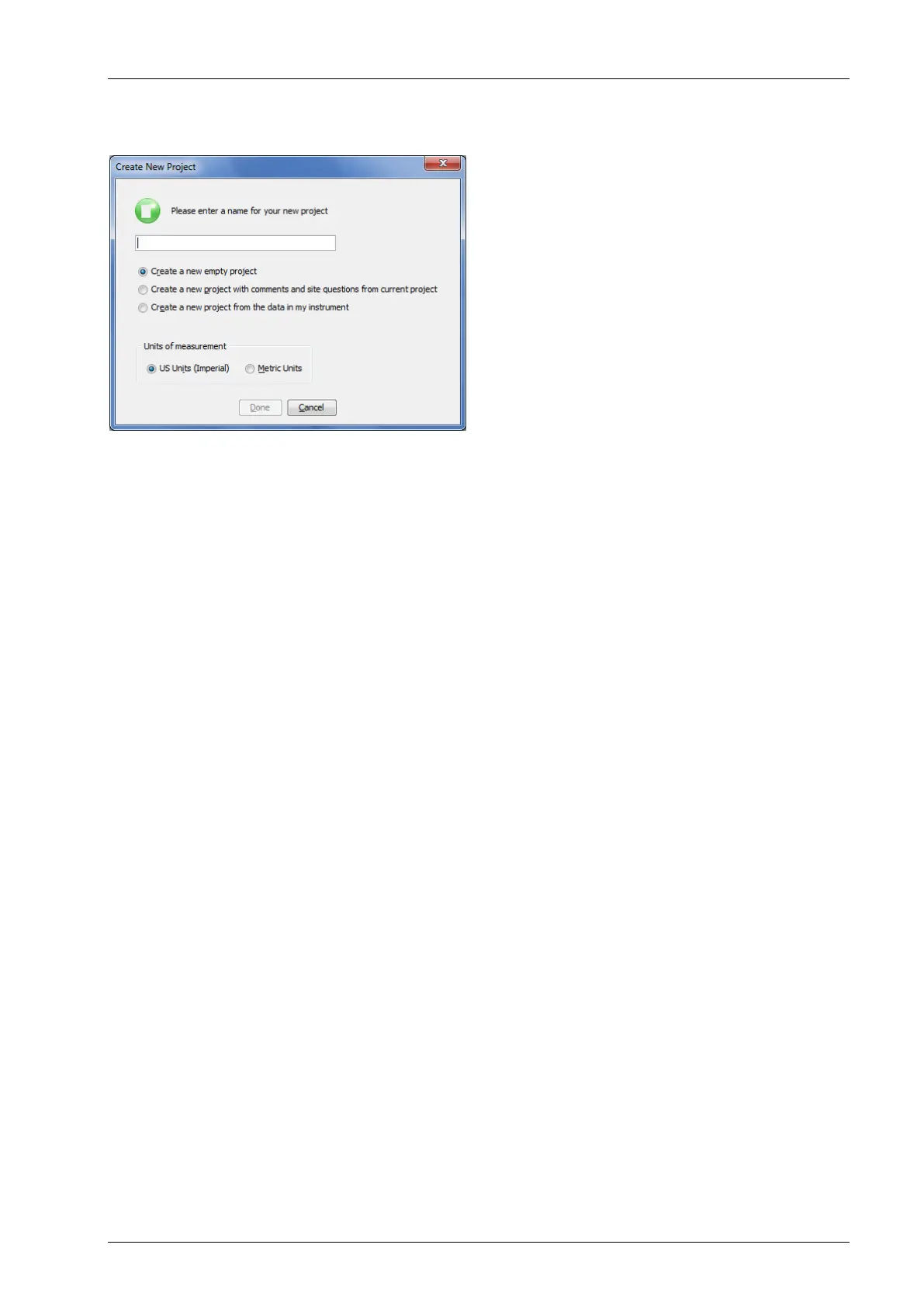
Upon selecting New Project… you will be prompted to enter a Project Name and select from
one of three options.
Create a New Empty Project
This option creates a blank project where you configure all IDs and Comments. Alternately
ID’s can be loaded from a file using the DataField CS version 3.4 ID file format.
Create a New Project with comments and site questions from a Current Project
Selecting this option allows the user to create a new project that will have the same
Comments and Site Questions as an existing project.
Create a New Project from the data in a GEM instrument
This option will create a New Project and automatically associate the IDs, Comments, and
Site Questions that exist in the connected portable instrument.
10.7.1 ID Set Up
An ID represents a physical sampling point in the field. An ID can be allocated to field
components such as extraction wellheads, gas transmission lines, or passive monitoring
probes. LSGAM allows users to configure an ID for each sampling point in order to obtain
accurate readings with LANDTEC portable instrumentation
IDs are created, modified, and removed from the Project Setup tab in the software.
10.7.2 Creating Comments
Comments should be setup prior to creating new IDs. The user can define Comments that
can be associated with a reading in the portable instrument.
If you selected Create a New Project, when creating your project, you will need to click on the
Create Comments button. Comments can be entered in this setup screen or loaded from a
text file and will be displayed in the user interface. Comments can be 64 characters in
length. “Notepad” or another text editor can be used to create a file containing one comment
per line up to 64 comments in total.
Note: It is extremely important to NOT include any punctuation other than dashes or
underscores when setting up a comments file in notepad. Commas and Quotation marks are
used by programs for determining where data begins and ends. Using characters other than
underscores and dashes and cause unpredictable results within the data when downloaded



 To Next Page