GEM5000 Gas Analyzer
Page 78 of 102
10.7.7 Working with Device ID’s
Once some IDs are added to your project you may need to occasionally edit them or
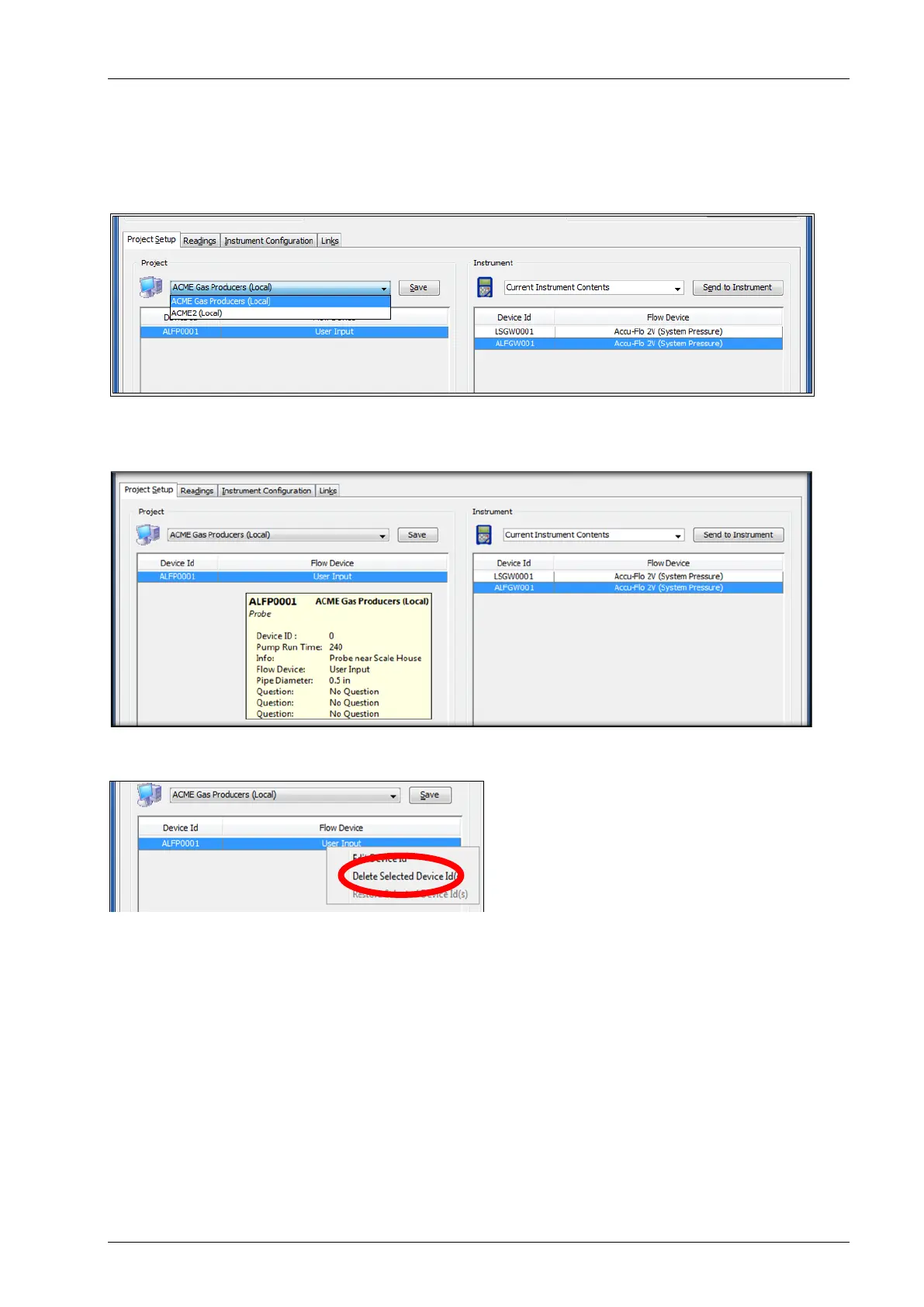
reference them. First select the project which you want to work with from the project drop
down list.
Placing the mouse cursor over a specific device ID will show detailed information about that
ID.
To edit a Device ID, right click on the desired device and select Edit Device ID.
To delete an existing ID, right click on the desired device and select Delete Selected Device
ID(s).



 To Next Page