GEM5000 Gas Analyzer
Page 79 of 102
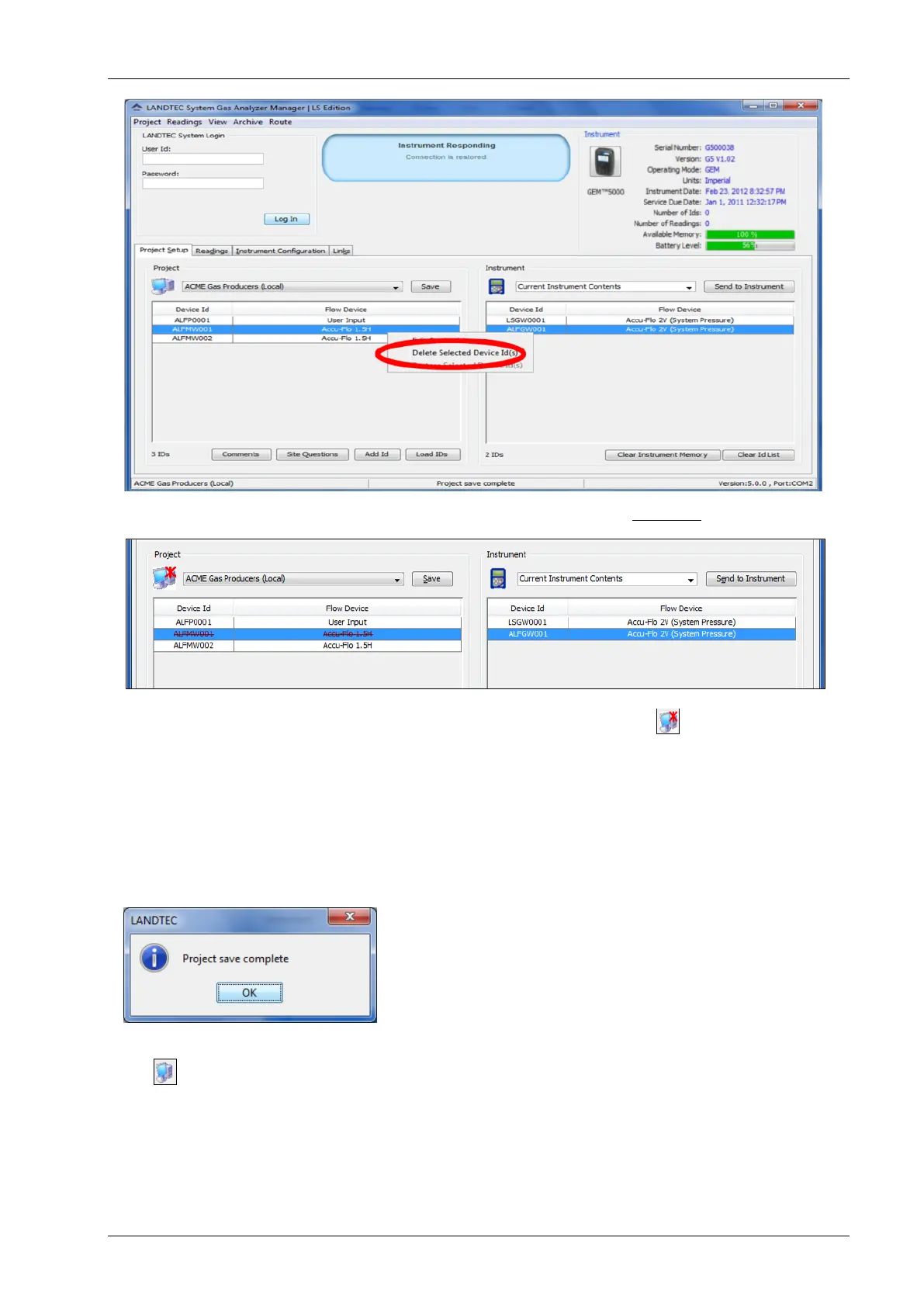
Upon clicking on Delete Selected Device Id(s) you will see the line strikeout.
The computer Icon will now display a red asterisk* over the image . This indicates that
the IDs are NOT saved. Deleted IDs are displayed with a line through the information on the
screen. To restore a deleted ID, right click on the ID and click Restore Selected Device
ID(s).
Note: Deleted ID’s can only be restored while the project state is unsaved. Once saved, the
ID changes are saved and restoration cannot be completed.
Once all work with the device ID’s is complete, click on the Save button.
After clicking on OK, the device is removed and the computer icon returns to the unaltered
state .



 To Next Page