GEM5000 Gas Analyzer
Page 82 of 102
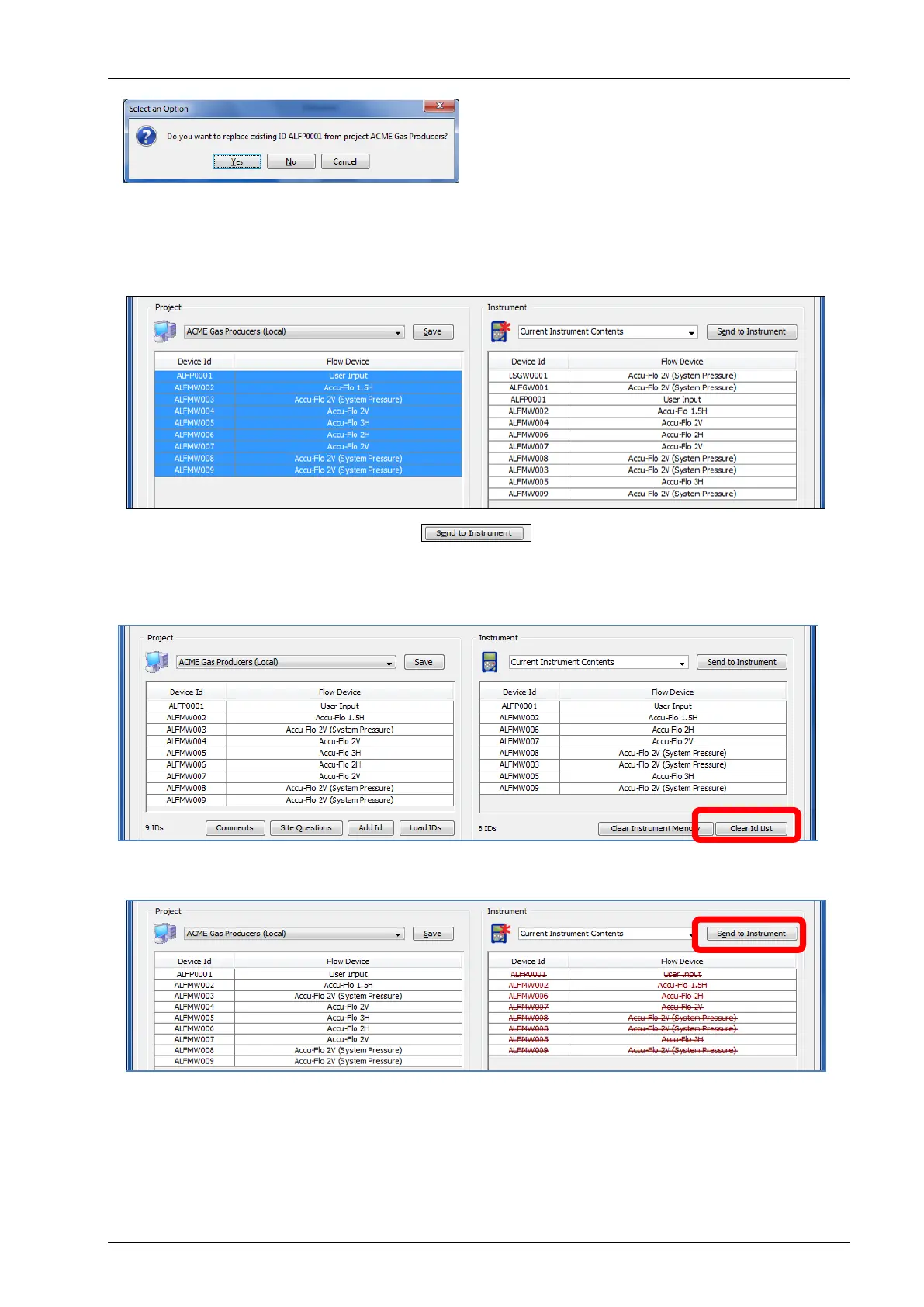
If you are dragging and dropping an ID that is already on the instrument side, you will be
prompted with the above message. Answer Yes to update the IDs on the instrument side
from those on the computer side. Answer No to ignore IDs that are already in the
instrument. Answer Cancel to cancel the action without sending ID’s to the instrument side.
Click on the Send to Instrument button to send these IDs to the instrument.
10.7.9 Clearing ID’s or Deleting a Project
In current instrument contents when selecting the Clear ID List option, lines will be drawn
through the IDs.
You then need to select Send to Instrument. This will clear all IDs from the instrument.



 To Next Page