GEM5000 Gas Analyzer
Page 81 of 102
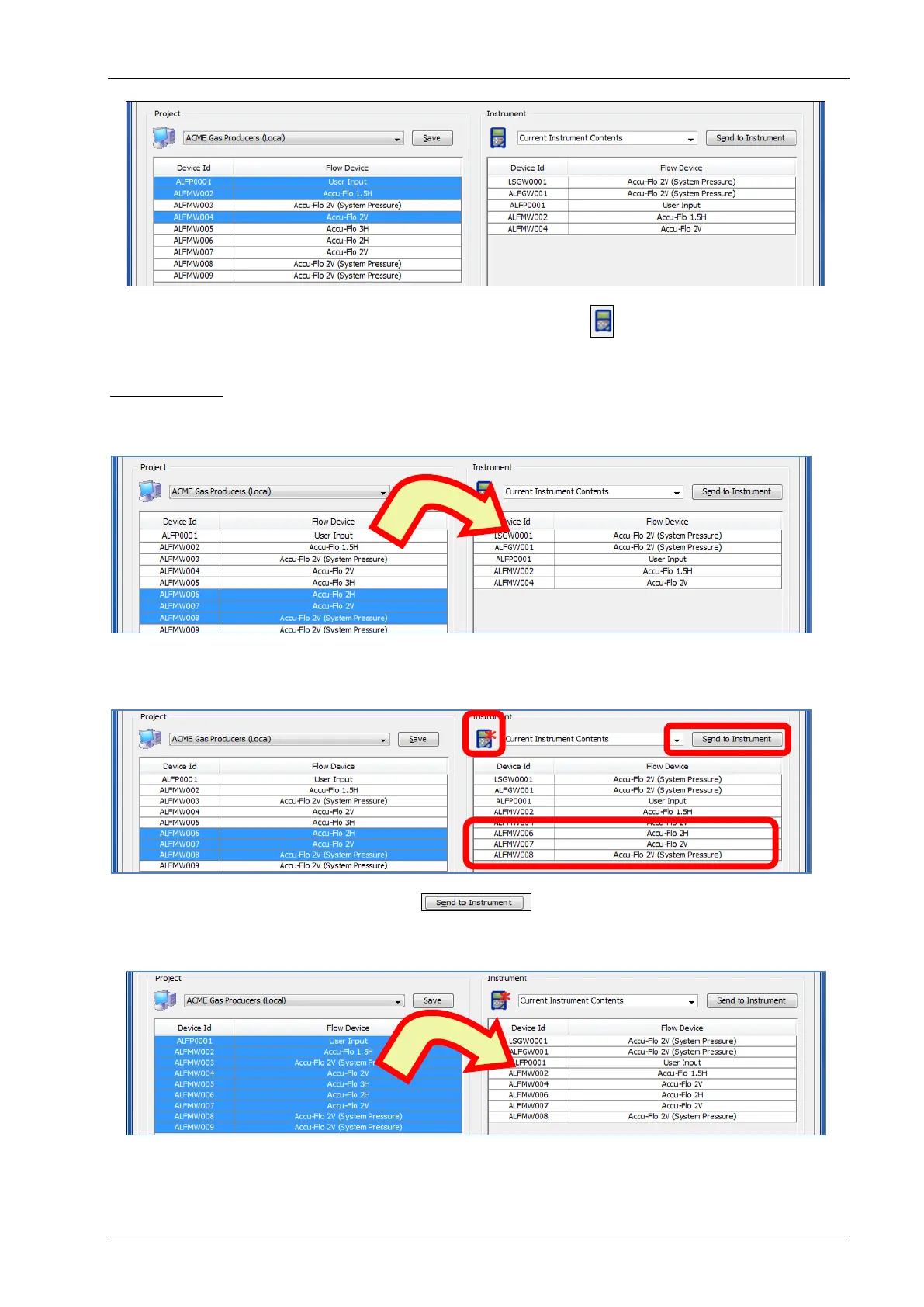
After the IDs are sent to the instrument, the instrument will appear without the red
asterisk*
Range of IDs
To Select A Range of IDs, place the mouse arrow at the edge of the first cell and hold down
the left shift key. Now click the last cell in the range. The entire selected range will now be
selected.
As with selecting specific IDs once the IDs are selected, they are moved to the Instrument
side by “Drag & Drop”. The Instrument icon will appear with a red * and the ID’s will need to
be sent to the instrument.
Click on the Send to Instrument button to send these IDs to the instrument.
Selecting All IDs
All IDs can be selected by selecting one ID in the Project window and then pressing Ctrl-A.
Now move IDs from the Project Side to the Instrument Side by dragging and dropping them.



 To Next Page