GEM5000 Gas Analyzer
Page 65 of 102
10.3 Installation with CD or Memory Stick
System Requirements
Windows XP, Vista, 7, 8
Pentium 750MHz or faster
128MB RAM
200MB Hard Drive Space Available
CD-ROM Drive
Available USB port or bluetooth connection
NOTE: The computer may need administrative privileges to install the program.
Program may run on other versions of Windows but LANDTEC has not tested the program on
older versions of windows or with lesser processor and memory requirements.
As part of LANDTEC’s continual improvement process, LANDTEC has consolidated its product
information and instrument communications software into one menu structure. On your
memory stick or CD you will find technical information, instrument communication software,
USB cable drivers, videos and instrument manuals.
To install the USB Cable Drivers and LSGAM (instrument communication software) from this
media format, you will need to place your CD or memory stick into your computer. If you
have a CD it should automatically start. If you have a memory stick, you may have to
browse to it in your computer and then click on the ClickHereToStart.htm icon. If you
don’t have a CD or memory stick, simply call LANDTEC’s technical support for internet links
required to install the software.
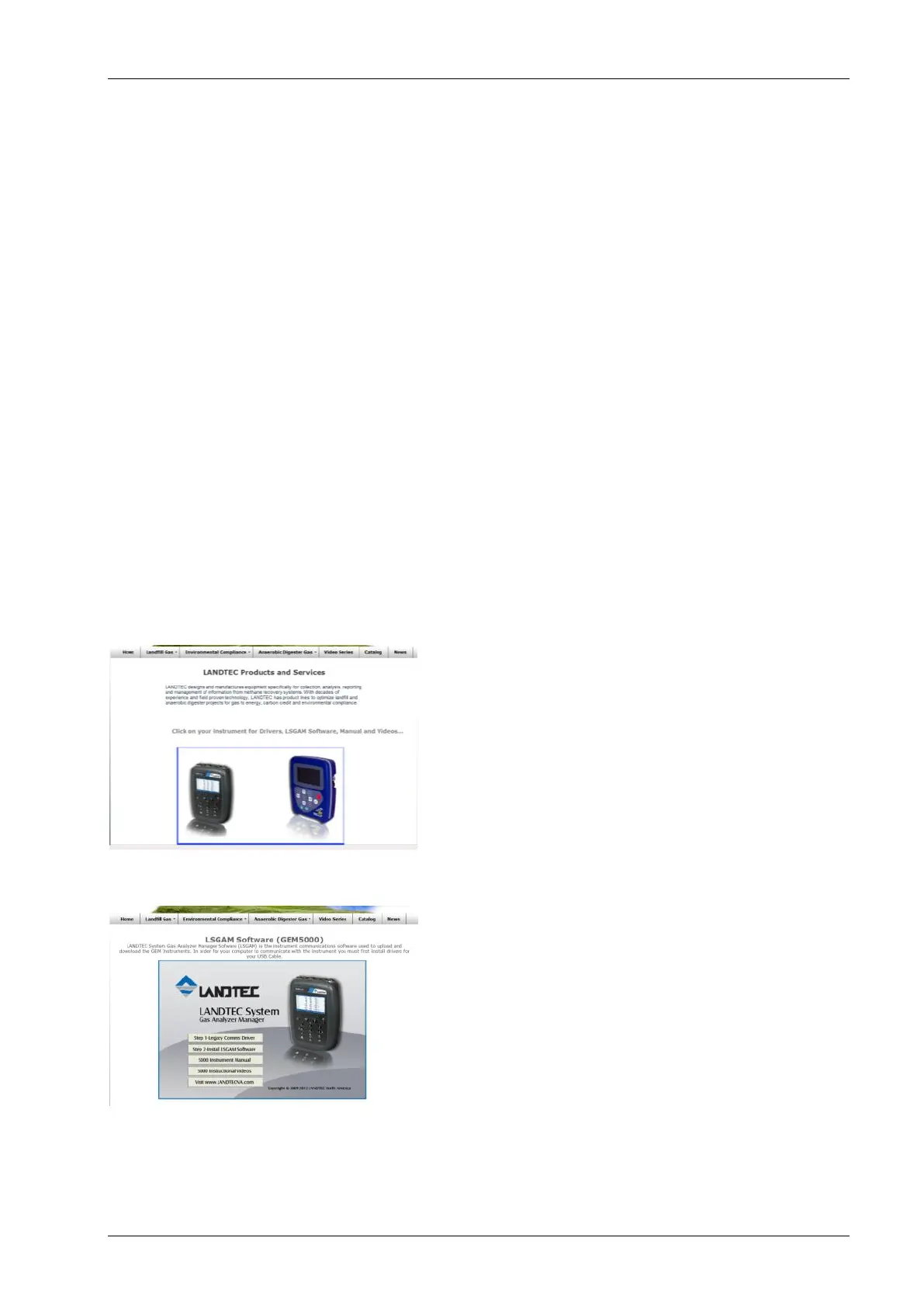
Once the media opens, you should see the GEM5000 and GEM2000 instruments on the
homepage.
Click on the GEM5000 instrument to open the LSGAM Software Setup.
From the setup screen you will see four buttons directly related to the GEM5000:
Step1 Communications Driver
Step2 Install LSGAM Software
5000 Manual
Instructional Videos
Note: Technically the communications drivers differ between the GEM2000 and GEM5000



 To Next Page