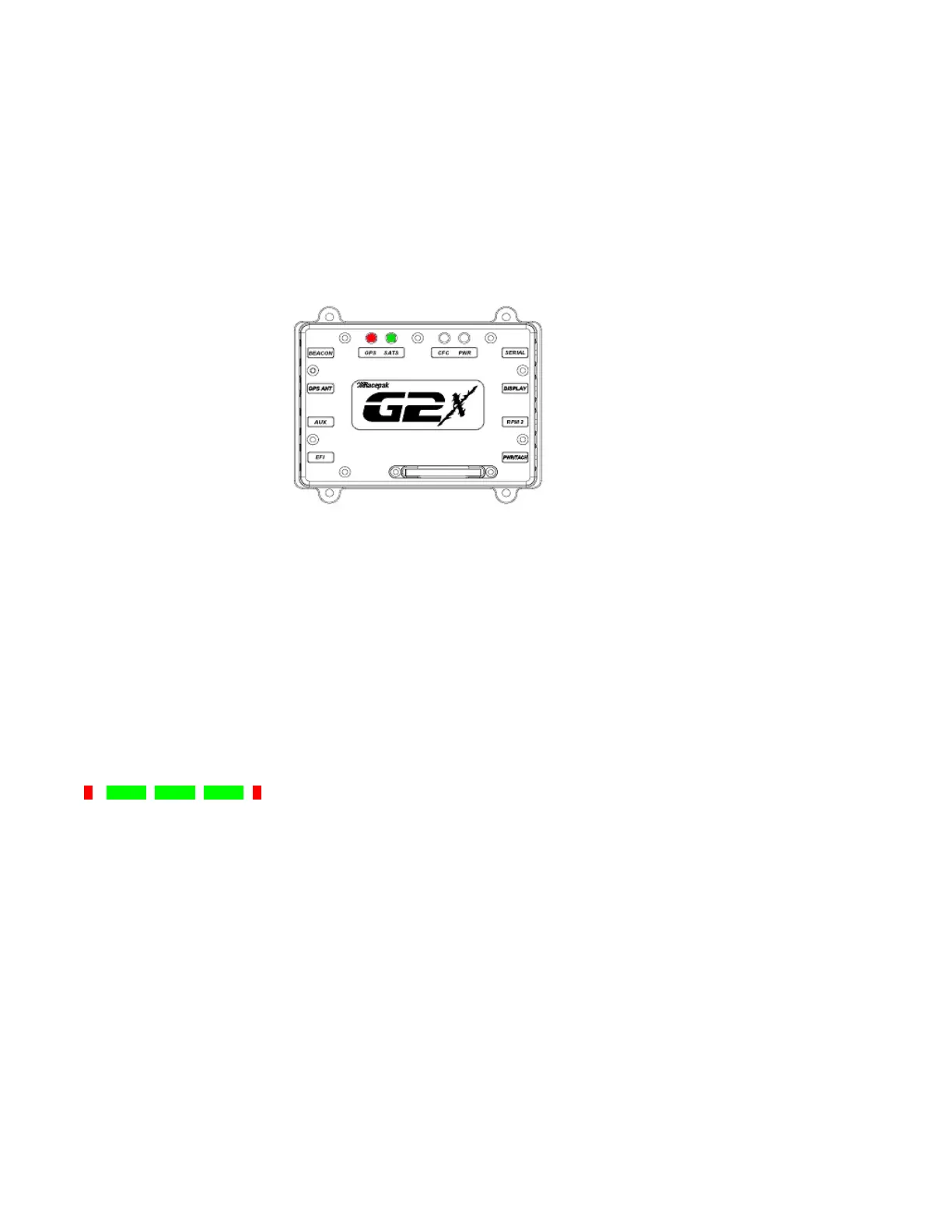
GPS LED
While the number of located and locked GPS satellites are provided by the display dash, the G2X can
also provide this information through a series of Red and Green LED’s.
In order for the G2X to provide data, it is necessary for the internal GPS board to locate and lock on the
position of at least three GPS satellites, orbiting overhead. Upon initial power up, the user will observe
a sequence of RED and GREEN LED flashes. The following explains the sequence.
RED:
Each short red flash indicates the end of one search cycle and the start of the next.
SHORT GREEN:
The green LED will short flash once for each located GPS satellite.
LONG GREEN:
The green LED will long flash once for each located GPS satellite.
Example:
One red flash followed by three green flashes indicates the G2X currently has three GPS satellites
locked and in use.
Upon the first power-up of the day, the G2X typically will take less than one minute to locate and lock
three satellites positions. If the power to the G2X is removed or the vehicle is parked in a covered area
(garage) it will typically only take a matter of seconds for the G2X to reacquire at least three satellites.
26



 To Next Page