Opening the G2X_Demo Runfile
In typical usage, the G2X starts the recording process when a pre-set number is obtained, for a given
channel. For example, recording can start when the GPS MPH exceeds 25. All data gathered from that
start point until the vehicle returns to the pit area is referred to as a Runfile.
Upon downloading of the new data, a Runfile is created. Each Runfile is identified by a group of letters
and numbers that reflects the car number, track location, date and time of the data download. Within the
Runfile is contained all the laps (if lap type testing was conducted) from that particular test outing.
Remember, test data can consist of laps, acceleration tests, lateral g and accel g tests, or any variety of
information the user desires to obtain. Multiple files can be opened, in order to overlay and compare
graphed data.
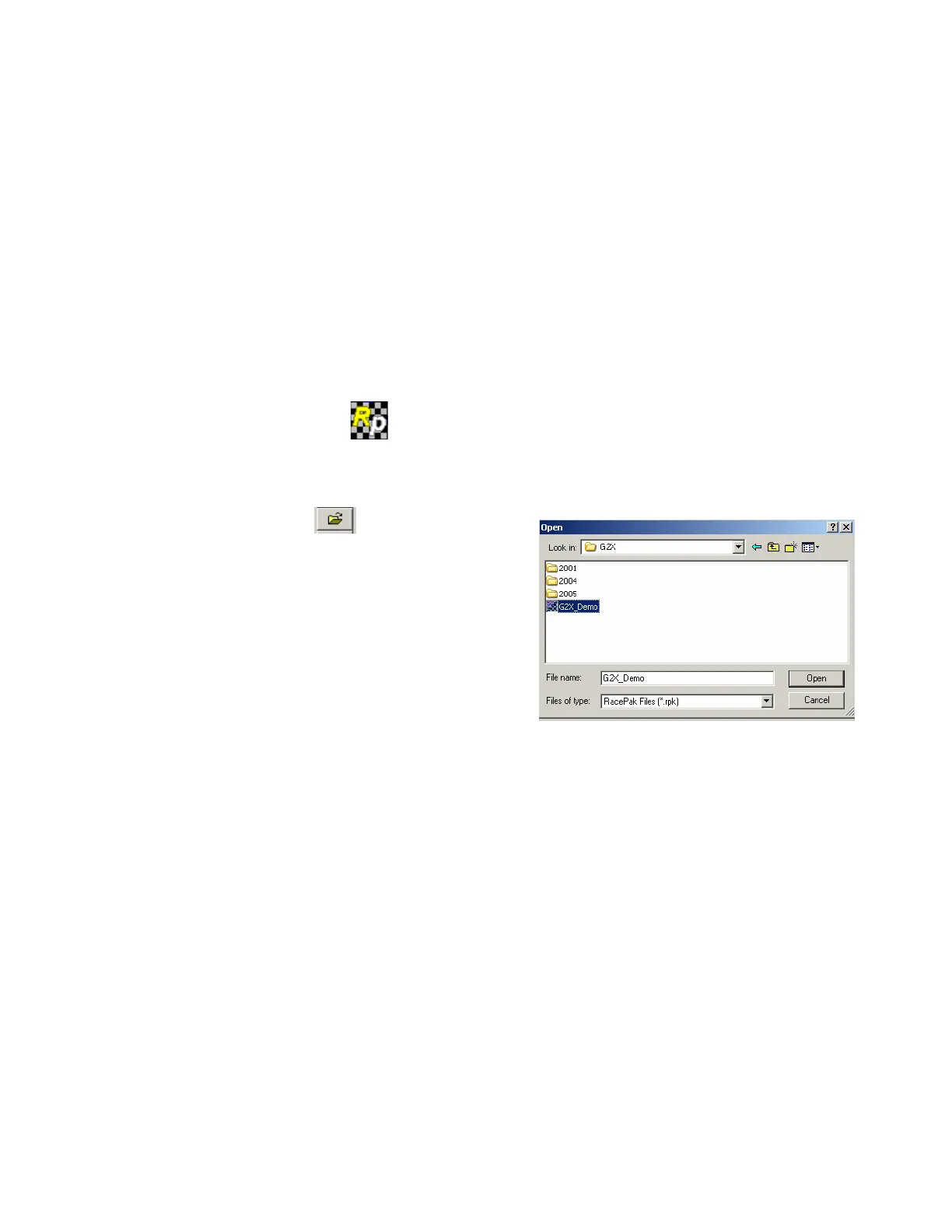
For demo purposes, the Runfile we will use for review will be called G2X_Demo. To open this Runfile:
h) Open the Datalink program
i) Select File and then select Open, in the main menu area at the top of the Datalink page. It is also
possible to open a file by utilizing the Open icon, located in the icon toolbar on the left side of
the Datalink software.
j) Locate the G2X folder.
k) Open the G2X folder. Within this folder will be
located the G2X_Demo Runfile.
l) Place the mouse cursor over the G2X_Demo
Runfile and left click.
m) This action will open the Runfile into the Datalink software
92



 To Next Page