Adding New Devices to Your G2X Data Logger
The capabilities of your G2X data logger system can be expanded by adding a variety of internal and
external sensors. The design of the G2X utilizes our standard VNet series of sensors. This technology
creates a “smart sensor” in that each sensor is connected to a pre-defined blue VNet module. Each
module contains all the scaling and calibration values for each sensor. The VNet modules may be
attached in any order, to the G2X. Then, through the function of the Edit / Read VNet Config command
in the main menu of the DataLink software, the sensors are automatically added to the G2X hardware
and the G2X_ Config file software.
Step 1: Hardware installation
Adding VNet modules to the AUX port
The AUX port on the G2X data logger provides access to the RacePak VNet onboard vehicle network
system. When adding VNet modules to the AUX port you must remove the internal bus termination
jumper inside the G2X. This requires you to remove the top cover on your G2X.
a) Turn the power off and remove the compact flash card.
b) Remove all 10 screws on top of the G2X. Make sure to note the location of each screw as
there are 4 different lengths. The diagram on the next page illustrates the correct location of
each screw.
c) Carefully remove the top cover. There may be some slight resistance due to the status LED
connectors.
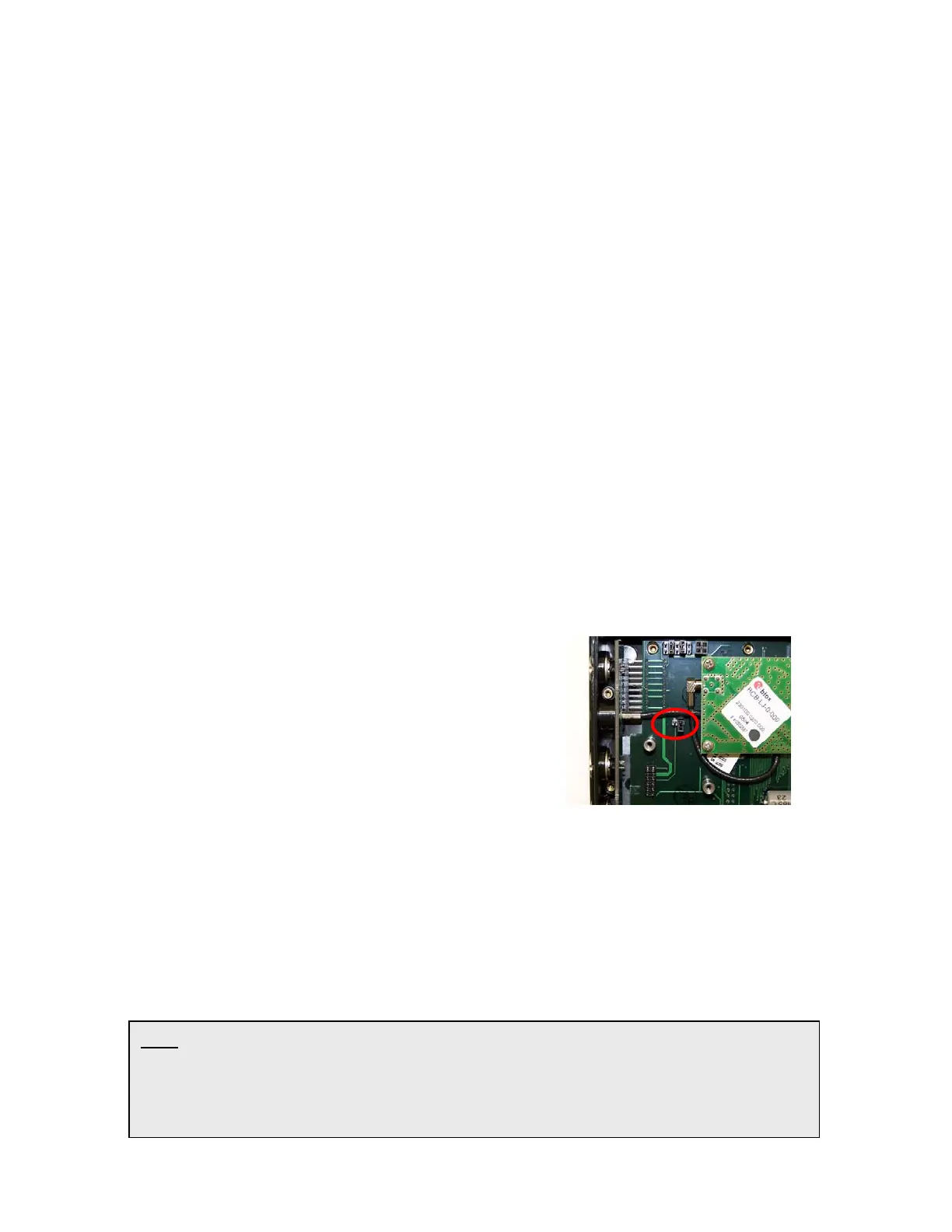
d) Next to the GPS antenna jumper cable you will
find a 2 pin jumper. Remove the jumper from the
two pins and replace it back on one of the pins for
storage in case of future need.
e) Carefully replace the top cover making sure to
properly align the male pins on the status LED’s
with the matting female connector on the G2X.
f) Reinstall the 10 screws, again making sure to use the proper length screw in each location.
Do not over tighten the screws, they only need to be snug.
The next step is to connect the VNet module to the AUX port on the G2X. This requires a G2X Aux
cable, P/N: 680-CA-AUX-084 and an external bus termination cap P/N: 280-CA-VM-TCAPM.
Connect the G2X Aux cable between the G2X AUX port and the appropriate side of the first VNet
module. Next, connect the external termination cap on the other side of the last VNet module.
TIP: When adding VNet modules to the AUX port it is very important that you remove
the internal bus termination jumper and then install the external bus termination cap on
the last VNet module installed on the AUX port. Failure to properly perform these steps
may result in erratic operation of all modules connected to the G2X AUX port.
44



 To Next Page