Sy
clone Portable Gamma-Ray Spectrometer, Revision 10 5.0 MANUAL MODE
Ra
dComm – Proprietary Page 36 Revision Date: March 3, 2016
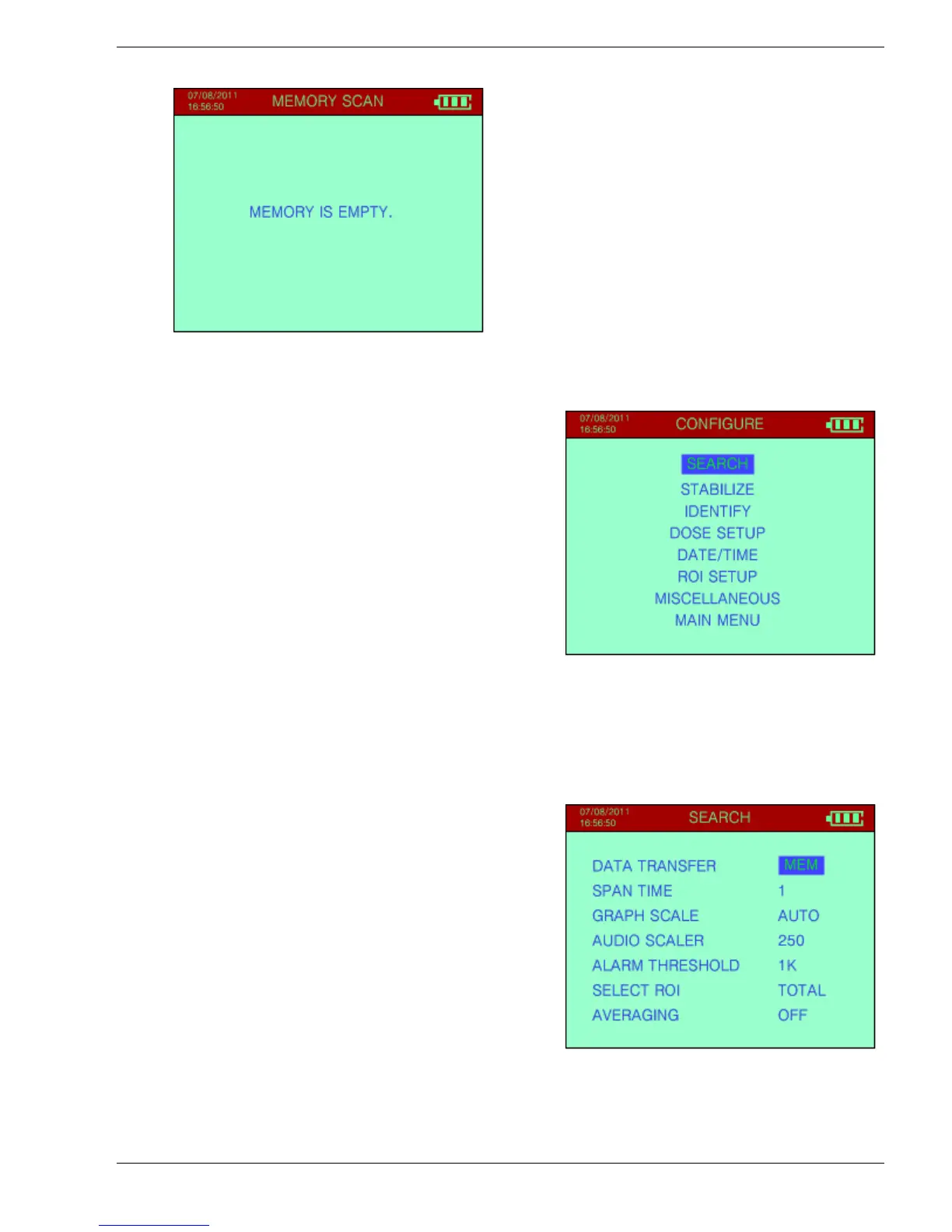
If no data is available the screen will show
MEMORY IS EMPTY.
5.5 CONFIGURE
The Configure Menu permits a qualified
technician to setup the required operating
parameters. If this item is selected from the MAIN
MENU this display is seen.
Use the cursor UP/DOWN to select (highlight) the
required selection, then press ENTER to activate
the selection.
Inside each menu use UP/DOWN cursor action to
select a parameter then LEFT/RIGHT cursor
action to change the item.
ENTER to exit and accept the changes.
Note: For all the selections below, the normal default selection is shown in
large bold print.
5.5.1 SEARCH
Selections are (see Figure):
a) DATA TRANSFER - Options - OFF, MEM or
PC
OFF – the data is shown on the display but is
not recorded into data memory - this is
the default operating mode.
MEM – the SEARCH data is to be stored in
the Syclone’s internal memory
PC – the data is transferred to the PC.
b) SPAN TIME – this indicates the interval at which SEARCH samples are taken.
Selections are: 1, 2, 3, 4, 5, 6, 7, 8, 9, 10, 20, 30, 40, 50 or 60 seconds.
Under most conditions, a 5 second sample gives reasonable accuracy however, a 1


 To Next Page