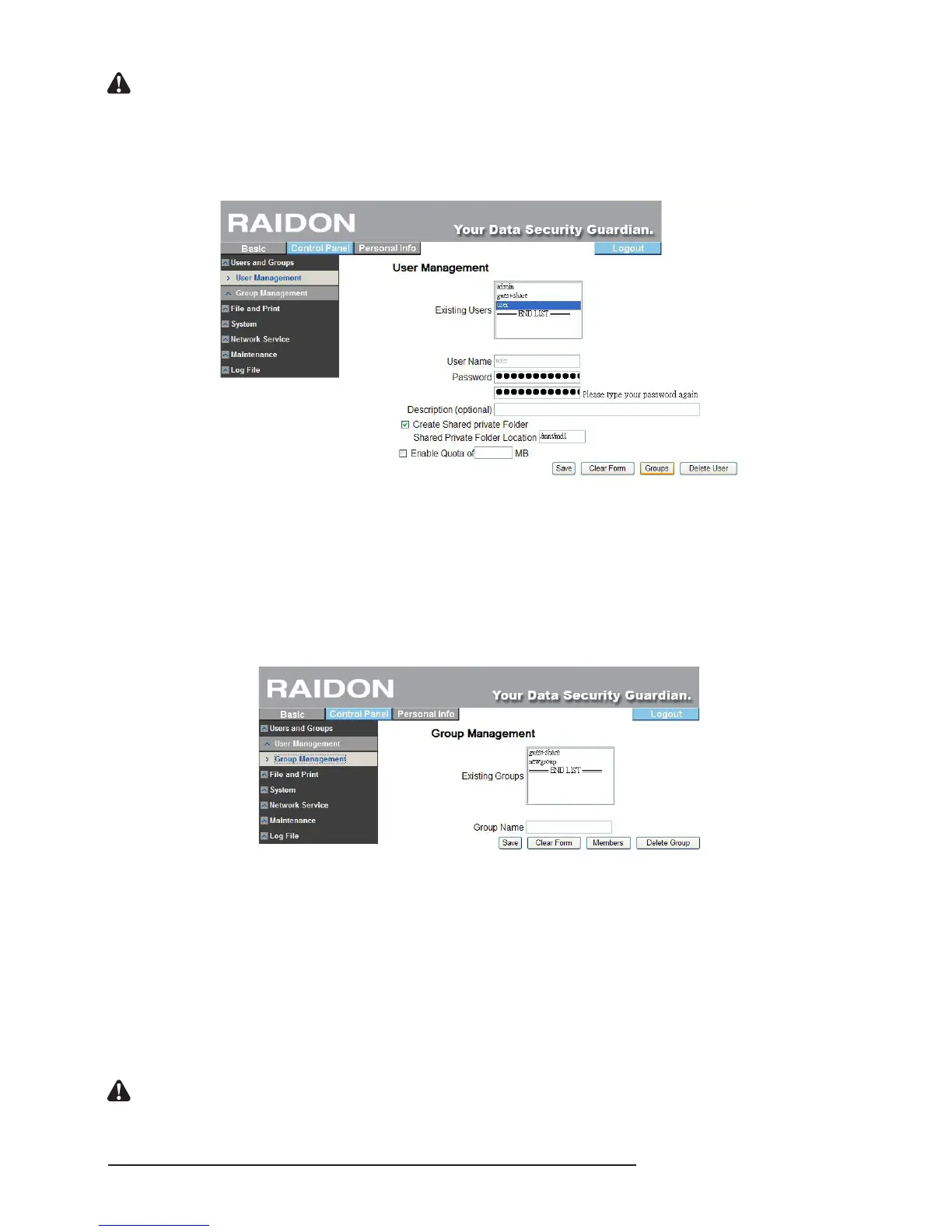
Notice : 1. User ID shall be 20 characters in length at maximum which must be English letters in lower case and
numeric numbers, “-”, “_” or “.” and its rst character must be an English letter.
2. The password is 16 characters in length at maximum which must be English letters in lower case.
To add a user to a group, click the name of the user rst and then click “Add to Group” to enter group
setting to add the user to the group.
3.5.1.2 Group Management
The group management menu will display all groups in the present system. You can add or
delete groups via the “Save” or “Delete User” button. To add or remove a user in an existing
group, click the group and then click “Add a User” for management.“guest-share” is the factory
default value.
To add a user to a group, click the name of the group rst and then click “Add a User” to enter group
member setting to add the user to the group.
3.5.2 File
This menu includes “le server”, “share management” and “printer sever”.
3.5.2.1 File Server
‧Windows Setting
‧Check “Enable” to permit the Microsoft Windows connection.
‧Set group name and description
‧Set the IP address of the WINS server (not mandatory)
‧FTP Server Setting
※ Check “Enable” to initiate the FTP function. The port is 21 by default.
Notice : You can change the position of the FTP port, which, however, shall not be in conict with the port position
used by other related applications. For instance, do not use port 80 as the position is used by the Web
Browser.



 To Next Page