6. Verifying the related equipments
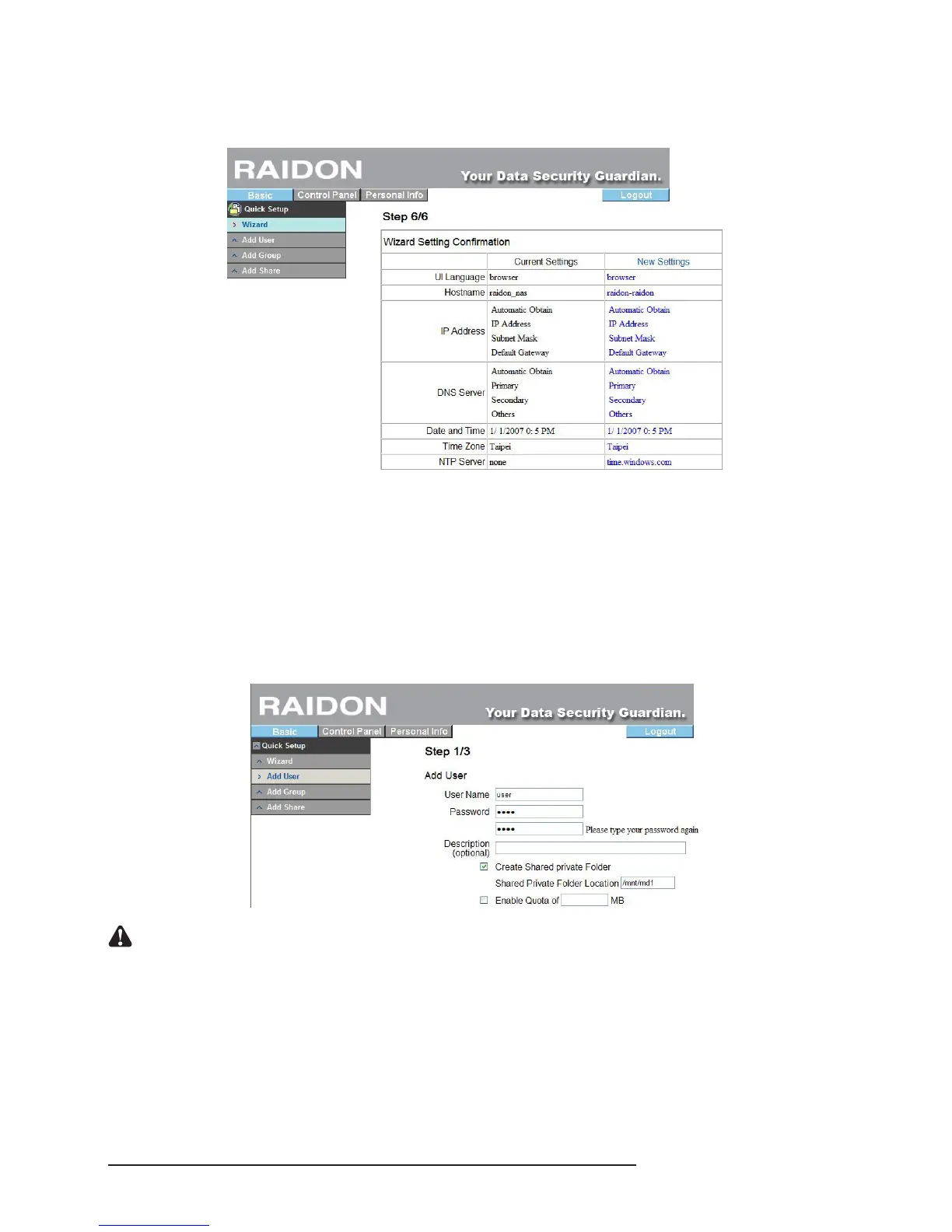
All setting information will be displayed together. If you are sure everything is OK, click “Finish” to
nish the setting; if the data is wrong, click “Previous Page” to return to the procedure to set again.
Once the above procedures are complete, the basic setting of the SL3610/3620-2S-LB2 system is
nished.
3.4.2 Add User
With this function, we can add a user within 3 steps. Please refer to the following instructions:
1. User ID and Password Setting
Click “Add User” and the system will require you to ll in the name and password of the new user rst
and set whether there is an independent folder and limited size of the capacity.
Notice : 1. User ID shall be 20 characters in length at maximum which must be English letters in lower case and
numeric numbers, “-”, “_” or “.” and its rst character must be an English letter.
2. The password is 16 characters in length at maximum which must be English letters in lower case.
3. If you select to format hard drive with Fat32 format, you will not be able to limit the quota of the user.
2. User Management
After setting the ID and password, you can set the group of new users or click “Next Page” to
proceed with the next step directly without performing any setting. (If you are setting for the rst time,
only the default “guest-share” group is available.



 To Next Page