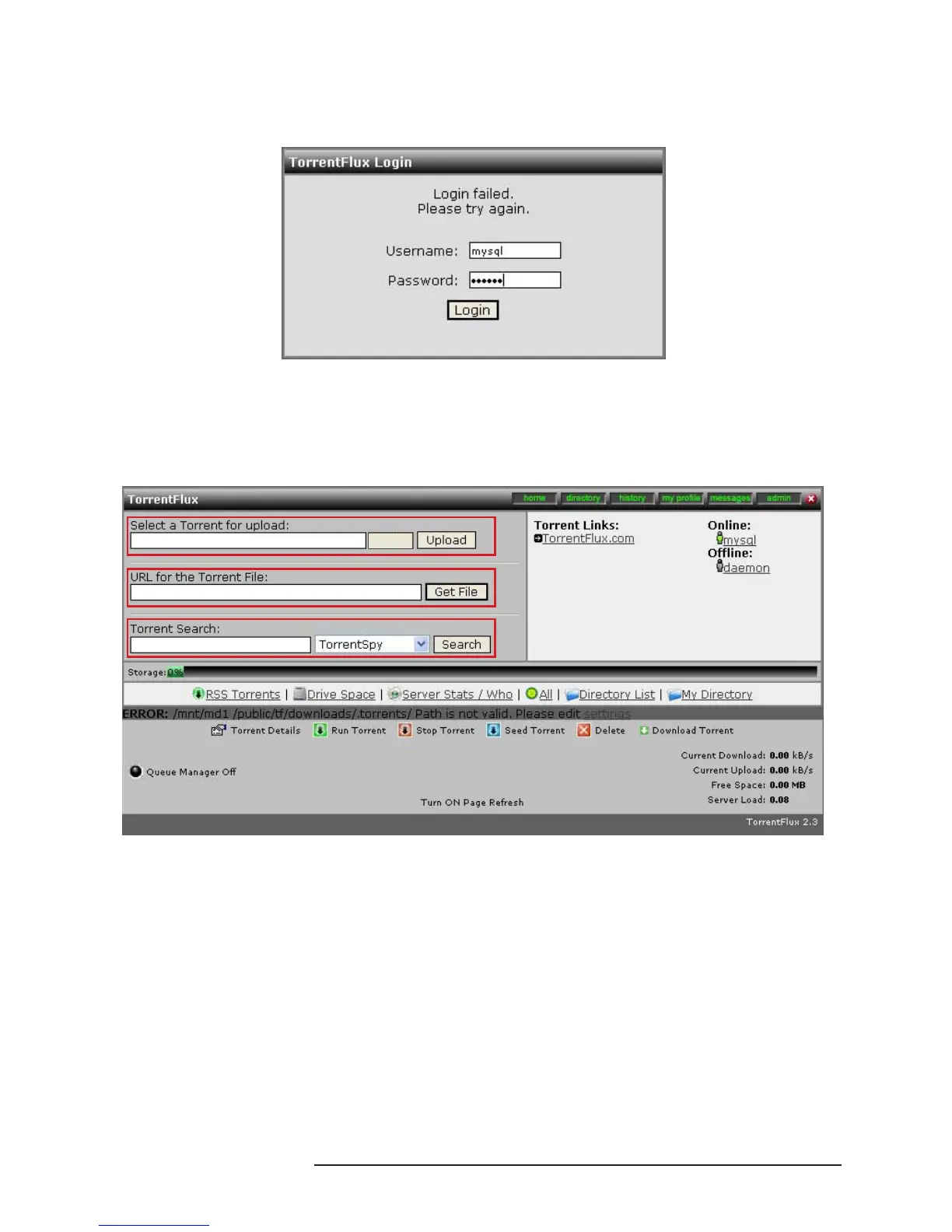
4. Click Link to bit to bring up the screen below. Input the account and password and press Login.
Account: mysql or admin
Password: 123456 or admin
5. After this screen appears, you can start to use the TorrentFlux function to upload and download BT
les.
Select a Torrent for upload: Select a seed to be uploaded.
URL for the Torrent File: Address of the seed
Torrent Search: Search seeds from the browser
3.8 Operation Methods for Change and Search of the IP Address
of SL3610/3620-2S-LB2
3.8.1 Change System Information via Setup Util.exe Software (For Windows)
In addition to changing system information through Web GUI, (e.g. IP address and time, etc.), you can
change these system information by running “SetupUtil.exe”, which is described as follows:
1. Please start “Setup Util.exe”.
Browse



 To Next Page