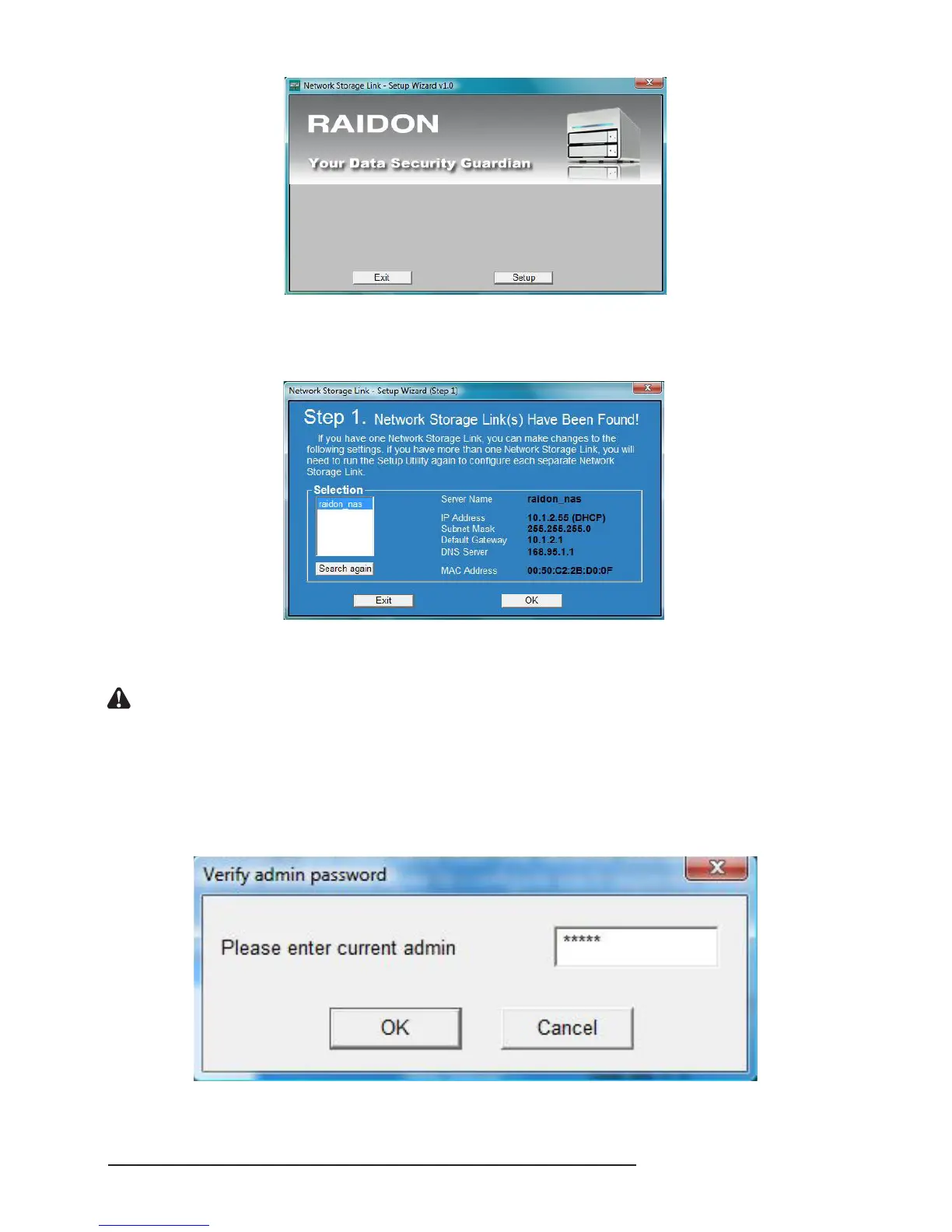
2. Click “Setup” and the setting software will detect automatically and present the following result
screen. In case multiple RAIDON NAS are installed over the network, the blank on the left will
display all devices detected.
In this screen, you can learn related IP address of the present server. To change such information of
the server as related IP address, etc, select the name of the server rst and then click “OK”.
Notice : If you need to install more than 2 SL3610/3620-2S-LB2s at one time, change the host name and IP
address of the rst SL3610/3620-2S-LB2 after installation and setting and then power on the another one
to set so as to avoid system confusion or IP conict due to simultaneous setting and reduce the
possibility of setting errors.
3. After you click “OK” and change the system setting, the system will require you to input the
administrator password. The preset password is “admin”. If you have changed the password, input
the new password.



 To Next Page