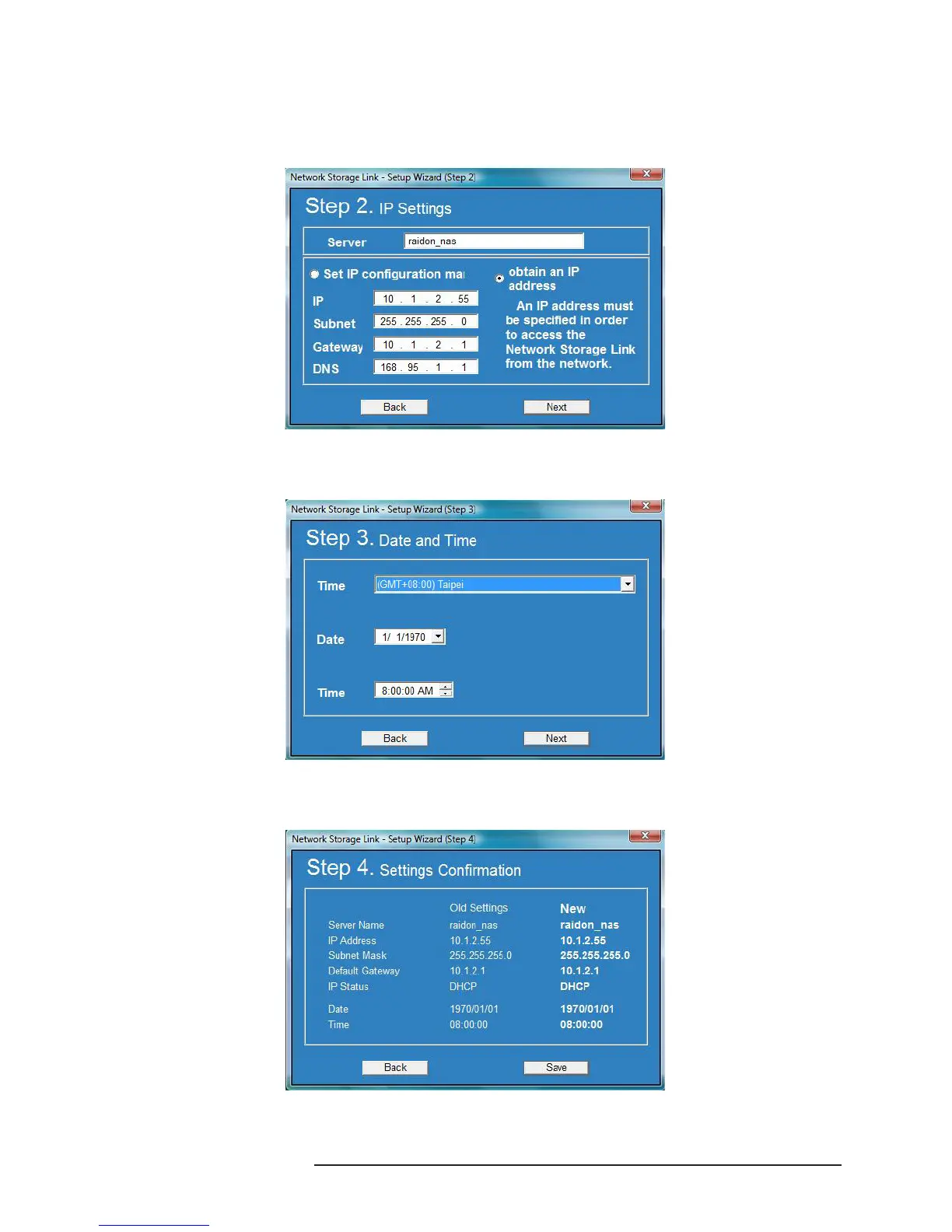
4. After entering the setting screen, connect the network wire to your host and SL3610/20-2S-LB2, click
Set IP conguration mai to input the IP address (the default IP of SL3610/20-2S-LB2 is 192.168.1.1)
or click “obtain an IP address” to obtain the IP address from the server after connecting
SL3610/20-2S-LB2 to the network.
5. Once the setting is complete, click “Next” and the system will require you to set the date and time.
You can choose to correct the time through the NTP server.
6. After setting the date and time, click “Next” and the system will display the conrmation screen.
If related information is correct, click “Save”.



 To Next Page