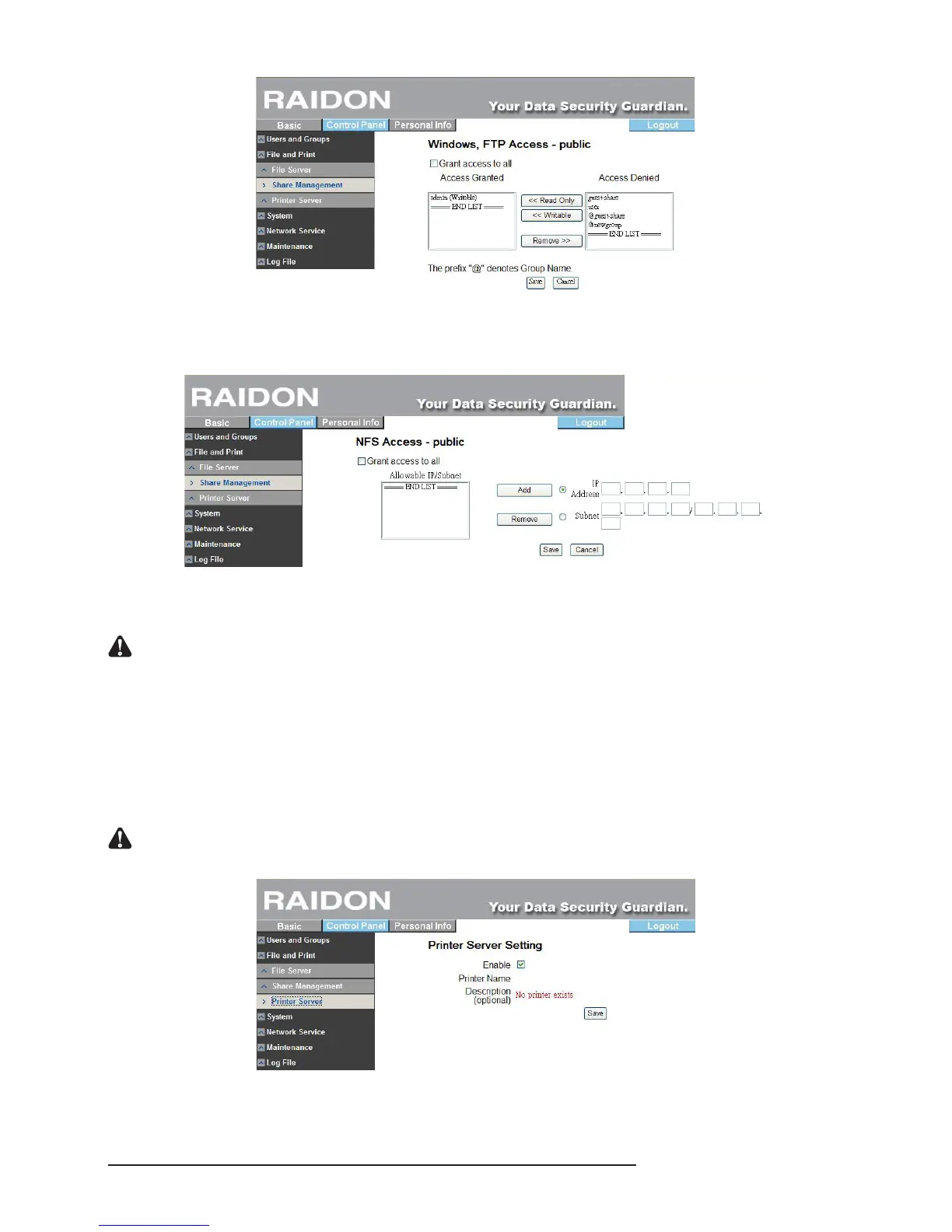
‧NFS access
※ Check “Allow access by all users” to permit all users to access. Or add the IP of the access
computer or subnet mask in the list to permit access.
‧Delete Share
※ After selecting a folder name, click “Delete Share” to delete the designated share name.
Notice : To delete the data in the folder, please backup the data prior to deletion. Once a folder is deleted, the
data originally stored in the folder will also be deleted.
3.5.2.3 Printer Sever Setting
Tick “Enable” to start Printer Sever (the default setting)
You can connect online printer though SL3610/3620-2S-LB2 with its USB port. Once it is
successfully connected, you will see the printer on the setting window. Find the printer driver
through the network neighborhood and install the driver. Then you can start to use it.
Notice : If you want to take the printer as a printer server, we suggest you to set the SL3610/3620-2S-LB2 with
static IP to ensure that the printer can operate well on the O.S.



 To Next Page