3.5.3 System
System setting includes 6 functions: “Network Setting”, “Time Setting”, “Server Startup”, “Information”,
“Disk Capacity” and “Error Notice Setting”.
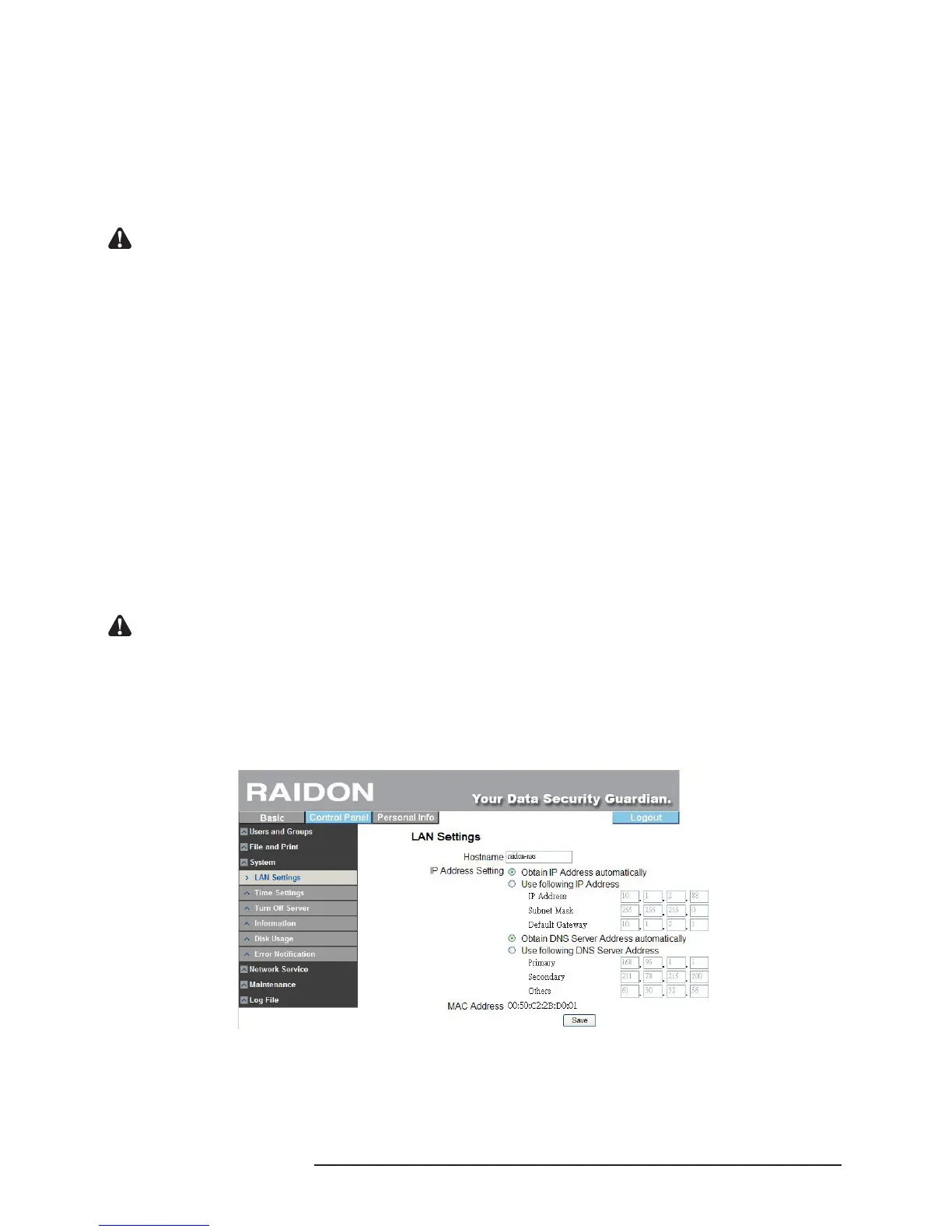
3.5.3.1 LAN Setting
‧Hostname
※ You must set an independent name for SL3610/3620-2S-LB2 over the LAN.
Notice : 1. The number of characters is limited to 15 characters, which must consist only English letters, numeric
numbers or “-”.
2. Since the default host names of SL3610/3620-2S-LB2 are identical, if you want to install more than 2
SL3610/3620-2S-LB2, be sure to change the host name of each SL3610/3620-2S-LB2 to avoid
recognition error on the IP setting software.
‧IP Address Setting
※ Obtain IP address automatically
If you have installed the DHCP server, the system will obtain the IP address from the DHCP
server automatically. If the IP address cannot be obtained from DHCP, the default IP address
is 192.168.1.1.
※ Use static IP address
You can consult related MIS personnel to obtain the IP address, subnet mask and default
gate and ll them in related elds.
※ Obtain DNS server address automatically
The system obtains the IP address of the DNS server from the DHCP server automatically.
※ Use static DNS server address
You can consult related MIS personnel to obtain the DNS address and ll it in the related
eld.
Notice : When SL3610/20-2S-LB2 is connected to the network, the system will obtain the IP address
automatically through the DHCP server. In case that the IP address cannot be obtained through the
DHCP server, SL3610/20-2S-LB2 will initiate its own DHCP function to become the DHCP server.
Conrm the IP address of SL3610/20-2S-LB2 (by default, 192.168.1.1) rst and then set the PC to the
same LAN to enter the system login screen.
‧Physical Address
※ The physical address is displayed as SL3610/3620-2S-LB2.
3.5.3.2 Time Setting
The date, time and time zone can be set. Or you can designate an NTP server to synchronize
the time and date.



 To Next Page