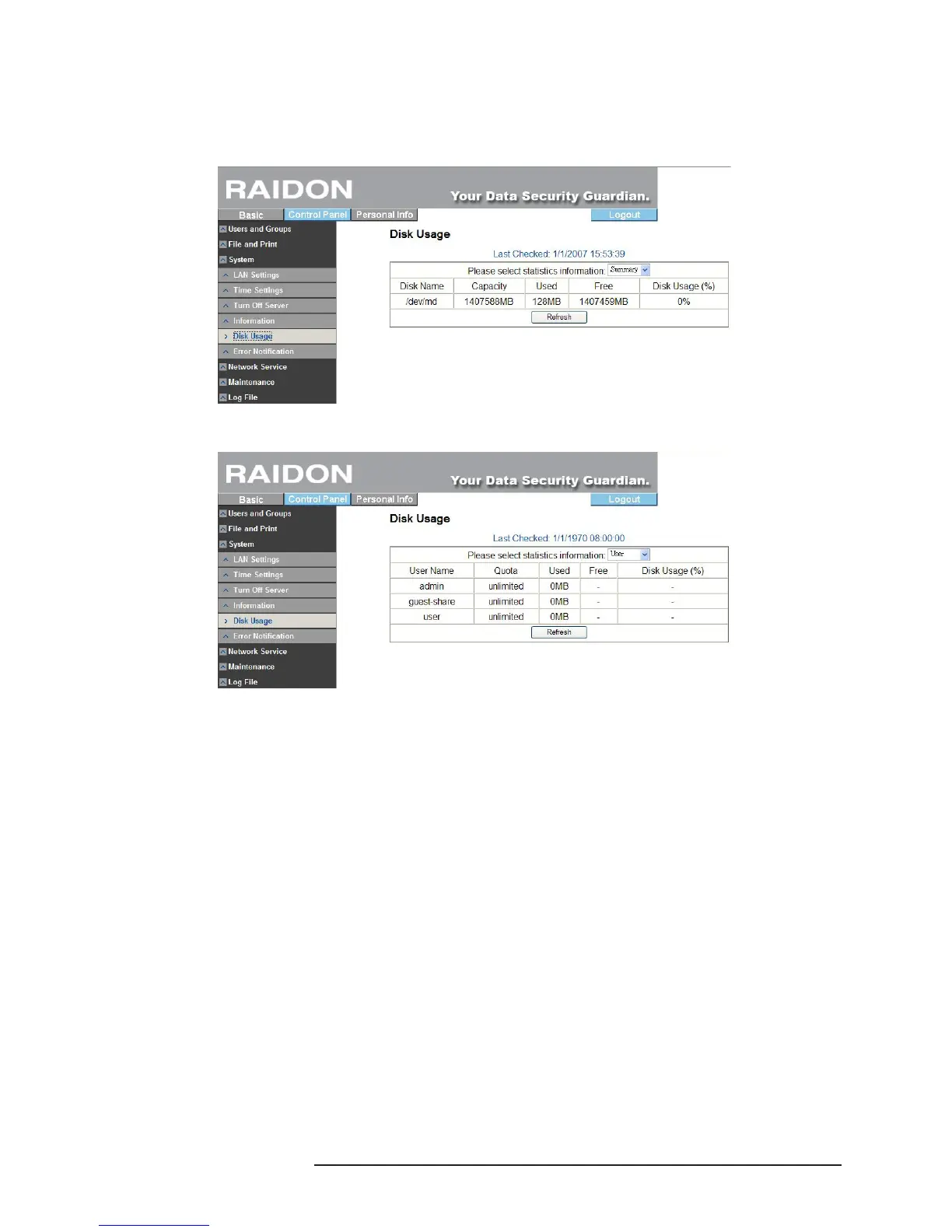
3.5.3.5 Disk Usage
Display information about the use status of the present hard disk and restriction on user
capacity.
※ Overview of present hard disk status
※ Use status and capacity restriction for each user.
3.5.3.6 Error Notication Setting
‧Monitoring Services Setting
※ Disk Usage
If checked, the system will notify the administrator in case of 90% of hard disk capacity.
※ Windows File Sharing Server
Once checked, if Samba operates abnormally, the system will notify the administrator.
※ FTP Server
Once checked, if FTP server operates abnormally, the system will notify the administrator.
※ DHCP Server
Once checked, if DHCP server operates abnormally, the system will notify the administrator.
‧ Check Interval
System can be set to be detected on an hourly or daily basis.
‧Email Notication Setting
Check “Enable” to set whether to notify the administrator by Email.
※ Error Handling Mail Server
Please ll in your mail host address (should be in the same LAN without passing through the
Router).
※ Error Handing Mail Addresses
Please ll in the administrator’s mailbox.
‧Pop-Up Notication Setting
※ Check “Enable” to choose whether to display related information by means of popping up a
window.



 To Next Page