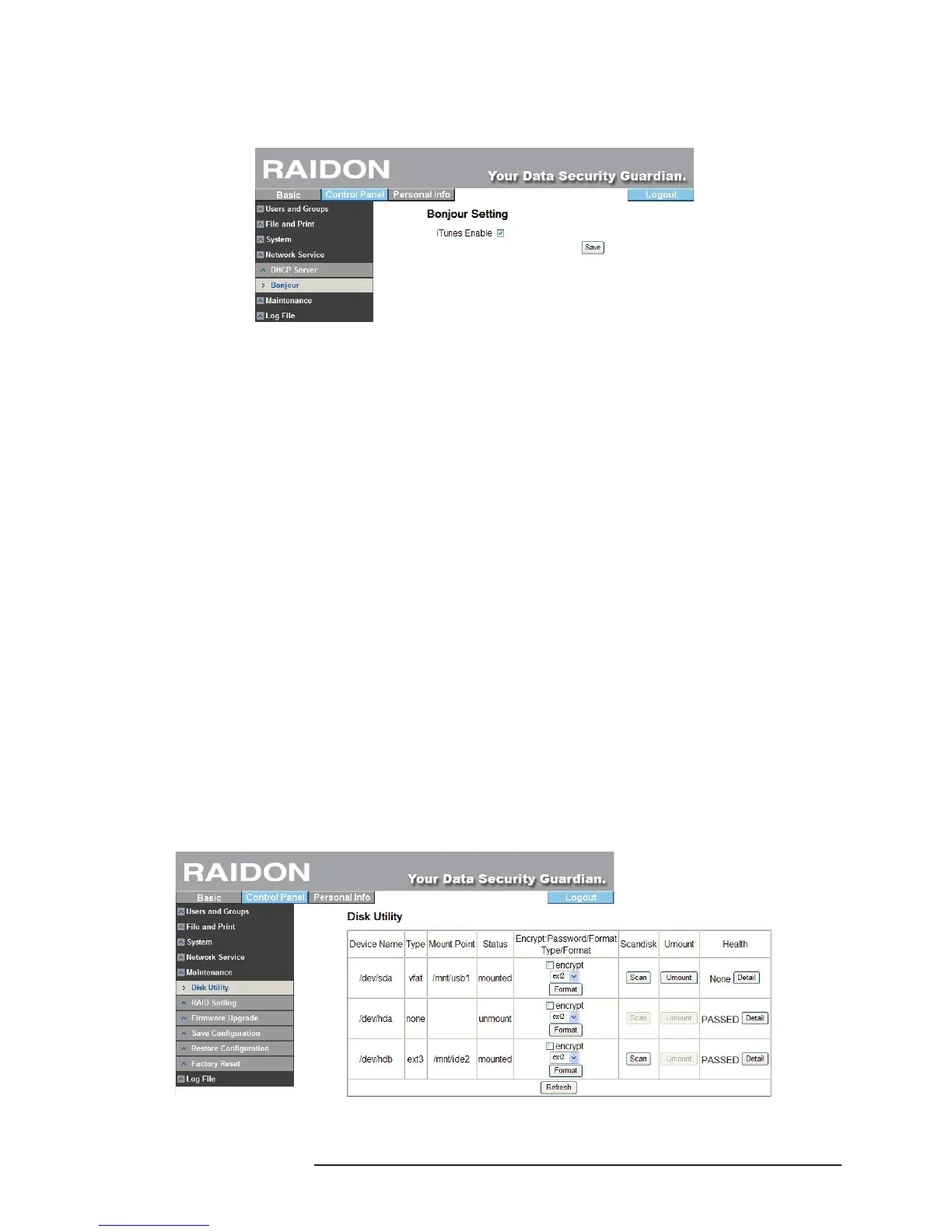
3.5.4.2 Bonjour
SL3610/3620-2S-LB2 supports Apple’s Bonjour protocol and iTunes server
※ Check “Enable” to initiate the Bonjour protocol.
3.5.5 Maintenance
System maintenance includes: There are six options: disk utility, disk area, rmware update, storage
conguration, restore conguration and factory reset.
3.5.5.1 Disk Utility
Disk information will display hard disk name, le system type, total capacity, used capacity,
cluster conguration and all congured hard disks.
‧Encrypt Box
SL3610/3620-2S-LB2 can perform 128bits loop-AES encryption for Ext2 le format only. To
perform this function, you need to input the 20-character password and format the hard disks
again.
‧Format
You can format the hard disks via this key. SL3610/3620-2S-LB2 supports 3 le formats:
Fat32, Ext2 and Ext3.
‧Scan
You can check whether the hard disks are normal via this key.
‧Detail
If your hard disks support the S.M.A.R.T function, click this key to display related status
information of the hard disks.
To avoid wrong commands, before formatting and scanning of the hard disks, the system will bring up
a window requesting you to conrm. Moreover, SL3610/3620-2S-LB2 supports USB disks and you can
share the data by inserting the USB disk into the USB port at the rear of the unit. When you insert a
USB hard disk, the system will display /mut/usb1 in “Disk Utility” and name the share folder as “usb 1”
automatically in Network Neighborhood.



 To Next Page