Instruction Manual TR-Mark III 250V Version 1.10 Preliminary Page 33 of 57
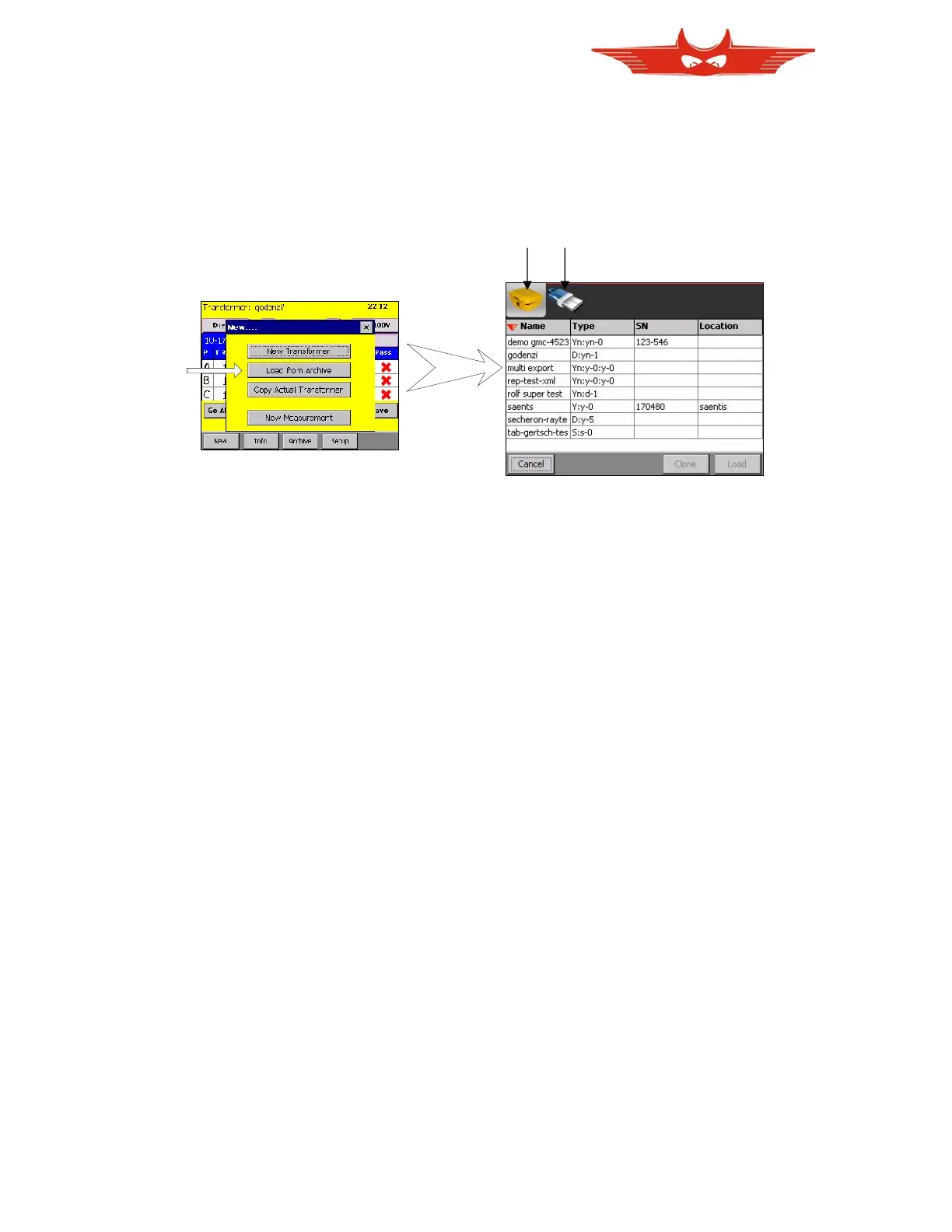
8.3.2 Load from Archive
You may already have the transformer you are up to measure stored on TR-Mark III 250V or
on a memory stick.
In the Archive screen, make your choice by touching on a transformer with your finger. Touch
’Load’ to load it and append your measurement. Touch ‘Clone’ to create a new transformer,
based on the one you have chosen.
Touch on the pictures on top (TR-Mark III 250V or memory stick) to choose between the
sources. The memory stick will only be displayed if connected.



 To Next Page