Instruction Manual TR-Mark III 250V Version 1.10 Preliminary Page 54 of 57
B Firmware Update
As Raytech GmbH always tries to increase comfort and quality of products, sometimes
firmware updates may be available. Ask your local vendor, or visit our website
www.raytechusa.com and have a look for new firmware releases.
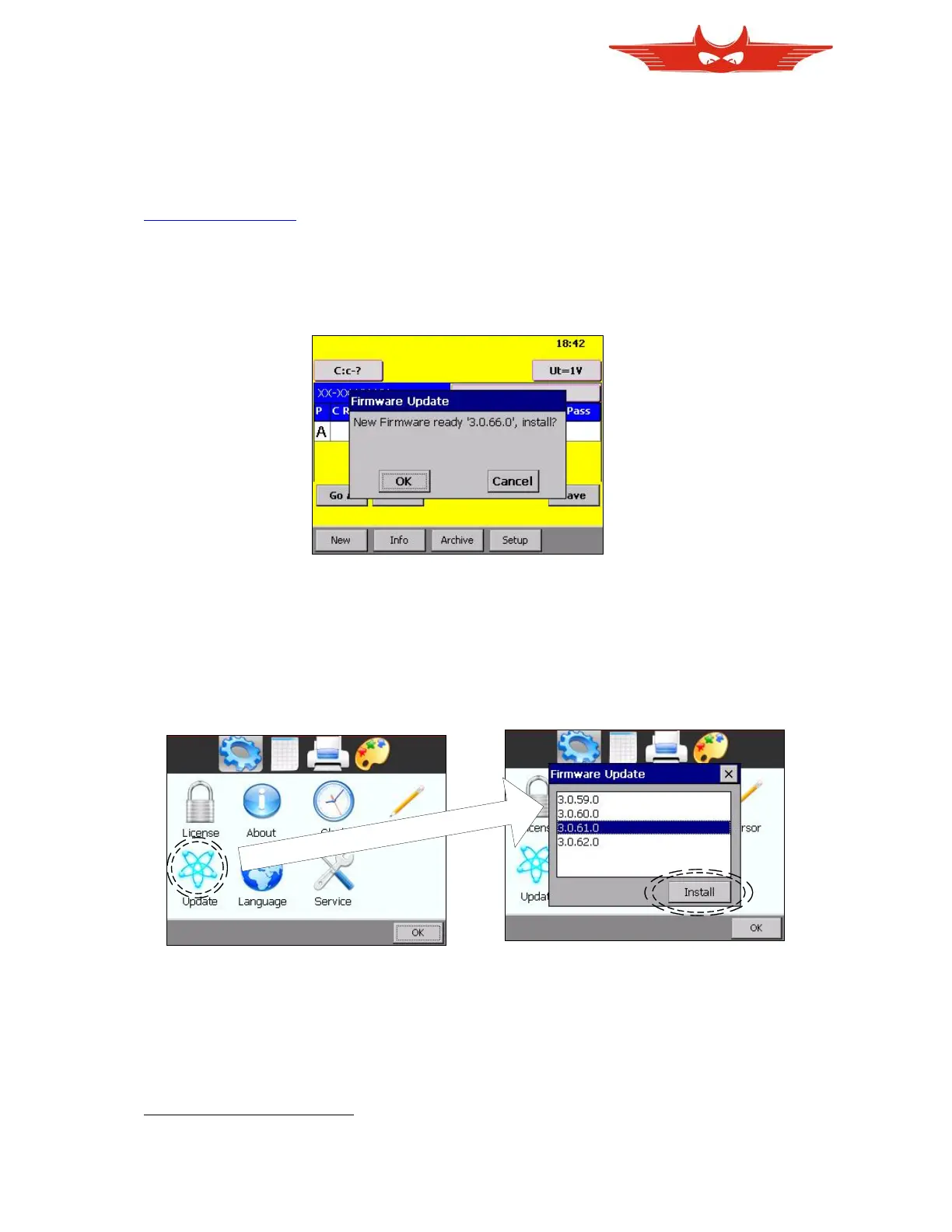
Once you have downloaded your file containing a new version, copy it to the root directory
of a USB memory stick. Then connect this stick to your TR-Mark III 250V. Usually the new
firmware release will be detected and you will be asked if you like to install it.
In some cases, for instance if you like to downgrade to an older version, you will have to start
the installing process on your own. See the graphics bellow or see chapter ‘7.5.1.5 Update’
for detailed information on how to do this.
root means no subfolder, directly to the stick



 To Next Page