Instruction Manual TR-Mark III 250V Version 1.10 Preliminary Page 36 of 57
8.4 Info
This screen has three goals:
Helping the operator to identify Transformers
Feeding TR-Mark III 250V firmware with information, to improve its output.
Viewing and printing of results
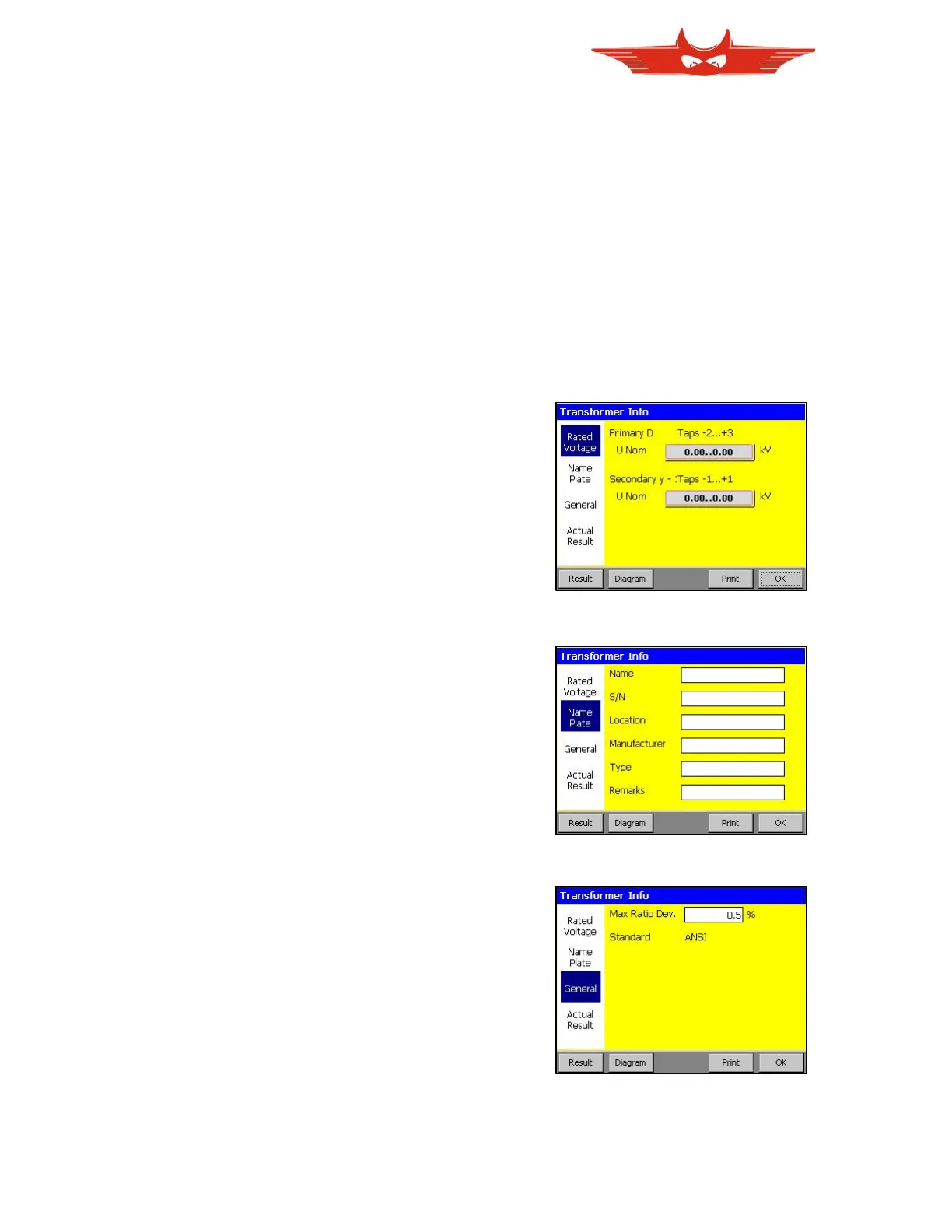
And it contains four sections. The sections are chosen by touching their name on the left
side of the screen.
Rated voltage:
Here primary and secondary, and if available
tertiary voltage can be entered. TR-Mark III
250V automatically calculates voltage and
turn ratio based on these entries.
Voltages on Tap changers can be defined
manually or automatically by a wizard.
See picture above.
Add Info:
This section especially helps to identify a
transformer. Data like transformer name,
serial number, manufacturer, type and so on
can be entered and displayed.
General:
Maximal Ratio Deviation can be set in this
chapter. By default it is 0.5%. That means, if
the measured ratio deviates more than 0.5%
from the theoretical value, the measurement
will be designated as “failed”.
Here you can also define which transformer
standard is used. (IEC, ANSI, Australian)



 To Next Page