Instruction Manual TR-Mark III 250V Version 1.10 Preliminary Page 30 of 57
8.2.1 New Transformer
This button will start the procedure of creating a new transformer. If the last used
Transformer or measurement is not saved yet, you will be asked if you like to do so.
8.2.1.1 Simple Transformer, no taps
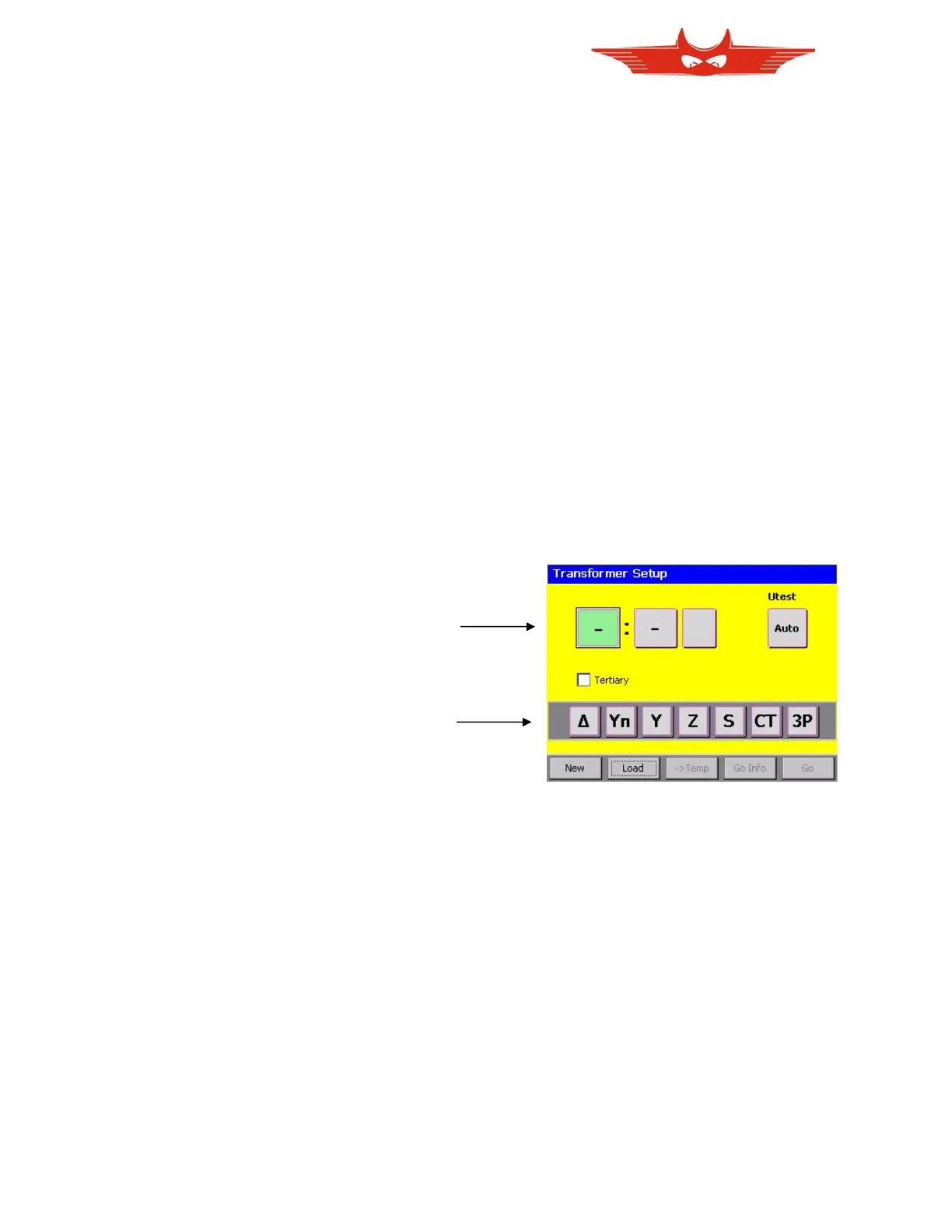
The TR-Mark III 250V sets the focus on the first winding system. Choose the type
corresponding to your transformer from the menu shown below. The system will accept it and
set the focus automatically to the next input button.
Touch the button below ‘Utest’ to choose your test voltage.
Finally, touch ‘GO’ to get to main screen and start measurement.
Touch ‘Go Info’ to go to the main screen via the info. menu, if you would like to enter
transformer details.
‘-> Temp’ will store the new transformer as a template. Please see chapter ‘8.2.5 Working
with Templates’ for details information



 To Next Page